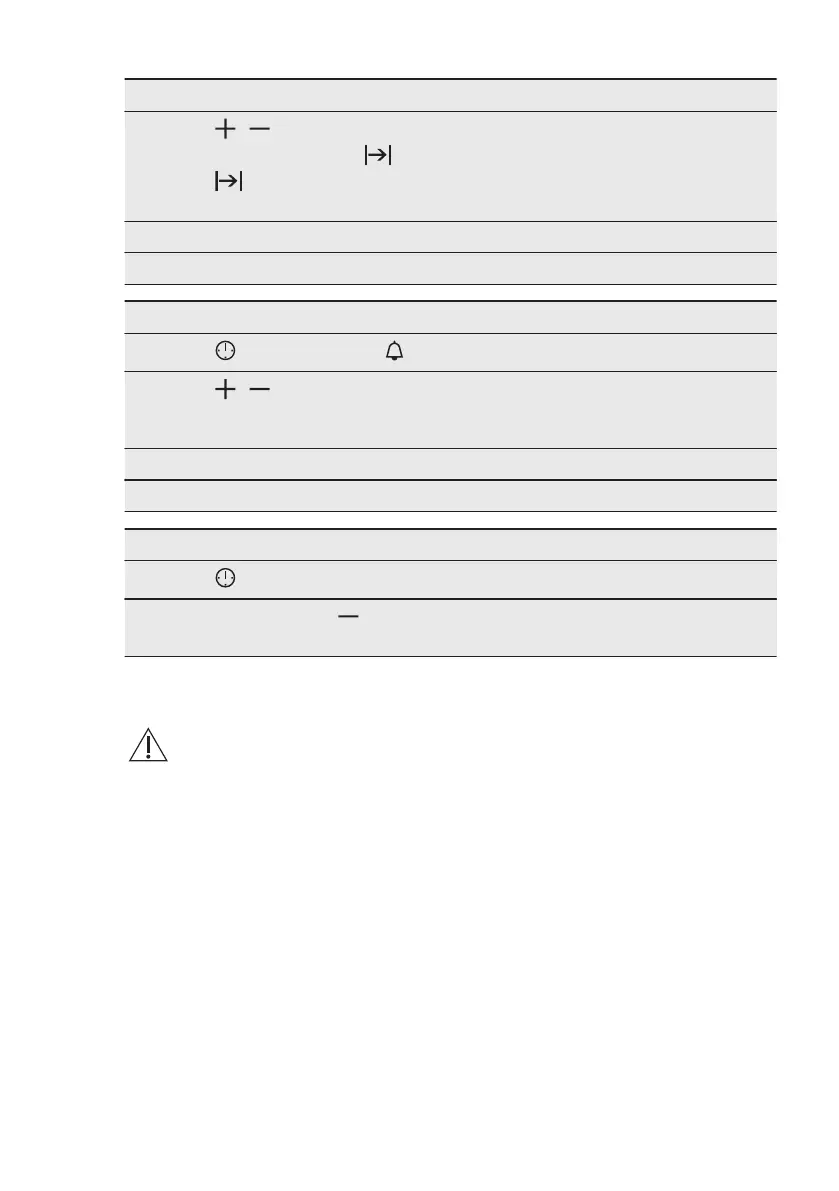
How to set: Duration
Step 3
, - press to set the duration.
The display shows: .
- flashes when the set time ends. The signal sounds and the oven
turns off.
Step 4 Press any button to stop the signal.
Step 5 Turn the knobs to the off position.
How to set: Minute Minder
Step 1
- press repeatedly. - starts to flash.
Step 2
, - press to set the time.
The function starts automatically after 5 sec.
When the set time ends, the signal sounds.
Step 3 Press any button to stop the signal.
Step 4 Turn the knobs to the off position.
How to cancel: Clock functions
Step 1
- press repeatedly until the clock function symbol starts to flash.
Step 2
Press and hold: .
The clock function turns off after few seconds.
8. USING THE ACCESSORIES
WARNING!
Refer to Safety chapters.
8.1 Food Sensor
Food Sensor - measures the
temperature inside the food. When the
food is at the set temperature, the oven
turns off.
Set 2 temperatures:
• the oven temperature: minimum
120 °C,
• the food core temperature.
For the best cooking results:
• Ingredients should be at the room
temperature.
• Food Sensor - do not use it with liquid
dishes.
• Food Sensor - during cooking it must
remain in the dish.
Food categories: meat, poultry
and fish
1. Insert the tip of the core temperature
sensor into the centre of meat or fish,
in the thickest part if possible. Make
sure that at least 3/4 of the core
temperature sensor is inside of the
dish.
2. Put the plug of the core temperature
sensor into the socket located in the
front frame of the appliance.
www.electrolux.com12





 To Next Page