12
www.electrolux.com
4.1 Setting the clock
When the oven is plugged in for the first
time you can have the option of setting the
clock. The oven has a 12 and 24 hour
clock.
Example: To set the clock.
1. Press the CLOCK button once.
2. Rotate the TIME/MENU knob to adjust
the hour.
3. Press the CLOCK button to confirm.
4. Rotate the TIME/MENU knob to adjust
the minutes.
5. Press the CLOCK button to confirm.
During cooking, you can press the
CLOCK button to check the time of
day.
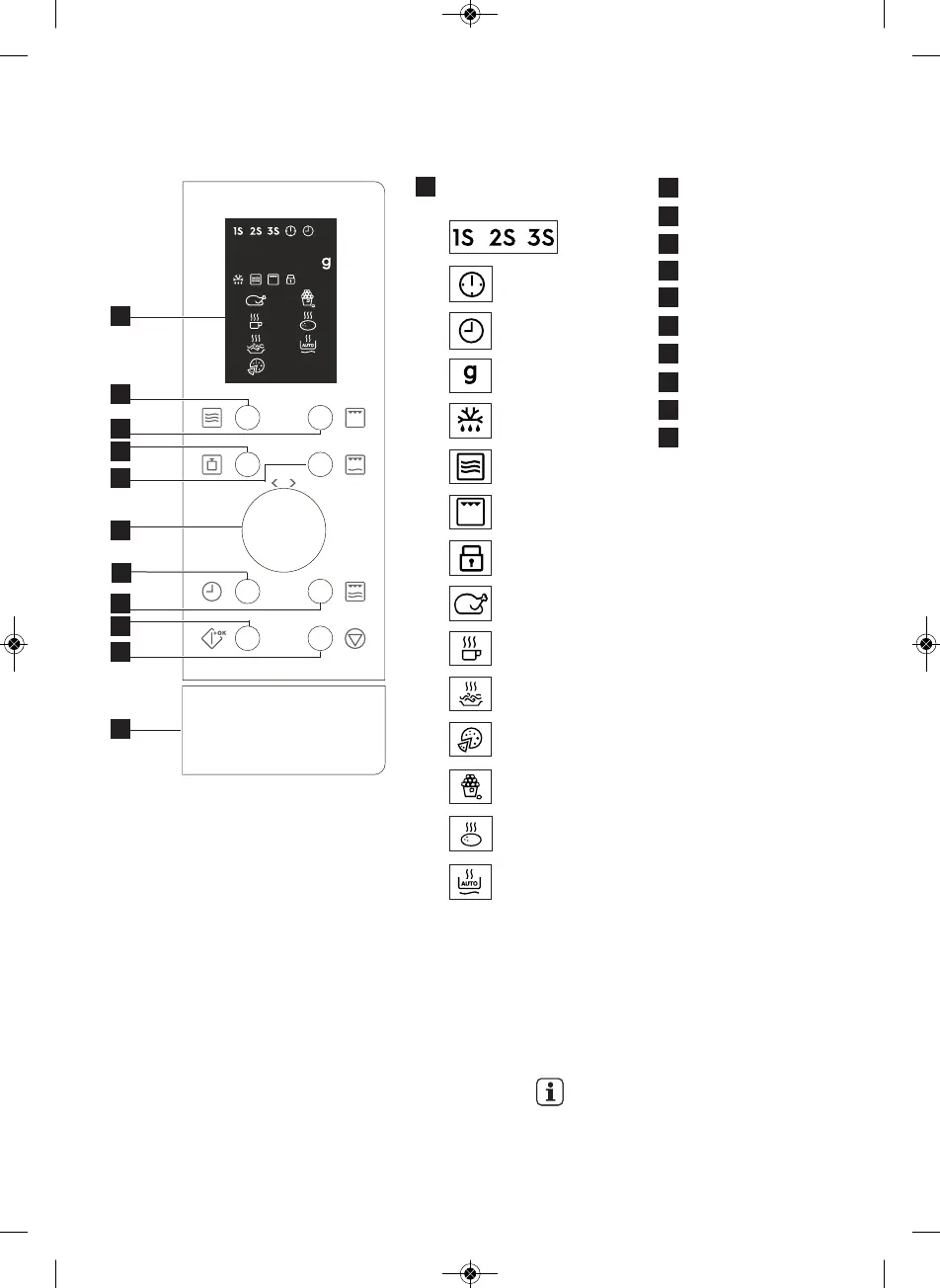
3.3 Control panel
4. oPERATIoN
Digital display indicators:
Multi stage
cooking
Clock set
Clock setting
Weight
Auto Defrost
Microwave
Grill
Child safety lock
Chicken
Beverages
Spaghetti
Pizza
Popcorn
Potato
Auto Reheat
1
Power level button
Grill button
Weight button
Combi. 1 button
Time/menu knob
Clock button
Combi. 2 button
Start/quick start button
Stop/cancel button
Door open button
2
3
4
5
6
7
8
9
10
11
2
3
4
7
1
5
9
6
8
10
11
1_ELECTROLUX_EN230_25LGRILL_SBI_QUADRO_BASE_AJ26UICTO_Layout 1 26/06/2020 07:47 Page 12




 To Next Page