4. PRODUCT DESCRIPTION
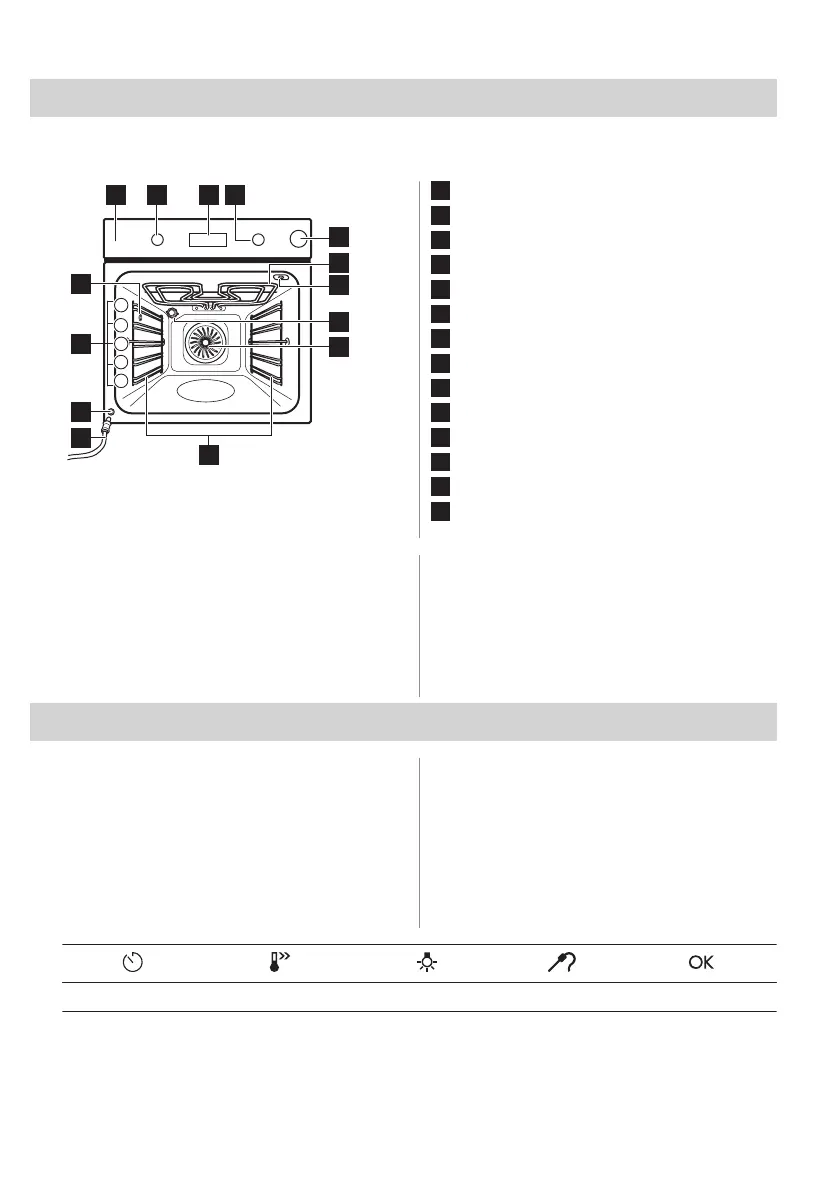
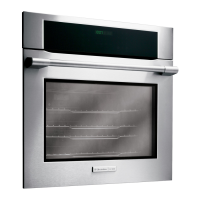
4.1 General overview
8
5
6
14
11
12
10
5
4
1
2
3
32 41
9
7
13
1
Control panel
2
Knob for the heating functions
3
Display
4
Control knob
5
Water drawer
6
Heating element
7
Socket for the food sensor
8
Lamp
9
Fan
10
Shelf support, removable
11
Draining pipe
12
Water outlet valve
13
Shelf positions
14
Steam inlet
4.2 Accessories
• Wire shelf
For cookware, cake tins, roasts.
• Baking tray
For cakes and biscuits.
• Grill- / Roasting pan
To bake and roast or as pan to collect fat.
• Patisserie tray
For rolls, pretzels and small pastries.
• Food sensor
To measure how far the food is cooked.
5. CONTROL PANEL
5.1 Retractable knobs
To use the appliance press the knob. The
knob comes out.
5.2 Control panel overview
Select a heating function to turn on the
appliance. Turn the knob for the heating
functions to the off position to turn the
appliance off.
Timer Fast Heat Up Light Food Sensor Confirm setting
46 ENGLISH



 To Next Page