- 16 -
TSE-N 01.01 A. B. 599 50 93 79 EN
5. Operation of the setting and operating units
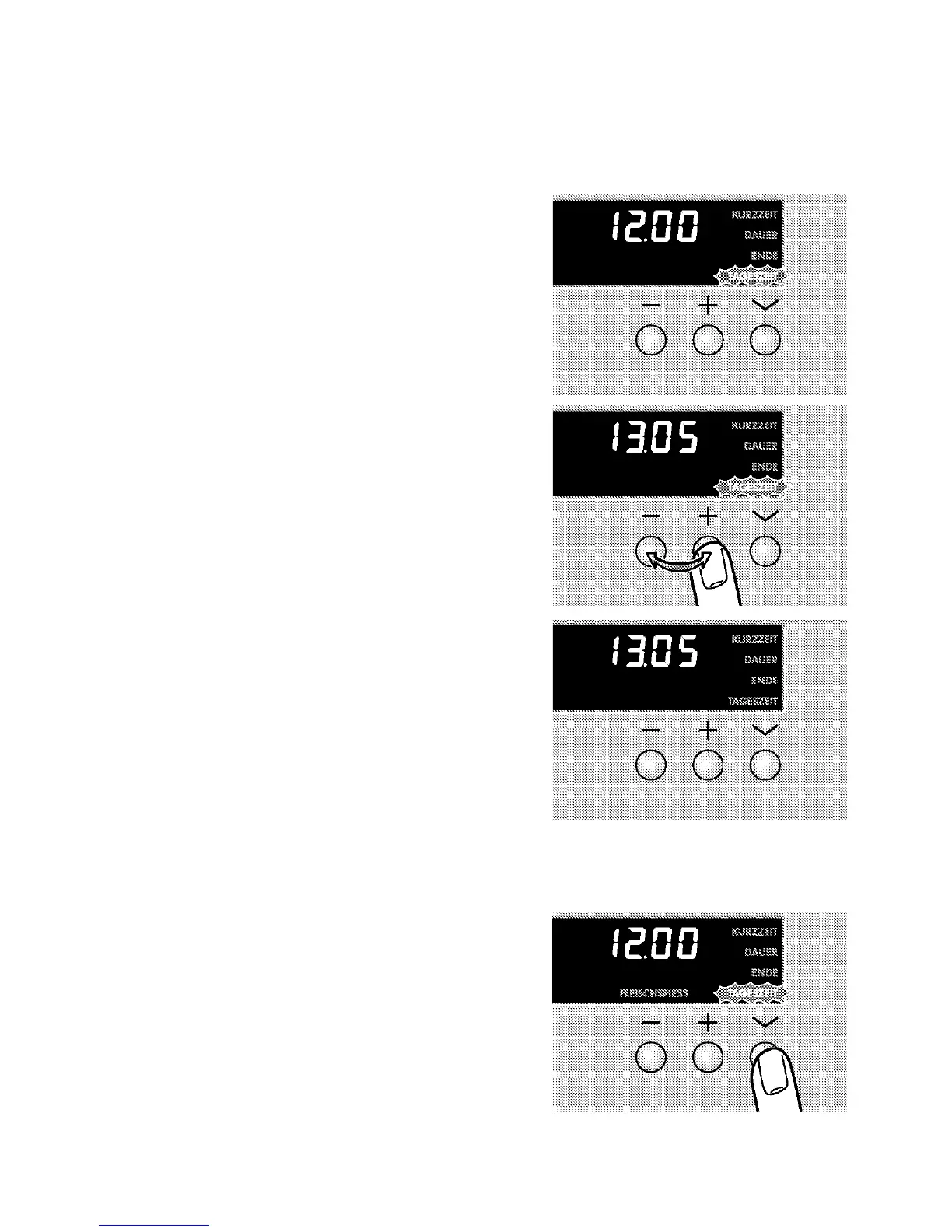
5.1 Setting/modifying the time
5.1.1 Setting/modifying the time
Setting
The baking oven functions only with the time set. After
electrical connection or in case of power failure “12:00”
and “TIME” flash.
1. Set the current time at the keys + or - .
2. Wait for approx. 5 seconds.
Flashing is stopped at the set time is displayed.
Modifying
1. Press the clock function key selection V until TIME
flashes.




 To Next Page