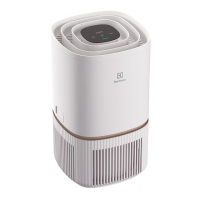
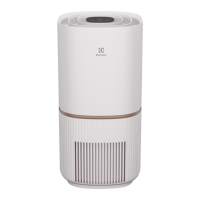
This document is an instruction manual for the Electrolux ULTIMATEHOME 500 Air Purifier.
Function Description:
The Electrolux ULTIMATEHOME 500 is an air purifier designed to improve indoor air quality. It operates by drawing in air, filtering out particulate matter, and releasing cleaner air. Some models are equipped with a UV-C emitter for enhanced purification. The device features a control panel for manual operation and can also be controlled remotely via the Electrolux App, offering additional features like scheduled events and detailed air quality data tracking.
Important Technical Specifications:
- Power Supply: The appliance can be used with a 50Hz or 60Hz power supply without any changes.
- UV-C Emitter (for UV models): Contains a UV-C emitter for eliminating bacteria. Users are not allowed to replace the UV-C emitter themselves.
- Connectivity: Equipped with a WiFi module for remote control and app integration. It supports 2.4 GHz home WiFi networks (5GHz band is not recognized).
- Air Quality Sensor: Analyzes air quality and provides real-time feedback through a multi-color light indicator.
- Filter Type: Uses replaceable filters. The filters are not washable.
- Safety Features: Includes a child lock function to disable the control panel and prevent unintended operation.
Usage Features:
- Power On/Off: Press the ON/OFF button to turn the air purifier on or off.
- Default Mode: When first started, the unit runs in SMART mode. Subsequent starts resume the last settings.
- Mode Selection: Toggle between SMART and MANUAL modes by pressing the MODE button.
- SMART Mode: The unit uses sensor data to automatically adjust fan speed based on room air quality. Fan speed cannot be manually adjusted in this mode.
- MANUAL Mode: The unit displays air quality but does not self-adjust fan speed. This mode is suitable for quick cleaning bursts.
- Air Speed Control: In MANUAL mode, the FAN button can be used to adjust the fan speed through 5 levels. The unit gradually ramps up or down to the chosen speed.
- SMART QUIET Mode: In SMART QUIET mode, the unit operates as quietly as possible with dimmed control panel indicators and lower fan speed, ideal for sleep.
- UV-C Emitter Control (for UV models): Long press the FAN button for 3 seconds to activate or deactivate the UV feature. The UV icon will light up when active.
- Child Lock: Press and hold the MODE & POWER buttons simultaneously for 5 seconds to activate or deactivate the child lock. The child lock icon will light up when active. When locked, changes can only be made via the App.
- Air Quality Indicator: A light on the unit changes color to reflect real-time air quality based on PM 2.5 levels:
- Green: 0-12 µg/m³ (Good)
- Yellow: 13-35 µg/m³ (Average)
- Orange: 36-55 µg/m³ (Poor)
- Red: >56 µg/m³ (Very Poor)
- Scheduler: An icon indicates when a scheduled event from the app is running.
- Remote Control (Electrolux App): Download the Electrolux App to add the device, follow onboarding instructions, and access features like remote control, scheduled events, and detailed air quality data. Long pressing the ON/OFF button for 5 seconds activates/deactivates the wireless network.
Maintenance Features:
- Filter Installation/Replacement:
- Open the main body by pressing release buttons and lifting the top part.
- Remove the plastic bag from the new filter.
- Insert the filter into the cavity, ensuring it's centered.
- Replace the top part of the main body, ensuring the "FRONT" mark faces forward.
- After replacing the filter, long press the MODE button for 3 seconds to reset the filter change indicator. The App will also update with a new filter lifetime reading.
- Filter Change Reminder: The filter change icon will light up on the control panel when the filter is at the end of its life. The App will also provide notifications.
- Filter Lifetime Monitoring: Monitor the filter's remaining lifetime via the Electrolux App.
- Used Filter Disposal: Discard used filters and plastic packaging according to local recycling guidelines.
- Sensor Cleaning: Regularly clean the sensor window to prevent clogging with dust and ensure accurate performance. Open the sensor box, clean the lens and outlet grill with a narrow nozzle/brush, and use a dry cotton swab to remove any excess water from the sensor.
- Appliance Cleaning: The plastic surface can be cleaned with an oil-free dry cloth or slightly damp cloth. Do not use bleach or abrasives.
- Storage: If not planning to use the appliance for a long time, cover it with plastic or return it to its carton. Do not touch the fan blade when removing the multi-layer filter.
- Always use the provided wall adapter or original spare part adapter.
- Do not store or use flammable vapors or liquids near the appliance.
- Prevent water or flammable detergents from entering the appliance.
- Supervise children to ensure they do not play with the appliance.
- Do not allow children under 3 years of age near the appliance unless continuously supervised.
- Keep all packaging away from children.
- Activate child lock if children may come into contact with the appliance.
- Ensure the outlet is adequately grounded.
- Do not unplug by pulling the cable; always grip the adapter firmly.
- Call authorized Electrolux servicer for repairs.
- Unplug the unit before cleaning or maintenance.
- Do not insert fingers or objects into the air outlet grill.
- Do not direct airflow at fireplaces or heat sources.
- Do not climb on, place objects on, or hang objects off the unit.
- Do not place containers with liquids on the unit.
- Turn off the unit at the power source when not in use for extended periods.
- Always operate the unit with the air filter in place.
- Do not block or cover the intake grille or air outlet grill.
- Keep electrical/electronic equipment 30cm away from the unit.
- Only use accessories provided by the manufacturer or service agent.
- In case of malfunction (sparks, burning smell), immediately stop operation, disconnect power, and call an authorized Electrolux servicer.
- Do not operate the unit with wet hands.
- For UV models, do not operate the UV-C emitter outside the appliance. Unintended use or damage to housing may result in dangerous UV-C radiation, which can harm eyes and skin. Do not operate obviously damaged appliances.
Troubleshooting:
The manual provides a troubleshooting table for common issues such as the alert icon lighting up, the air purifier running at max/lowest fan speed continuously, the filter icon being lit after replacement, inability to connect to the App, and strange smells. It advises checking the Electrolux App or website for more detailed troubleshooting steps and to have the unit's PNC and SERIAL number ready when contacting support.

 Need help?
 General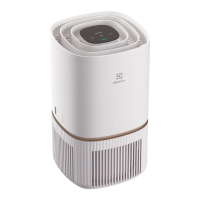





 To Next Page