
 To Next Page
M
Michael NashJul 28, 2025
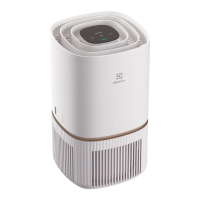
Why can't I connect my Electrolux WELL A5 to the app?
- MMolly MorrisJul 28, 2025
Ensure your home WiFi is operating at 2.4Ghz, as the WiFi chip in the unit operates only at this bandwidth.

Why can't I connect my Electrolux WELL A5 to the app?
Ensure your home WiFi is operating at 2.4Ghz, as the WiFi chip in the unit operates only at this bandwidth.
What to do if my Electrolux Air Cleaner does not turn on?
If your Electrolux Air Cleaner isn't turning on, first, make sure the outlet and the unit are receiving power. Ensure the power plug is firmly pushed into the wall socket. The unit won't operate without detecting filters, so if you've recently replaced a filter, remove and reinsert it, checking its orientation for RFID sensor detection.
Why is my Electrolux Air Cleaner running at max fan speed constantly?
If your Electrolux Air Cleaner runs at max fan speed continuously, the sensor might be clogged. Try cleaning the sensor with a vacuum cleaner via the sensor window. If it's in MANUAL mode, check and adjust the fan speed on the product UI or Wellbeing App. If in SMART mode, check the air quality indicator on the product UI or within the Wellbeing App.
What to do if the alert icon is lit on my Electrolux WELL A5?
If the alert icon is lit on your Electrolux Air Cleaner, and you've just bought the unit or inserted new filters, ensure the filters are correctly positioned so the RFID tags can be read by the sensor.
How to fix a loud noise from my Electrolux Air Cleaner?
If your Electrolux Air Cleaner is making loud or abnormal noises, ensure the air inlet (around the front panel) and the air outlet grill (top of the unit) are unobstructed. If using a custom fabric cover, try reapplying the fabric cover tighter or operate without it to see if the noise becomes normal.
Why does my Electrolux Air Cleaner emit a strange smell?
The first time you run the unit, you might notice a plastic, glue, or paint smell, especially near the air outlet grill; this is sometimes unavoidable.
Precautions against electrical hazards like fire and shock, including power cord handling and grounding.
Warnings against inserting objects into the unit, operating with wet hands, or touching moving parts.
Steps to download, install, and log into the Electrolux Wellbeing App.
Guide to activating the unit's hotspot and connecting it to home WiFi via the app.
Guidance on checking filter life via the app and ordering replacements before end of life.
Step-by-step instructions for removing old filters and installing new ones correctly.
Troubleshooting steps for when the alert icon is lit, including sensor and component issues.
Diagnosing why the unit runs at max speed or why air quality doesn't improve.
Further troubleshooting for consistent low/high fan speeds and air quality improvement.
Addressing abnormal noise and troubleshooting when the air purifier does not operate.
 General
| Brand | Electrolux |
|---|---|
| Model | WELL A5 Series |
| Category | Air Cleaner |
| Language | English |