12. Troubleshooting
12
9
438 9152-11/03
04.03
Service
Manual
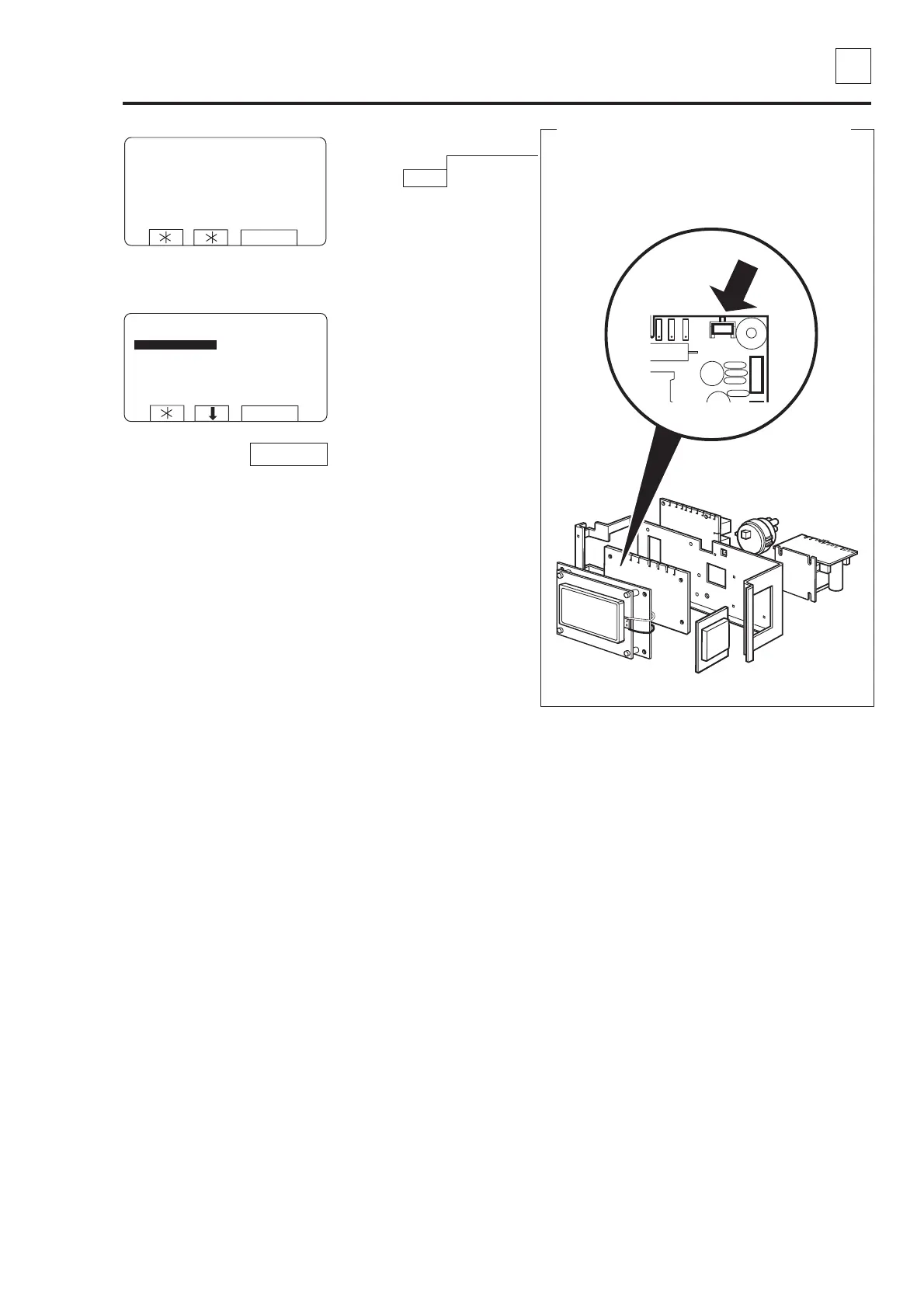
To prevent unauthorised or accidental use
Unauthorised or accidental use of the service
program is prevented by requiring the user to locate
and press the button on CPU board.
PRESS BUTTON ON
CPU BOARD
EXIT
Press the button on the
CPU circuit board.
To access the service
program:
Press Select.
SERVICE PROGRAM
MAKE A CHOICE:
SERVICE PROGRAM
CLEAR TRIP HOUR COUNTER
CLEAR SERVICE COUNTER
CLEAR WASH PROGRAM COUNTER IN CLS
CLEAR WASH PROGRAM COUNTER IN SMC
SCALE ADJUSTMENTS
CALIB. OF LEVEL SENSOR
EXIT
SELECT
SELECT
Not for Wascator FOM71 CLS.



 To Next Page