12. Troubleshooting
12
8
438 9152-11/03
04.03
Service
Manual
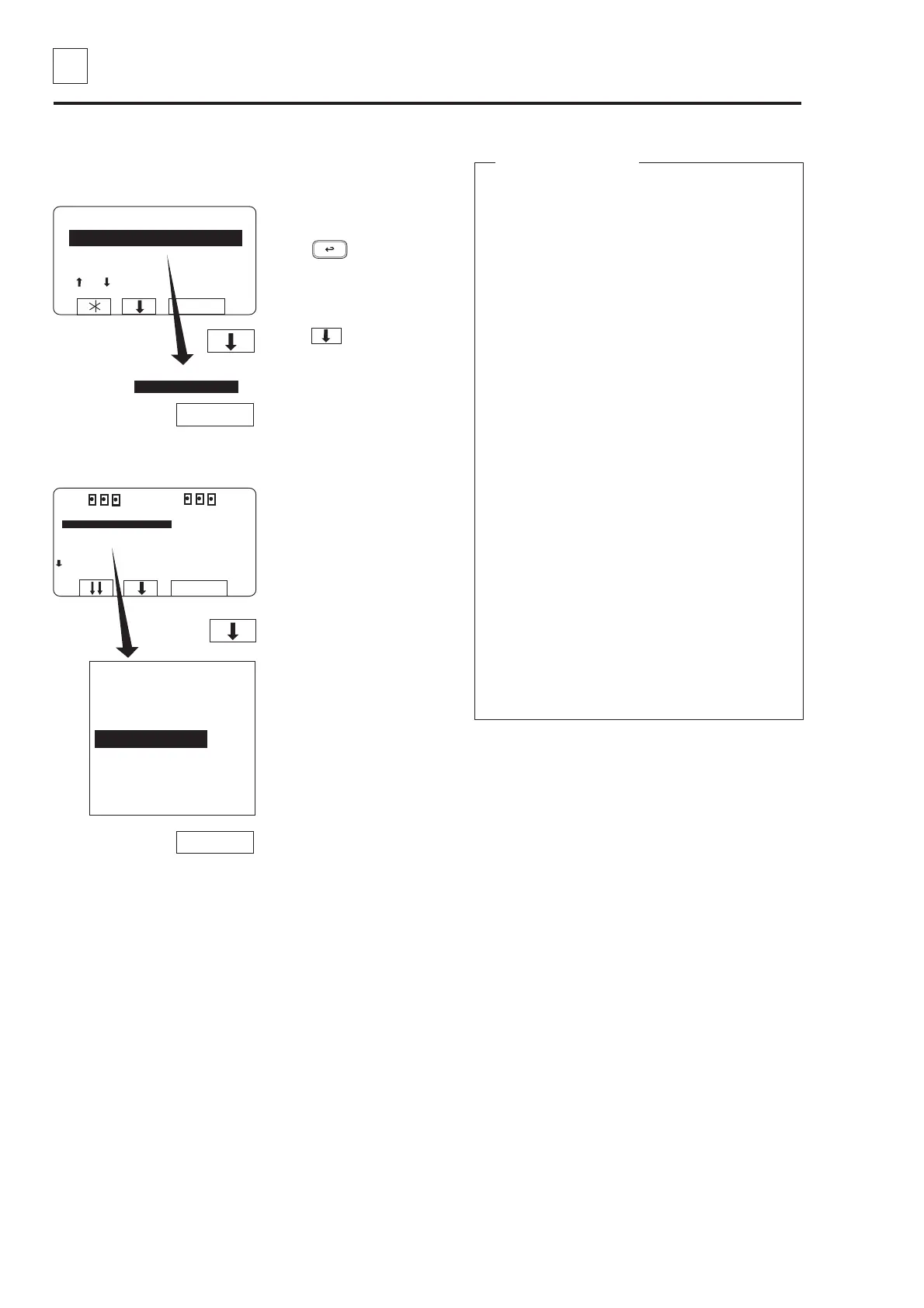
Press b four times.
... to highlight
”SERVICE PROGRAM”.
RUN A WASH PROGRAM
GO TO THE MENU
MAKE YOUR CHOICE WITH
OR AND PRESS SELECT
WEIGHT, KG 000,0
SELECT
SELECT
MENU
MAKE A CHOICE:
WASH PROGRAM LIBRARY
PROGRAMMING MODE
SETTINGS 1
MEMORY CARD
SERVICE MODE
STATISTICS
WASH PROGRAM LIBRARY
PROGRAMMING MODE
SETTINGS 1
MEMORY CARD
SERVICE MODE
STATISTICS
MANUAL MODE
SETTINGS 2
EXIT
SELECT
SELECT
RUN A WASH PROGRAM
GO TO THE MENU
If this menu is not currently
displayed:
Press repeatedly.
Press to highlight
”GO TO THE MENU”.
Press SELECT.
Press SELECT.
The service program
The service program makes fault-finding on the
machine easier, as it allows you to control the
various machine functions individually:
• water filling
• detergent flushing
• motor rotation, clockwise and counterclockwise
• motor action, distribution and extraction
• drain
• door lock
• heating
• buzzer
You can also check which input signals to the
PCU are activated:
• emergency stop
• remote start
• oil lubrication
• service
• repeat rinse
• phase check
• door locked
• door closed
• imbalance
The following values will also be displayed at all
times:
• water level in machine
• water temperature
• motor speed
• whether drain is open or closed
Service programme
Opening the service programme



 To Next Page