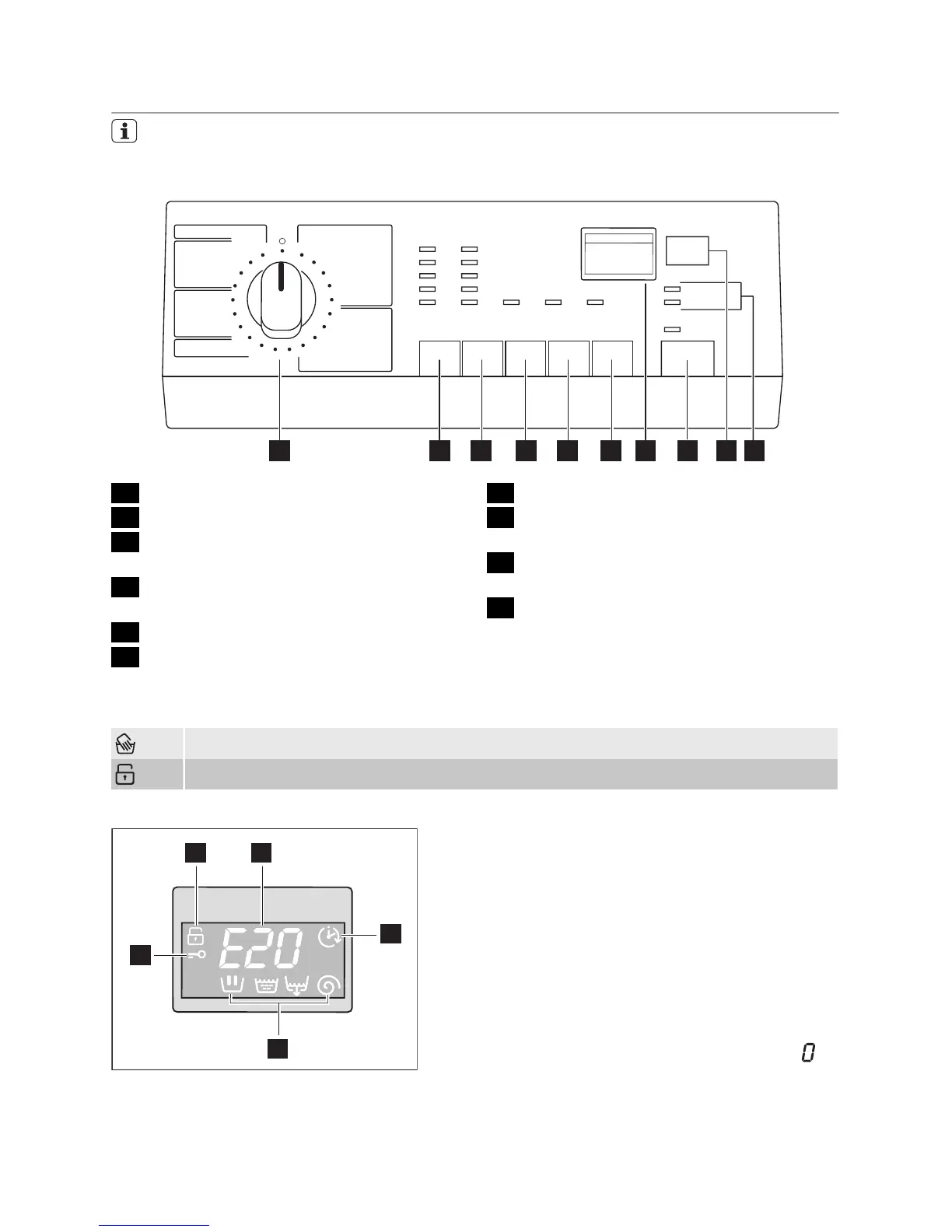
CONTROL PANEL
Below is a picture of the control panel.
It shows the programme selector dial
as well as the buttons and the display.
These are presented by relevant num-
bers on the following pages.
1 2 3 4 5 6 7 8 9 10
1 Programme selector dial
2 TEMP. button
3 SPIN reduction button (U/Min. - Essor-
age)
4 PREWASH button (Vorwäsche - Prélav-
age)
5 STAIN button (Flecken - Taches)
6 TIME SAVING button (Zeitsparen -
Temps)
7 Display
8 START/PAUSE button (Start/Pause -
Départ/Pause)
9 DELAY START button (Zeitvorwahl -
Départ différé)
10 Indicator pilot lights
Symbols on the control panel
= Handwash
= Child Lock
Display (7)
7.1 7.2
7.3
7.4
7.5
7.1 Child safety lock symbol
7.2
• Duration of selected programme : af-
ter selecting a programme, the duration
is displayed in hours and minutes (for ex-
ample 2.05). The duration is calculated
automatically on the basis of the maxi-
mum recommended load for each type of
fabric. After the programme has started,
the time remaining is updated every mi-
nute.
• Alarm codes : in the event of operating
problems, some alarm codes can be dis-
played, for example E20 (see chapter
«What to do if...»).
• End of programme : when the pro-
gramme has finished a blinking zero
is
displayed, the symbol 7.5 (Door locked)
disappears on the display, the pilot light
of button 8 goes out and the door can be
opened.
electrolux 5




 To Next Page