5
3.2. Box & Wall Tamper
Box and wall tamper switches provides extra protection. If the plastic unit is opened the
front tamper switch is released and an alarm is generated. In the event that the plastic
unit is removed from the wall, the screw causes the perforated section of the plastic and
attached tamper mechanism metal plate to break and remain attached to the wall. As a
result, the back tamper switch is released and an alarm is generated.
The front tamper switch is located on the front of the circuit board and is depressed via a
spring when the front plastic cover is closed. The back tamper switch is located on the
rear side of the back panel and is constantly depressed.
Attach the tamper hole to the wall during mounting and attach the tamper connector
and lead to the main panel as shown in Figure 3-1.
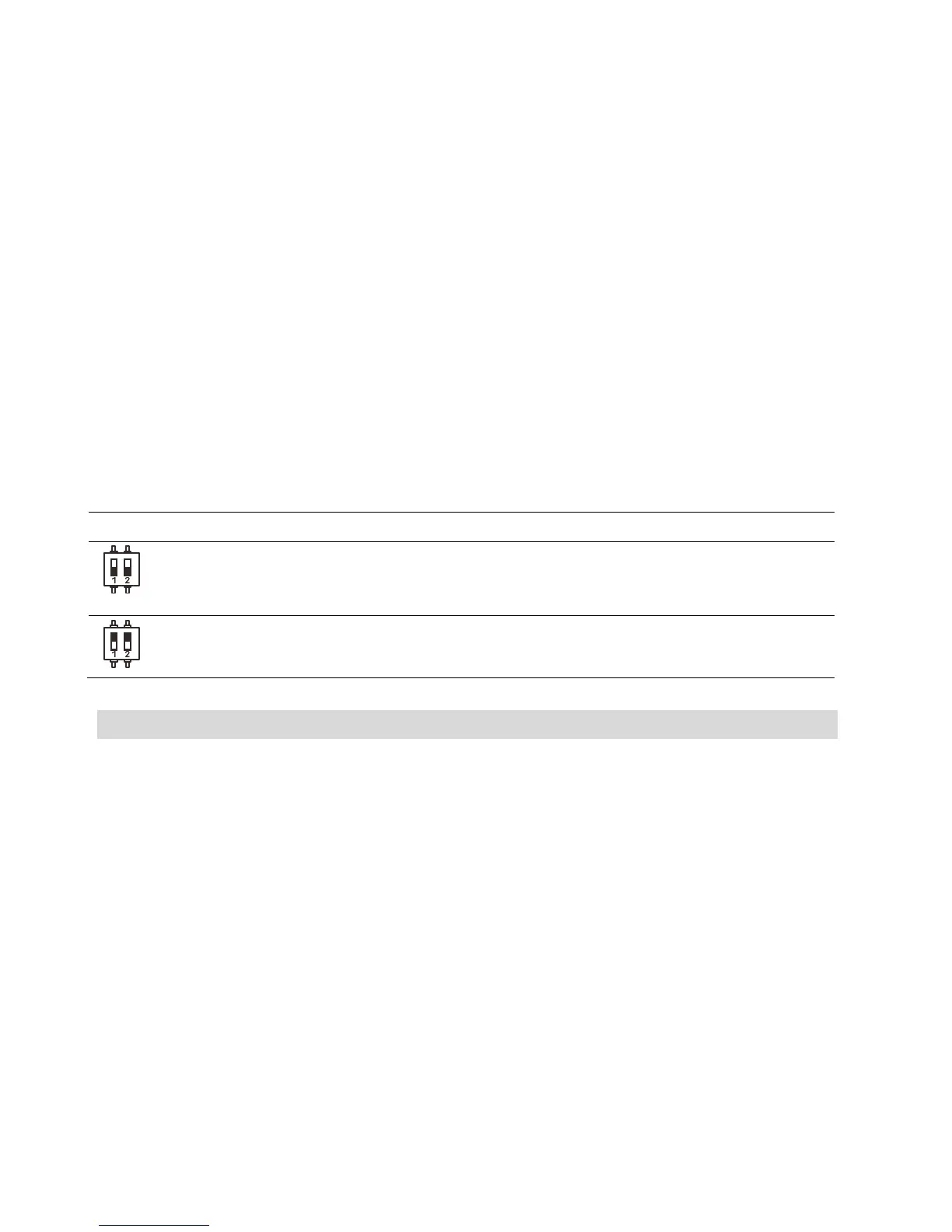
Set the Tamper dipswitch SW1 according to your tamper protection preferences, see
Tamper Bypass section, below.
3.2.1. Tamper Bypass
The circuit board provides an option to bypass the front and back tamper, as shown in
the following table:
Dipswitch SWI Setting Description
ON Tamper bypass is in effect. Use this setting during
programming and if no back tamper has been
connected.
OFF (Default): No tamper bypass is in effect. Use this option
when back tamper is connected to the system.
4. Choosing the Mounting Location
Before you mount the 2-Way Wireless I/O Expander Module plastic unit, study the
premises carefully for the best possible coverage and yet easily accessible to devices and
accessories. Consider the following before mounting the 2-Way Wireless I/O Expander
Module plastic unit:
• Centrality of location among all the detection devices and transmitters
• Proximity to an uninterrupted AC power supply
• Distance from sources of interference, such as direct heat sources, electrical
noise such as computers, televisions etc., large metal objects, which may shield
the transmission antenna
• Dryness



 To Next Page