6
5. Mounting the 2-Way Wireless I/O Expander Module
The 2-Way Wireless I/O Expander module unit consists of back and front panels and
features plastic click-mounting for all internal components.
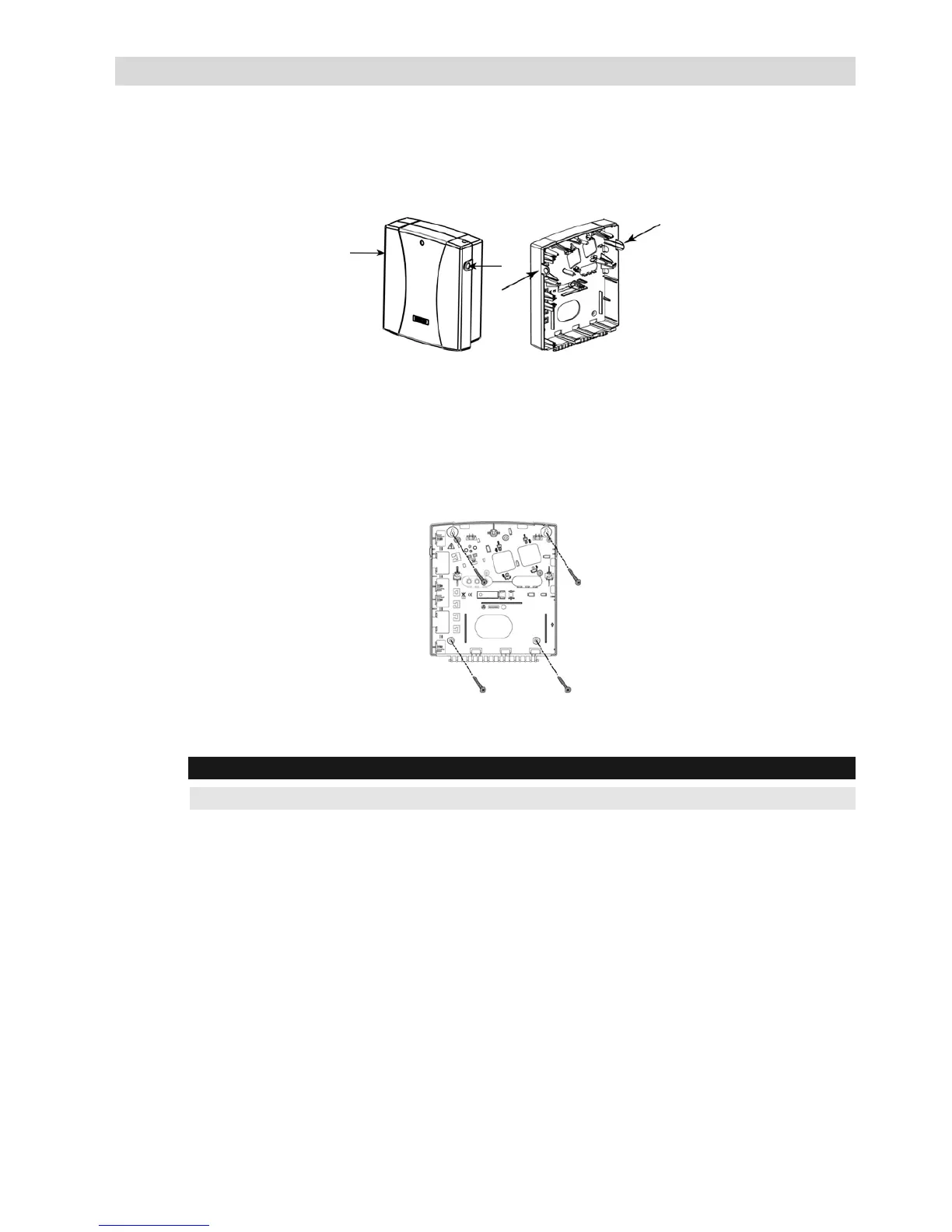
1. Separate the sub-assemblies by pressing the circular locking plastic brackets on
either side to release the front cover, see Figure 5-1 below.
Figure 5-1: Box clip release
2. Remove the circuit board (Figure 3-1) and if required open knock outs for the
entry of input and power wires.
3. Hold the mounting bracket against the wall as a template and mark the
locations for the mounting holes, as per Figure 5-2 (4 mounting holes and an
additional optional hole for securing the tamper protection bracket item).
Figure 5-2: Mounting screw template
4. Drill the desired mounting holes and place the screw anchors.
Note:
Do not permanently mount the plastic unit at this point of the installation.



 To Next Page