AUTO MOdE
MANUAL MOdE
OFF MOdE
HOLIdAY
SET TEMP.
SET TIME
SET HOUR
5
OPERATIONAL MODES
The fi rst push of any button activates the display backlight. Pushing the“ MENU “ button shortly
again, you open the main menu where you can choose the operational mode.
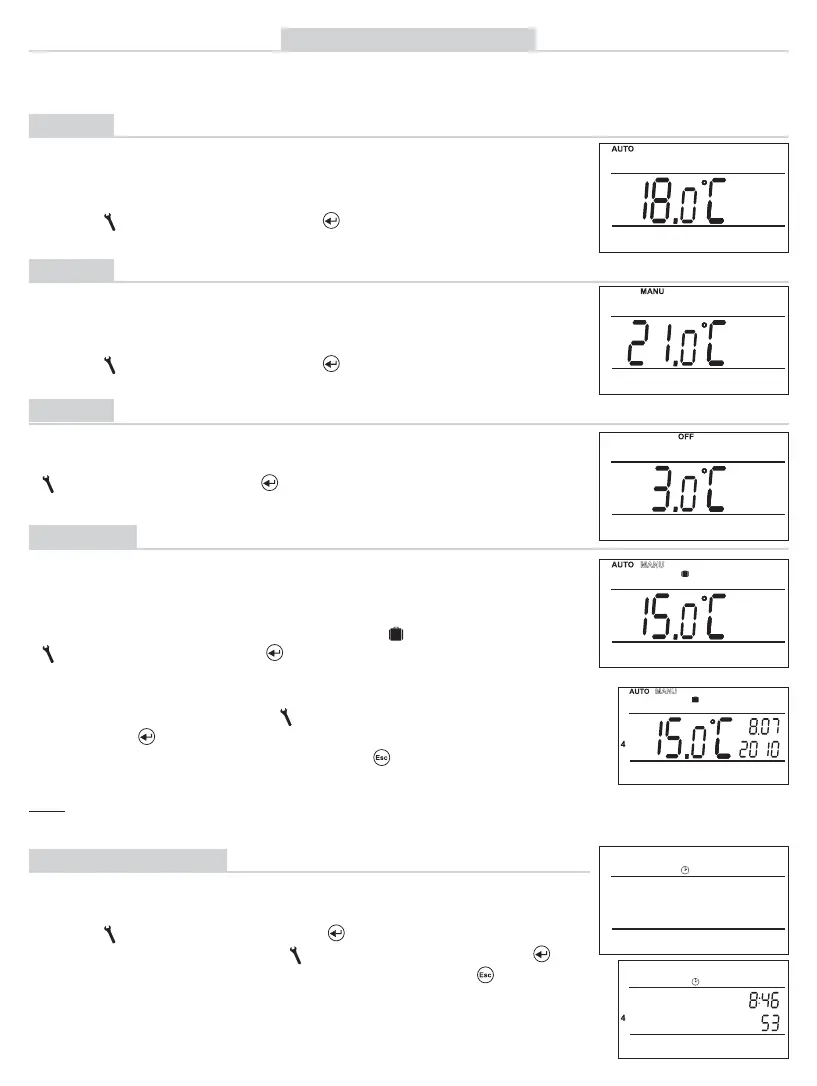
AUTO
The thermostat works according to the weekly program preset (this
program can be changed; see PROG for detailed description).
MANU
(the 21 °C temperature is factory - set)
The thermostat works according to the temperature preset until
the next manual change.
OFF
The thermostat is off until the next manual change of the mode.
HOLIDAY
The thermostat keeps the temperature preset until the given date
and time. When the preset time lapses, it automatically returns to
the last-selected AUTO/MANU mode before the holiday.
Press the “ MENU “ button twice; select the AUTO mode by
turning “ “, and confi rm with the“ “ button.
(the Pr3 weekly program is factory-set, see page 7)
Press the “ MENU “button twice; select the MANU mode by
turning “ “, and confi rm with the“ “ button.
(anti-freeze temperature of 3 °C is kept – cannot be changed)
Press the “ MENU “ button twice; select the OFF mode by turning
“ “, and confi rm with the“ “ button.
Press the “ MENU “ button twice; select the mode by turning
“ “ , and confi rm with the“ “ button.
Stepwise, set the temperature which the thermostat should keep
during the holiday, time and date of your return from the holiday.
Change the values by turning“ “, and always confi rm them
pushing the“ “ button.
When the setting is fi nished, press the “ “ button to return to
the basic screen.
Note: You can cancel the holiday mode any time by choosing another
AUTO or MANU mode.
CLOCK SETTING
Setting the current time and date.
Press the “ MENU “ button twice; select the CLOCK mode by
turning “ “, and confi rm with the “ “ button.
Change the values turning the “ “ button. Always push the “ “
button to confi rm (the value set is always blinking; the “ “ button
returns you to the menu).


 To Next Page