EasyManua.ls Logo

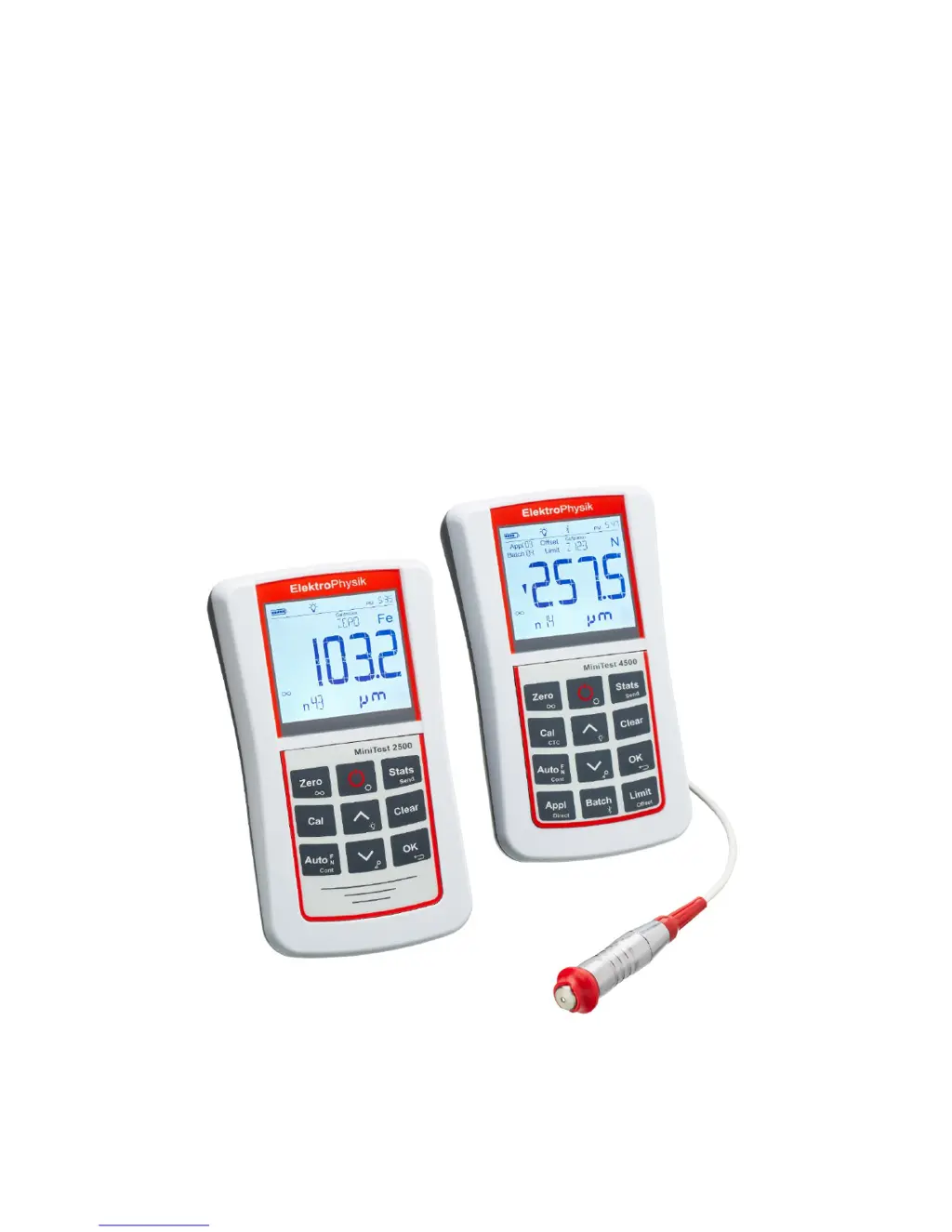
ElektroPhysik MiniTest 2500 - User Manual

Default Icon
73 pages
Print Icon
To Next Page IconTo Next Page
Loading...
ElektroPhysik
Operating instructions
Coating thickness gauges
MiniTest 2500 and MiniTest 4500

Table of Contents

Questions and Answers

  • A
    Amanda StewartAug 19, 2025
    What to do if the ElektroPhysik Measuring Instruments sensor is defective?
    • B
      Brian BallardAug 19, 2025
      If the sensor of your ElektroPhysik Measuring Instruments is defective, which is displayed either when the gauge is switched on or if the sensor has been disconnected during operation, carry out a total reset.
  • T
    Thomas FordAug 21, 2025
    Why does the sensor of my ElektroPhysik Measuring Instruments supply instable measuring values?
    • S
      Sarah ConradAug 22, 2025
      The sensor of your ElektroPhysik Measuring Instruments might supply unstable measuring values due to strong magnetic fields in the surroundings or when measuring on very soft material. In this case, carry out a total reset.
  • C
    Charles HernandezAug 25, 2025
    What to do if the battery voltage is low in ElektroPhysik Measuring Instruments?
    • M
      Michael FarrellAug 25, 2025
      If the battery voltage is low in your ElektroPhysik Measuring Instruments, carry out a total reset.
  • R
    Reginald WilliamsAug 26, 2025
    How to fix a saturated data memory in ElektroPhysik Measuring Instruments?
    • B
      breannabrennanAug 27, 2025
      If the data memory of your ElektroPhysik Measuring Instruments is saturated, carry out a total reset.
  • V
    vlopezAug 28, 2025
    What to do if ElektroPhysik Measuring Instruments gauge does not react to key pressure?
    • B
      Brian BrownAug 28, 2025
      If your ElektroPhysik Measuring Instruments gauge does not react when a key is pressed, shortly take out and reinsert the batteries.
  • B
    burtonjenniferAug 30, 2025
    What to do if ElektroPhysik Measuring Instruments gauge does not allow further measurements?
    • L
      lisablackwellAug 30, 2025
      If your ElektroPhysik Measuring Instruments gauge does not allow further measurements, shortly take out and reinsert the batteries.
  • J
    Julie ColonSep 1, 2025
    What to do if ElektroPhysik Measuring Instruments sensor is not compatible?
    • S
      Sophia EvansSep 1, 2025
      If the sensor of your ElektroPhysik Measuring Instruments is not compatible, carry out a total reset.
  • K
    Kayla GriffithSep 3, 2025
    What to do if the application selected is already assigned to another sensor or sensor had been repaired in ElektroPhysik Measuring Instruments?
    • V
      Virginia TaylorSep 3, 2025
      If the application selected is already assigned to another sensor or the sensor had been repaired in your ElektroPhysik Measuring Instruments, carry out a total reset.
  • N
    Nicholas AnthonySep 5, 2025
    What to do if ElektroPhysik Measuring Instruments sensor is not initialized?
    • M
      Mindy HinesSep 5, 2025
      If the sensor of your ElektroPhysik Measuring Instruments is not initialized, carry out a total reset.
  • J
    Jose WellsSep 7, 2025
    What to do if BT-Device is not found on ElektroPhysik Measuring Instruments?
    • A
      amorganSep 7, 2025
      If the BT-Device is not found on your ElektroPhysik Measuring Instruments, carry out a total reset.

Summary

Introduction to MiniTest Gauges

First Steps: Setup and Basic Operation

Inserting Batteries and Connecting Sensor

Guide to installing batteries and connecting the measurement probe.

Gauge Operation Basics

Instructions for turning on the gauge and taking initial measurements.

Description of the Measuring System

Gauge Hardware and Controls

Description of the gauge's front view, operating keys, and general features.

Sensor Types and Adaptation

Overview of sensor types and the procedure for adapting sensors to the gauge.

Measuring, Storage, and Data Processing

Modes and Startup Screen

Overview of DIRECT and APPL-BATCH modes and the gauge's startup screen.

Measuring Procedures

Measurement Notes and Basic Settings

Important considerations for accurate measurement and basic gauge settings.

Preparing and Taking Readings

Steps for preparing the gauge and taking measurements, including using a sensor stand.

Calibration Overview

General Calibration Guidelines

Key principles for achieving accurate calibration and ensuring proper measurement.

Calibration Methods Overview

Details on factory pre-setting, zero, two-point, and multi-point calibration techniques.

Specialized Calibration Methods

Calibration through coating (CTC) and calibration for FN-type sensors.

Detailed Calibration Procedures

Zero and Two-Point Calibration

Procedures for factory settings, zero calibration, and two-point calibration methods.

Data Management

Data Output and Transfer

Printing and PC Transfer

Methods for printing data and transferring measurements to a PC via USB or Bluetooth.

ElektroPhysik MiniTest 2500 Specifications

General IconGeneral
Resolution0.1 µm
Accuracy±(1% of reading + 1 µm)
DisplayLCD
Measuring principleEddy current
StandardsDIN EN ISO 2360
Operating temperature0°C to 50°C
Measuring Range0 - 2500 µm

Related product manuals