EasyManua.ls Logo

ElektroPhysik MiniTest 4500 - User Manual

ElektroPhysik MiniTest 4500
73 pages
Print Icon
To Next Page IconTo Next Page
Loading...
ElektroPhysik
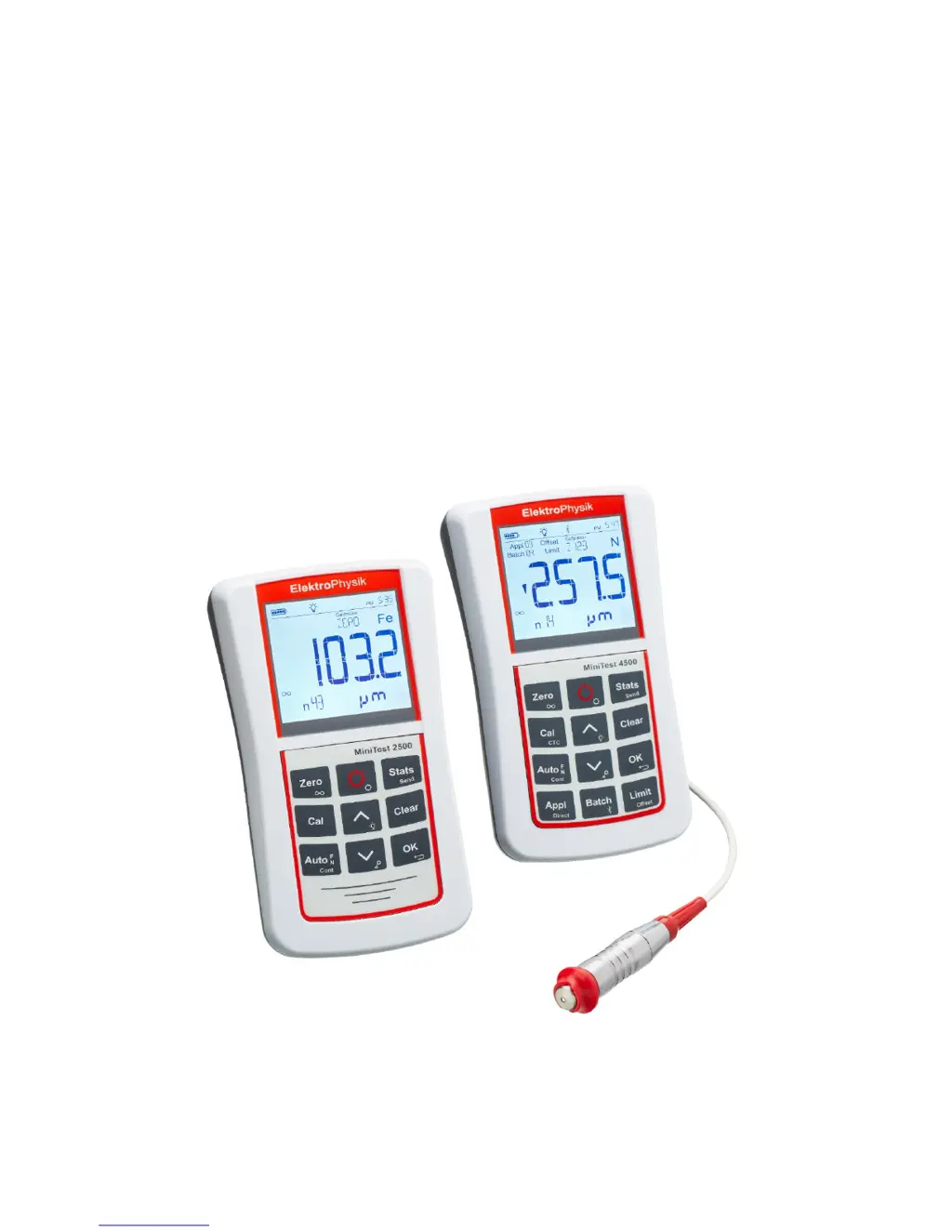
Operating instructions
Coating thickness gauges
MiniTest 2500 and MiniTest 4500

Table of Contents

Questions and Answers

  • M
    marycastilloAug 19, 2025
    What to do if the ElektroPhysik Measuring Instruments sensor is defective?
    • S
      Suzanne FuentesAug 19, 2025
      If the sensor of your ElektroPhysik Measuring Instruments is defective, which is displayed either when the gauge is switched on or if the sensor has been disconnected during operation, carry out a total reset.
  • C
    Christopher JonesAug 21, 2025
    Why does the sensor of my ElektroPhysik Measuring Instruments supply instable measuring values?
    • A
      Andrea SotoAug 21, 2025
      The sensor of your ElektroPhysik Measuring Instruments might supply unstable measuring values due to strong magnetic fields in the surroundings or when measuring on very soft material. In this case, carry out a total reset.
  • J
    Justin MartinAug 23, 2025
    What to do if the battery voltage is low in ElektroPhysik Measuring Instruments?
    • C
      clevyAug 25, 2025
      If the battery voltage is low in your ElektroPhysik Measuring Instruments, carry out a total reset.
  • J
    Jody MartinAug 26, 2025
    How to fix a saturated data memory in ElektroPhysik Measuring Instruments?
    • R
      Richard BradyAug 26, 2025
      If the data memory of your ElektroPhysik Measuring Instruments is saturated, carry out a total reset.
  • W
    wallacerobertAug 27, 2025
    What to do if ElektroPhysik Measuring Instruments gauge does not react to key pressure?
    • D
      Donald HawkinsAug 28, 2025
      If your ElektroPhysik Measuring Instruments gauge does not react when a key is pressed, shortly take out and reinsert the batteries.
  • P
    patricia57Aug 29, 2025
    What to do if ElektroPhysik Measuring Instruments gauge does not allow further measurements?
    • A
      Andrew RobbinsAug 30, 2025
      If your ElektroPhysik Measuring Instruments gauge does not allow further measurements, shortly take out and reinsert the batteries.
  • P
    Patrick JohnsonSep 1, 2025
    What to do if ElektroPhysik Measuring Instruments sensor is not compatible?
    • J
      jwalkerSep 1, 2025
      If the sensor of your ElektroPhysik Measuring Instruments is not compatible, carry out a total reset.
  • J
    Jeffery JonesSep 3, 2025
    What to do if the application selected is already assigned to another sensor or sensor had been repaired in ElektroPhysik Measuring Instruments?
    • C
      Christopher GarciaSep 3, 2025
      If the application selected is already assigned to another sensor or the sensor had been repaired in your ElektroPhysik Measuring Instruments, carry out a total reset.
  • Y
    yolandabryanSep 5, 2025
    What to do if ElektroPhysik Measuring Instruments sensor is not initialized?
    • C
      Colleen OrtegaSep 5, 2025
      If the sensor of your ElektroPhysik Measuring Instruments is not initialized, carry out a total reset.
  • T
    Tracey SimmonsSep 7, 2025
    What to do if BT-Device is not found on ElektroPhysik Measuring Instruments?
    • R
      robertrowlandSep 7, 2025
      If the BT-Device is not found on your ElektroPhysik Measuring Instruments, carry out a total reset.

Summary

First Steps with the Gauge

Battery Installation and Sensor Connection

Step-by-step guide for battery installation and sensor connection.

Basic Gauge Operation

Basic gauge operation, including power on and taking readings.

Description of the Measuring System

Gauge Overview and Controls

Details the gauge's general features, front panel layout, and keys.

Measuring, Storage, and Data Processing

Measuring Techniques

Measurement Fundamentals and Settings

Important notes, basic settings, and interpretation of readings.

Taking Readings and Handling Errors

Procedures for taking readings and managing measurement errors.

Calibration Procedures

Calibration Principles and Methods

General notes, calibration methods overview, and rough surface calibration.

Sensor-Specific Calibration Procedures

Calibration steps for N10, N20, N100, F20, F50, and tube sensors.

Data Management

Data Deletion Procedures

Data Output and Transfer

Further Functions and Settings

Care and Maintenance

Technical Data

Gauge and Sensor Specifications

Detailed technical specifications for gauges and various sensors.

Annexe

Error Messages and Troubleshooting

Comprehensive list of error codes and their solutions.

ElektroPhysik MiniTest 4500 Specifications

General IconGeneral
DisplayLCD
InterfaceUSB
TechnologyMagnetic induction
SubstratesSteel, non-ferrous metals
Accuracy (N)±(3% of reading + 2 μm) / ±(3% of reading + 0.08 mils)
Resolution0.1 μm
Data storage1000 measurements
Power SupplyRechargeable battery
Operating Temperature0°C to 50°C
Storage Temperature-20°C to 60°C
Probe TypesStandard and special probes

Related product manuals