EasyManua.ls Logo

Element ELDFW322 - User Manual

Element ELDFW322
27 pages
Print Icon
To Next Page IconTo Next Page
Loading...
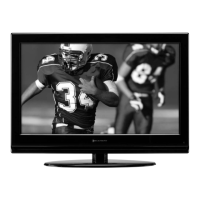
32 Full HD Digital LCD TV
Instruction Manual
Read all of the instructions before using this TV and keep the
manual in a safe place for future reference.
ELDFW322

Questions and Answers

Summary

Important Safety Instructions

Electrical Safety Precautions

General electrical safety guidelines for TV operation and connection.

Physical Safety Guidelines

Physical safety measures for TV placement, handling, and cleaning.

Cautionary Symbols Explained

Warning Symbol Identification

Explains the meaning of warning symbols like exclamation points and lightning flashes.

Safety Information

Electrical Safety

Detailed safety guidelines related to power supply, wiring, and electrical hazards.

Physical Safety

Guidelines for safe physical handling, placement, and maintenance of the TV.

Whats Included

Unit and Accessories

Lists and illustrates the components and accessories provided with the TV.

Getting Started

Front Panel Controls

Describes the buttons and indicators located on the front of the TV.

Rear Panel Connections

Details the various input/output ports on the rear of the TV.

Wall Mounting Instructions

Provides guidance and cautions for mounting the TV on a wall.

Connecting External Devices

Device Connection Diagrams

Illustrates how to connect various external audio and video devices to the TV.

Remote Control Key Functions

Remote Button Operations

Explains the purpose and operation of each button on the TV remote control.

Operating Your Television

Basic TV Operations

Covers turning the TV on/off and basic volume adjustments.

Onscreen Language Setup

Guide to selecting the preferred language for menus and on-screen information.

Onscreen Display Navigation

Explains how to navigate through the TV's on-screen menus using the remote.

TV Channel Selection

Details methods for changing channels using buttons or direct number entry.

Input Source Selection

How to choose and switch between different input sources like HDMI, AV, etc.

Picture Menu Settings

Adjusting picture quality parameters like contrast, brightness, color, and sharpness.

Audio Menu Settings

Configuring audio options such as sound mode, bass, treble, and surround sound.

Time Menu Settings

Managing time-related features like sleep timer, time zone, and daylight saving.

Setup Menu Options

Accessing and configuring various setup parameters including language, zoom, and noise reduction.

Lock Menu and Parental Control

Setting up passwords, system locks, and parental control features.

Parental Control System

Detailed explanation of parental control features and rating systems (MPAA, TV Guidelines).

Channel Menu Configuration

Settings for antenna type, auto scanning, and managing favorite channels.

Channel Display Options

Managing channel visibility (Show/Hide) and displaying channel number, label, and signal quality.

USB Multimedia Operation

Music Playback via USB

Instructions for playing MP3 audio files from a USB storage device.

Photo Viewing via USB

Instructions for viewing JPEG image files from a USB storage device.

Troubleshooting

Common Troubleshooting Issues

Solutions for common problems like no power, no picture, or no sound.

Maintenance and Care

Screen Cleaning Guide

Instructions for safely cleaning the TV screen.

Cabinet Cleaning

Instructions for cleaning the TV cabinet.

Extended Absence Precautions

Recommendations for protecting the TV during long periods of non-use.

FCC Compliance Information

Technical Specifications

Summary

Important Safety Instructions

Electrical Safety Precautions

General electrical safety guidelines for TV operation and connection.

Physical Safety Guidelines

Physical safety measures for TV placement, handling, and cleaning.

Cautionary Symbols Explained

Warning Symbol Identification

Explains the meaning of warning symbols like exclamation points and lightning flashes.

Safety Information

Electrical Safety

Detailed safety guidelines related to power supply, wiring, and electrical hazards.

Physical Safety

Guidelines for safe physical handling, placement, and maintenance of the TV.

Whats Included

Unit and Accessories

Lists and illustrates the components and accessories provided with the TV.

Getting Started

Front Panel Controls

Describes the buttons and indicators located on the front of the TV.

Rear Panel Connections

Details the various input/output ports on the rear of the TV.

Wall Mounting Instructions

Provides guidance and cautions for mounting the TV on a wall.

Connecting External Devices

Device Connection Diagrams

Illustrates how to connect various external audio and video devices to the TV.

Remote Control Key Functions

Remote Button Operations

Explains the purpose and operation of each button on the TV remote control.

Operating Your Television

Basic TV Operations

Covers turning the TV on/off and basic volume adjustments.

Onscreen Language Setup

Guide to selecting the preferred language for menus and on-screen information.

Onscreen Display Navigation

Explains how to navigate through the TV's on-screen menus using the remote.

TV Channel Selection

Details methods for changing channels using buttons or direct number entry.

Input Source Selection

How to choose and switch between different input sources like HDMI, AV, etc.

Picture Menu Settings

Adjusting picture quality parameters like contrast, brightness, color, and sharpness.

Audio Menu Settings

Configuring audio options such as sound mode, bass, treble, and surround sound.

Time Menu Settings

Managing time-related features like sleep timer, time zone, and daylight saving.

Setup Menu Options

Accessing and configuring various setup parameters including language, zoom, and noise reduction.

Lock Menu and Parental Control

Setting up passwords, system locks, and parental control features.

Parental Control System

Detailed explanation of parental control features and rating systems (MPAA, TV Guidelines).

Channel Menu Configuration

Settings for antenna type, auto scanning, and managing favorite channels.

Channel Display Options

Managing channel visibility (Show/Hide) and displaying channel number, label, and signal quality.

USB Multimedia Operation

Music Playback via USB

Instructions for playing MP3 audio files from a USB storage device.

Photo Viewing via USB

Instructions for viewing JPEG image files from a USB storage device.

Troubleshooting

Common Troubleshooting Issues

Solutions for common problems like no power, no picture, or no sound.

Maintenance and Care

Screen Cleaning Guide

Instructions for safely cleaning the TV screen.

Cabinet Cleaning

Instructions for cleaning the TV cabinet.

Extended Absence Precautions

Recommendations for protecting the TV during long periods of non-use.

FCC Compliance Information

Technical Specifications

Element ELDFW322 Specifications

General IconGeneral
BrandElement
ModelELDFW322
CategoryLCD TV
LanguageEnglish

Related product manuals