EasyManua.ls Logo

Element ELEFT406 - User Manual

Element ELEFT406
28 pages
Print Icon
To Next Page IconTo Next Page
Loading...
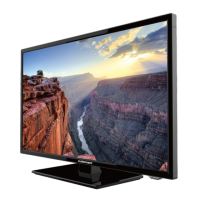
40 Full HD Digital LED TV
Instruction Manual
Read all of the instructions before using this TV and keep the
manual in a safe place for future reference.
ELEFT406

Questions and Answers

  • J
    Jordan PetersonSep 4, 2025
    Why is there no sound on my Element ELEFT406 LED TV?
    • C
      Christian JonesSep 4, 2025
      There are several reasons why your Element LED TV might have no sound. First, check if the sound is muted and turn mute off. Also, the volume might be set too low, so check your volume settings. Finally, if you're using external speakers, make sure all external leads are connected properly.
  • S
    Sean WalshSep 18, 2025
    Why does the picture appear slowly after switching on my Element LED TV?
    • S
      steven69Sep 18, 2025
      The image is muted during the product start up process, this is normal for Element LED TV. Please contact a service provider if the picture has not appeared after 5 minutes.
  • M
    Matthew JacobsonSep 16, 2025
    Why is the red LED indicator light on my Element ELEFT406 LED TV on?
    • J
      James MorganSep 16, 2025
      If the red LED indicator light is on, your Element LED TV is likely in standby mode. Press either the POWER button or the Standby button on the remote control to turn it on.
  • A
    Alejandro SandovalSep 14, 2025
    Why does my Element ELEFT406 power suddenly turn off?
    • J
      Jesus NicholsSep 14, 2025
      If your Element LED TV is suddenly turning off, it could be due to the sleep timer being set. Check the power control settings. It could also be due to no broadcast on the tuned station.
  • S
    Sandra MasonSep 12, 2025
    Why is the reception poor on some channels on my Element LED TV?
    • M
      martindavidSep 12, 2025
      Poor reception on some channels of your Element LED TV may be due to the station or cable experiencing problems, so try tuning to another station. If the station signal is weak, reorient your antenna for better reception. Also, check for any sources of interference.
  • S
    stephanie38Sep 12, 2025
    Why is my Element ELEFT406 LED TV showing a blue screen?
    • M
      Meghan PriceSep 12, 2025
      If your Element LED TV is showing a blue screen, it likely means there's no signal. Try pressing the SOURCE button to select the correct input source.
  • T
    Tammy WhiteSep 9, 2025
    Element LED TV: normal picture but no sound - what to do?
    • M
      Michelle HuangSep 9, 2025
      If your Element LED TV has a normal picture but no sound, first check the volume level. Ensure the sound isn't muted by pressing the MUTE button. Try changing to another channel to rule out a broadcast issue. Also, check if the audio cables are properly installed.
  • M
    Michelle GaySep 7, 2025
    Why do I have no sound and picture on my Element LED TV?
    • G
      garciawesleySep 7, 2025
      If you're experiencing both no sound and no picture on your Element LED TV, make sure the main plug is properly connected to a wall outlet. Also, verify that you've pressed the POWER button on the front of the TV. Finally, check the picture contrast and brightness settings.
  • C
    Chelsey PrattSep 5, 2025
    What to do if the Element ELEFT406 remote control does not work?
    • K
      Katie WilsonSep 5, 2025
      If your Element LED TV remote control isn't working, check for any obstructions between the remote and the TV. Also, make sure the batteries are installed correctly, paying attention to the correct polarity (+ / -).
  • T
    Tricia KimAug 20, 2025
    How to fix poor color or picture quality on Element LED TV?
    • J
      Jason JohnsonAug 21, 2025
      To improve the color or picture quality on your Element LED TV, first adjust the color in the Menu option. Ensure there's sufficient distance between the TV and any VCRs. Try switching to another channel, as the issue might be with the broadcast. Check that the VIDEO cables are properly installed. You can also try activating a function to restore the picture's brightness.

Summary

Important Safety Instructions

Safety Information

Electrical safety

Covers electrical safety precautions for the TV and its components.

Physical safety

Outlines physical safety measures for operating the TV.

Getting Started

Connecting External Devices

Remote Control Key Functions

Operating Your Television

Selecting Input Source

Guides on selecting the desired input source for the TV.

Picture Menu Options

Covers adjustments for picture settings like contrast, brightness, and color.

Audio Menu Options

Explains settings available in the Audio menu for sound modes and balance.

Time Menu Options

Details options for managing time-related settings like sleep timers and time zones.

Parental Control

Explains how to set up and use parental control features to block content.

Troubleshooting

Element ELEFT406 Specifications

General IconGeneral
Screen Size40 inches
Display TechnologyLED
Refresh Rate60 Hz
USB Ports1
Smart TVNo
Built-in Wi-FiNo
Resolution1920 x 1080 pixels

Related product manuals