EasyManua.ls Logo

Element ELEFT193 - User Manual

Element ELEFT193
27 pages
Print Icon
To Next Page IconTo Next Page
Loading...
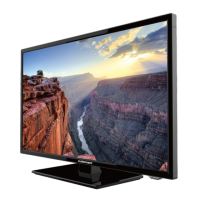
19” HD Digital LED TV
Instruction Manual
Read all of the instructions before using this TV and keep the
manual in a safe place for future reference.
ELEFT193

Questions and Answers

  • J
    jeffreymyersSep 17, 2025
    What does it mean when the red LED indicator light is on my Element ELEFT193?
    • A
      Angela GarciaSep 17, 2025
      If the red LED indicator light is on, your Element LED TV is set in standby mode. Press either the POWER button or the Standby button on the remote control.
  • T
    Tracey ReevesAug 25, 2025
    How to fix Element ELEFT193 LED TV remote control that is not working?
    • M
      Mark NelsonAug 25, 2025
      If the remote control for your Element LED TV isn't working, check for obstructions between the remote and the TV. Ensure batteries are installed with the correct polarity (+/-). Verify the correct remote operating mode is set (TV, VCR, etc.). If problems persist, install new batteries.
  • C
    Courtney HudsonAug 25, 2025
    How to improve poor color or picture on Element ELEFT193 LED TV?
    • M
      Michael WilliamsonAug 26, 2025
      To improve poor color or picture quality on your Element LED TV, adjust the color in the Menu option. Keep a sufficient distance between the TV and any VCRs. Try another channel to rule out broadcast issues. Ensure the VIDEO cables are properly installed. Activate any function to restore the brightness of the picture.
  • A
    Amanda SteeleAug 26, 2025
    How to fix noisy picture on Element LED TV?
    • N
      nblackwellAug 27, 2025
      If you're experiencing a noisy, snowy, or ghosting picture on your Element LED TV, especially on TV channels, it could be due to a poor antenna signal. If using an indoor antenna, try adjusting its position and check all antenna connections.
  • R
    Robin FullerSep 18, 2025
    Why is my Element ELEFT193 LED TV dead with no LED lit?
    • J
      Jeffrey MeyersSep 18, 2025
      If your Element LED TV is dead with no LED lit, the cause is likely no power to the TV. Check all connections to the TV’s AC socket.
  • K
    Kenneth PerezSep 23, 2025
    Why does the picture appear slowly after switching on my Element ELEFT193 LED TV?
    • K
      Keith BensonSep 23, 2025
      This is normal; the image is muted during the product start up process. Please contact a service provider if the picture has not appeared after 5 minutes
  • D
    David GarciaSep 9, 2025
    Why is my Element ELEFT193 dead with no LED light?
    • J
      Jonathan FrederickSep 9, 2025
      If your Element LED TV is dead and no LED is lit, the cause may be no power to the TV. Check all connections to the TV's AC socket.
  • S
    Steven RaySep 10, 2025
    Why is the red LED indicator light on my Element ELEFT193 LED TV?
    • H
      hannah50Sep 12, 2025
      If the red LED indicator light is on your Element LED TV, it means the set is in standby mode. Press either the Power button or the Standby button on the remote control.
  • T
    Tina TrujilloSep 3, 2025
    How to fix no output from one of the speakers on Element ELEFT193 LED TV?
    • A
      Andrea ThomasSep 3, 2025
      If there's no output from one of the speakers on your Element LED TV, adjust the balance in the Menu option.
  • J
    Joshua SmithSep 1, 2025
    What causes horizontal or vertical bars or picture shaking on Element ELEFT193 LED TV and how to fix it?
    • T
      Tyrone WhiteSep 1, 2025
      Horizontal or vertical bars or picture shaking on your Element LED TV can be caused by local interference. Check for nearby electrical appliances or power tools.

Summary

Important Safety Instructions

Safety Information

Getting Started

Front View

Details the front panel layout, including the LED indicator, IR receiver, and touch-control buttons for operation.

Rear View

Illustrates and labels the various input/output ports located on the rear of the TV set.

Connecting to external devices

Remote Control Key Functions

Operating Your Television

Turning Your TV On and Off

Explains how to power the TV on from standby and how to turn it off to standby mode.

Setup Wizard

Guides the user through initial TV setup, including picture mode and language selection.

Lock Menu Options

Details how to set up parental controls, change passwords, and manage system lock settings.

Parental Control

Explains how to use parental control features to restrict programming based on rating systems like MPAA and TV Parental Guidelines.

Troubleshooting

Element ELEFT193 Specifications

General IconGeneral
Screen Size19 inches
Display TypeLED
HDMI Ports1
USB Ports1
Refresh Rate60 Hz
Aspect Ratio16:9
Power Consumption25W
InputsHDMI, USB

Related product manuals