EasyManua.ls Logo

Element ELEFT193 - User Manual

Element ELEFT193
27 pages
Print Icon
To Next Page IconTo Next Page
Loading...
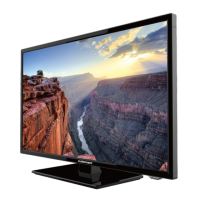
19” HD Digital LED TV
Instruction Manual
Read all of the instructions before using this TV and keep the
manual in a safe place for future reference.
ELEFT193

Questions and Answers

  • A
    Anthony MurphySep 12, 2025
    Why is the reception poor on some channels of my Element LED TV?
    • B
      Brandi ShortSep 12, 2025
      Poor reception on some channels of your Element LED TV may be due to the station or cable experiencing problems. Try tuning to another station. The station signal may be weak, so reorient your antenna for better reception. Check for sources of possible interference.
  • A
    Amy GriffinSep 12, 2025
    Why is there normal picture but no sound on Element ELEFT193?
    • C
      Crystal StewartSep 12, 2025
      If your Element LED TV has a normal picture but no sound, check the volume level and ensure the sound isn't muted by pressing the MUTE button. Try another channel to see if the problem is with the broadcast. Also, check if the audio cables are installed properly.
  • S
    Steven RaySep 10, 2025
    Why is the red LED indicator light on my Element ELEFT193 LED TV?
    • H
      hannah50Sep 12, 2025
      If the red LED indicator light is on your Element LED TV, it means the set is in standby mode. Press either the Power button or the Standby button on the remote control.
  • D
    David GarciaSep 9, 2025
    Why is my Element ELEFT193 dead with no LED light?
    • J
      Jonathan FrederickSep 9, 2025
      If your Element LED TV is dead and no LED is lit, the cause may be no power to the TV. Check all connections to the TV's AC socket.
  • J
    Julia Porter MDSep 8, 2025
    Why does my Element LED TV keep turning off?
    • M
      morganpriceSep 8, 2025
      If your Element LED TV suddenly turns off, check if the sleep timer is set. Also, verify the power connection to ensure power isn't interrupted. Finally, make sure there is a broadcast on the tuned station.
  • W
    William OsborneAug 23, 2025
    How to fix a blue screen on Element ELEFT193 LED TV?
    • L
      Lucas FergusonAug 23, 2025
      If your Element LED TV shows a blue screen, it likely indicates no signal. Press the SOURCE button to select the correct input source.
  • B
    Betty GreenSep 6, 2025
    What to do if my Element LED TV has no sound and picture?
    • D
      dgrahamSep 6, 2025
      If your Element LED TV has no sound and picture, ensure the main plug is connected to a wall outlet. Also, check that you have pressed the POWER button on the front of the TV and verify the picture contrast and brightness settings.
  • M
    marioandersonSep 5, 2025
    Why is there no sound on my Element ELEFT193?
    • S
      Stacy ChanSep 5, 2025
      If there's no sound on your Element LED TV, here are a few things to check: * Ensure the sound isn't muted. * Verify the volume isn't set too low. * If using external speakers, confirm all leads are properly connected.
  • A
    Anthony ThompsonSep 4, 2025
    How to fix unstable or single color on Element ELEFT193 LED TV screen?
    • C
      Christopher ChangSep 4, 2025
      If the screen color on your Element LED TV is unstable or a single color, check the signal cable. If that doesn't work, try re-installing the PC video card.
  • T
    Tina TrujilloSep 3, 2025
    How to fix no output from one of the speakers on Element ELEFT193 LED TV?
    • A
      Andrea ThomasSep 3, 2025
      If there's no output from one of the speakers on your Element LED TV, adjust the balance in the Menu option.

Summary

Important Safety Instructions

Safety Information

Getting Started

Front View

Details the front panel layout, including the LED indicator, IR receiver, and touch-control buttons for operation.

Rear View

Illustrates and labels the various input/output ports located on the rear of the TV set.

Connecting to external devices

Remote Control Key Functions

Operating Your Television

Turning Your TV On and Off

Explains how to power the TV on from standby and how to turn it off to standby mode.

Setup Wizard

Guides the user through initial TV setup, including picture mode and language selection.

Lock Menu Options

Details how to set up parental controls, change passwords, and manage system lock settings.

Parental Control

Explains how to use parental control features to restrict programming based on rating systems like MPAA and TV Parental Guidelines.

Troubleshooting

Element ELEFT193 Specifications

General IconGeneral
Screen Size19 inches
Display TypeLED
HDMI Ports1
USB Ports1
Refresh Rate60 Hz
Aspect Ratio16:9
Power Consumption25W
InputsHDMI, USB

Related product manuals