10
CUSTOMIZING TV SETTINGS
Initial Setup
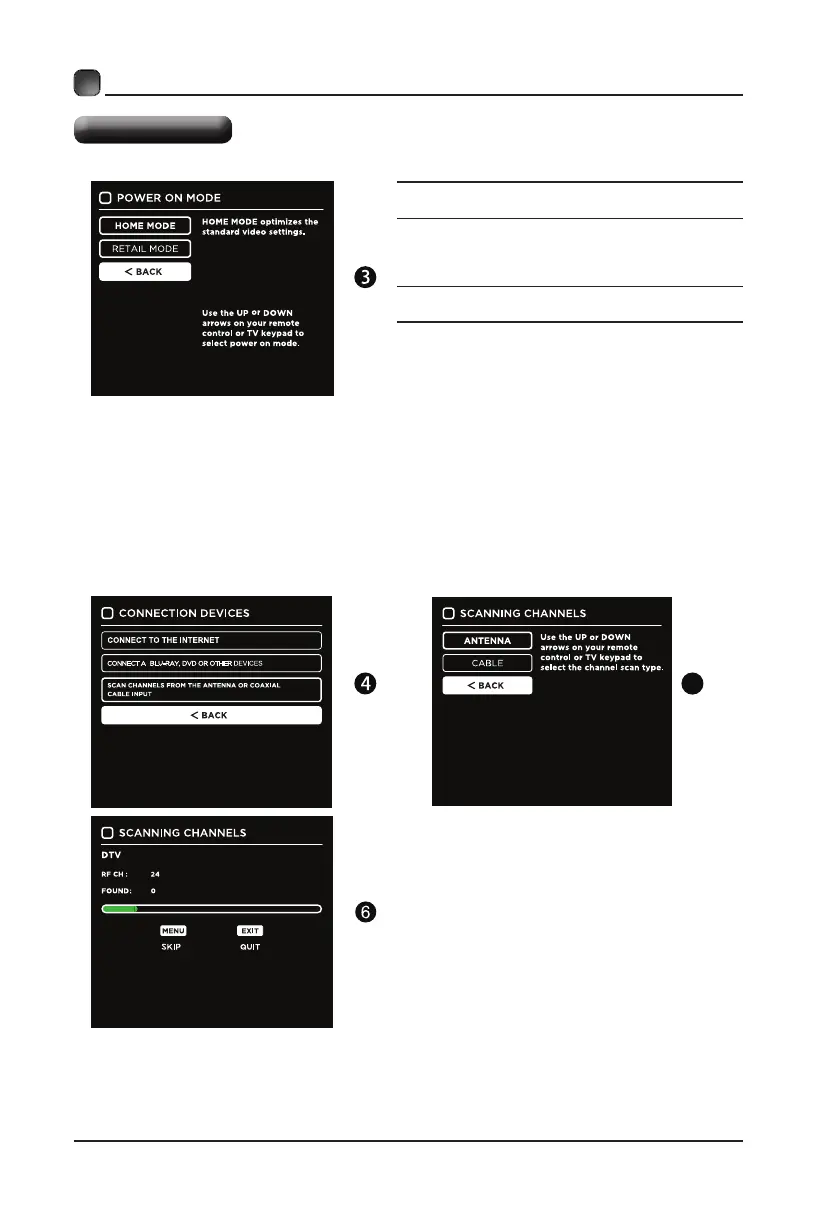
Home Mode :The picture mode will be Standard if you
select this mode.
Retail Mode:Select Dynamic Mode if you would like
your picture to be brighter. At
times this mode may use
more energy to operate the Volume/Sound Mode and
Picture Mode.
The SLEEP-MODE power consumption should be less
than 0.5W.
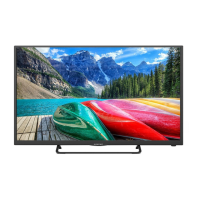
• Follow thenextscreens.Usethe arrow keyson
theremotecontrol and then pressOKbuttonto
customizeyourTVchannelconguration.
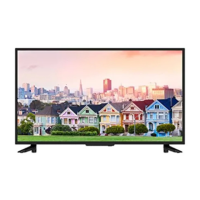
• Afterthechannelscan,yourTVchannelswillbeset
up.
5


 To Next Page