dren, the film class may be set ac-
cording to label marking on the
disc.
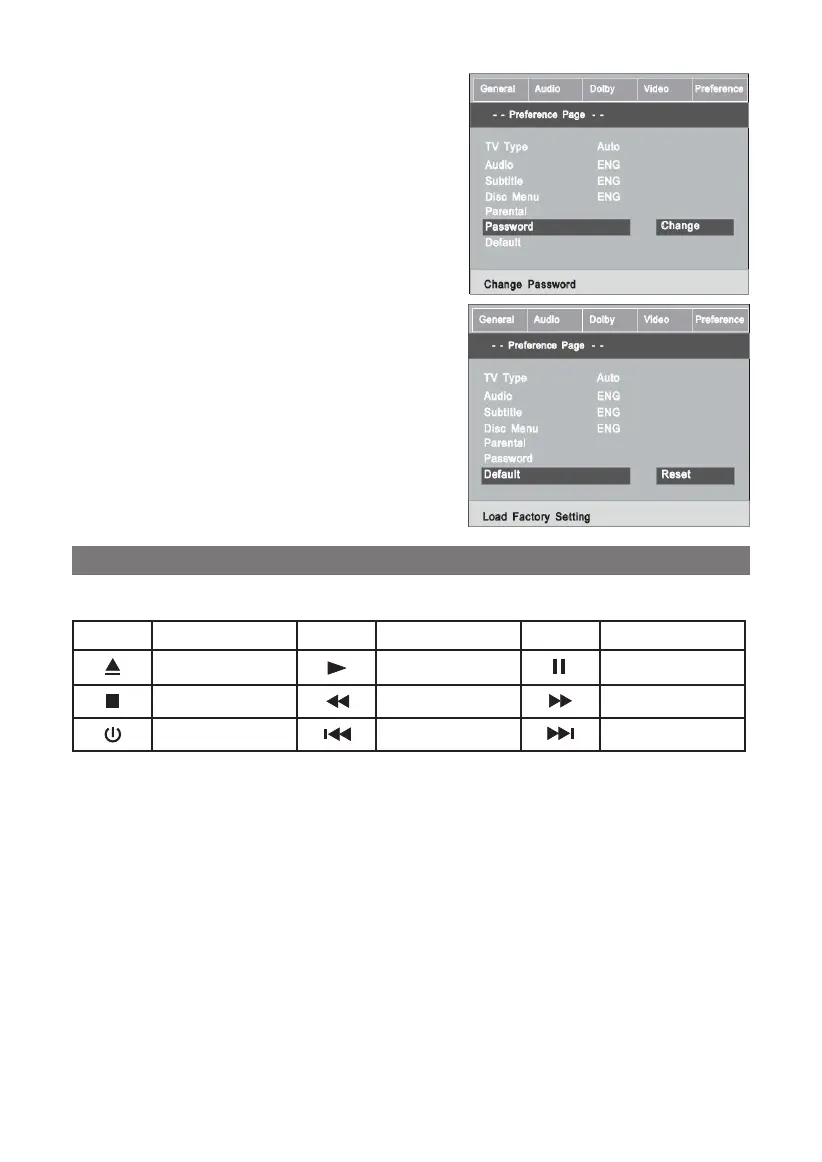
1.5.6 PASSWORD
The default is “136900”. The user
may change it using this option.
Follow the operating instructions
stated in “DVD MENU SETUP” in
combination with the desired op-
tion in the following figure.
1.5.7 DEFAULT
This option will resume the origi-
nal settings of this machine.
Follow the operating instructions
stated in “DVD MENU SETUP” in
combination with the desired op-
tion in the following figure.
PLAY
Basic operation
Symbol Text Symbol Text Symbol Text
open/close play pause
stop fast backward fast forward
standby previous next
Once all the connection of the system have been done,
this machine will be ready for service prior to play, make
sure to complete the following preparatory operations.
1. Switch on TV and select AV mode, if it’s S-video con-
nect select S-video mode.
2. Switch on amplifier if it connected, select AC-3 or
DVD mode.
3. Plug-in DVD player press power key, DISC LOADING
shown onscreen, if thereis no disc,
No DISCshown onscreen.
33



 To Next Page