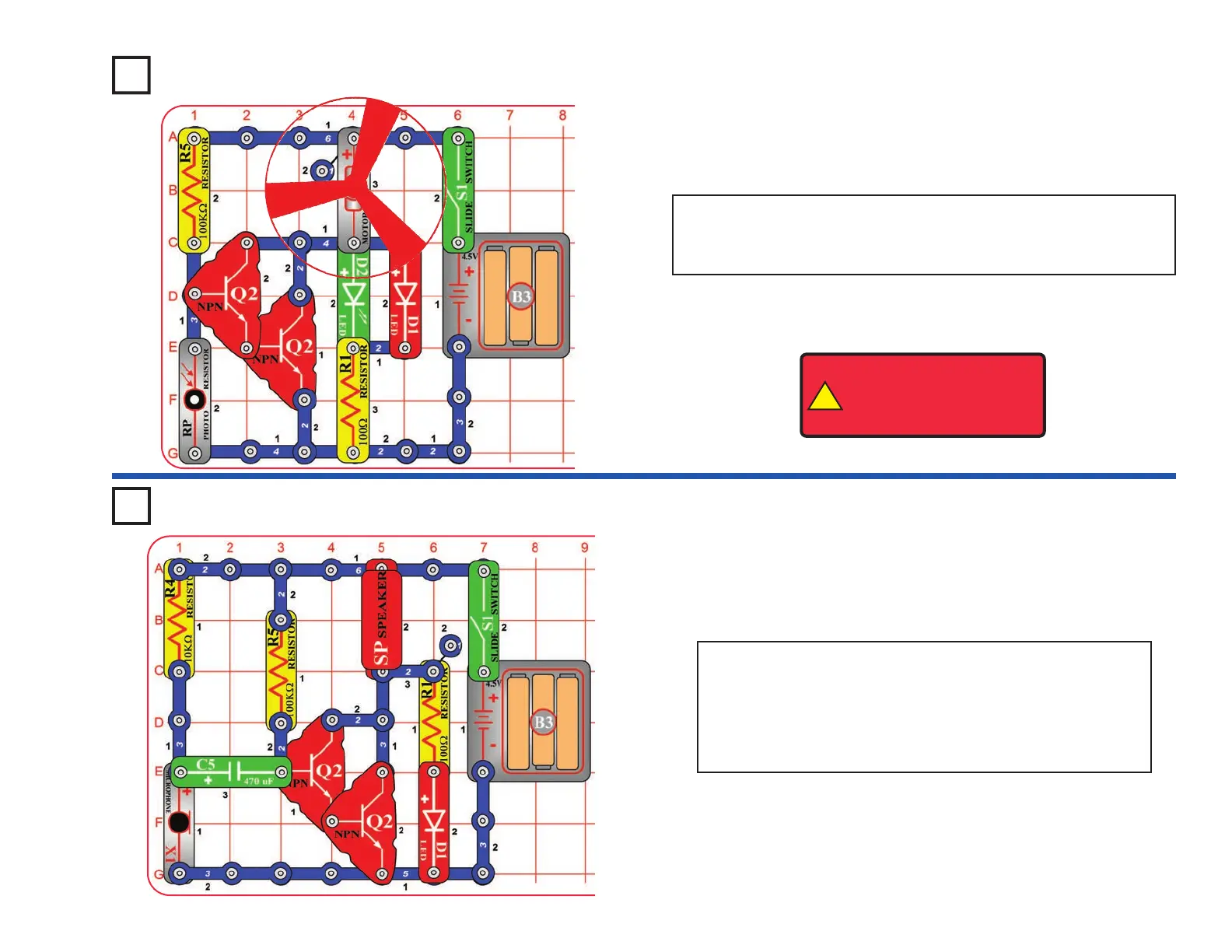
Project #A27
Turn on the slide switch (S1). If there is light on the photoresistor
(RP) then the LEDs (D1 & D2) will be on. Cover the photoresistor
to switch off the LEDs and switch on the motor (M1).
Photo Switcher
Project #A28
Turn on the slide switch (S1) and blow into the microphone
(X1). The red LED(D1) will flicker and you hear static from
the speaker (SP).
Talk loudly into the microphone. You can hear your voice
on the speaker, though it may be badly distorted.
Blow On Sound
!
WARNING: Moving parts.
Do not touch the fan or
motor during operation. Do
not lean over the motor.
-26-










 To Next Page