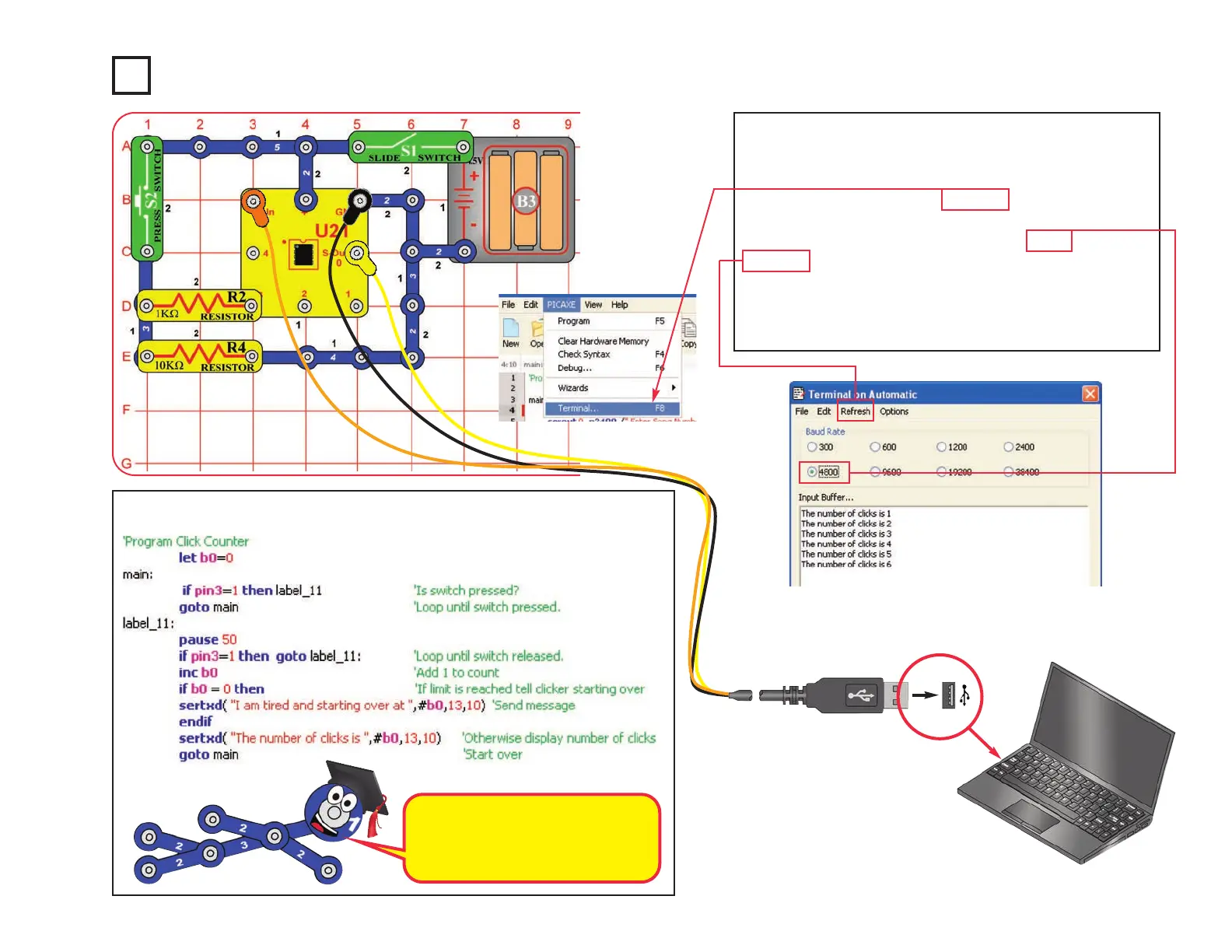
Project B17 Click Counter
Build the circuit as shown. Turn on the slide switch (S1).
Load program Click Counter into the microcontroller
(U21) using the programming instructions in project B1.
Press the F8 key or select Terminal under the PICAXE
menu to open a terminal window for communication with
the microcontroller, set the baud rate to 4800, and select
Refresh. Turn the slide switch (S1) off and on to reset
the microcontroller.
Push the press switch (S2) as many times as you like.
The program keeps count.
Optional:
-48-
The memory location where the
click count is stored can hold a
number up to 255. If the count gets
higher, it overflows and goes to 0.










 To Next Page