-39-
Project B6 Random Sounds
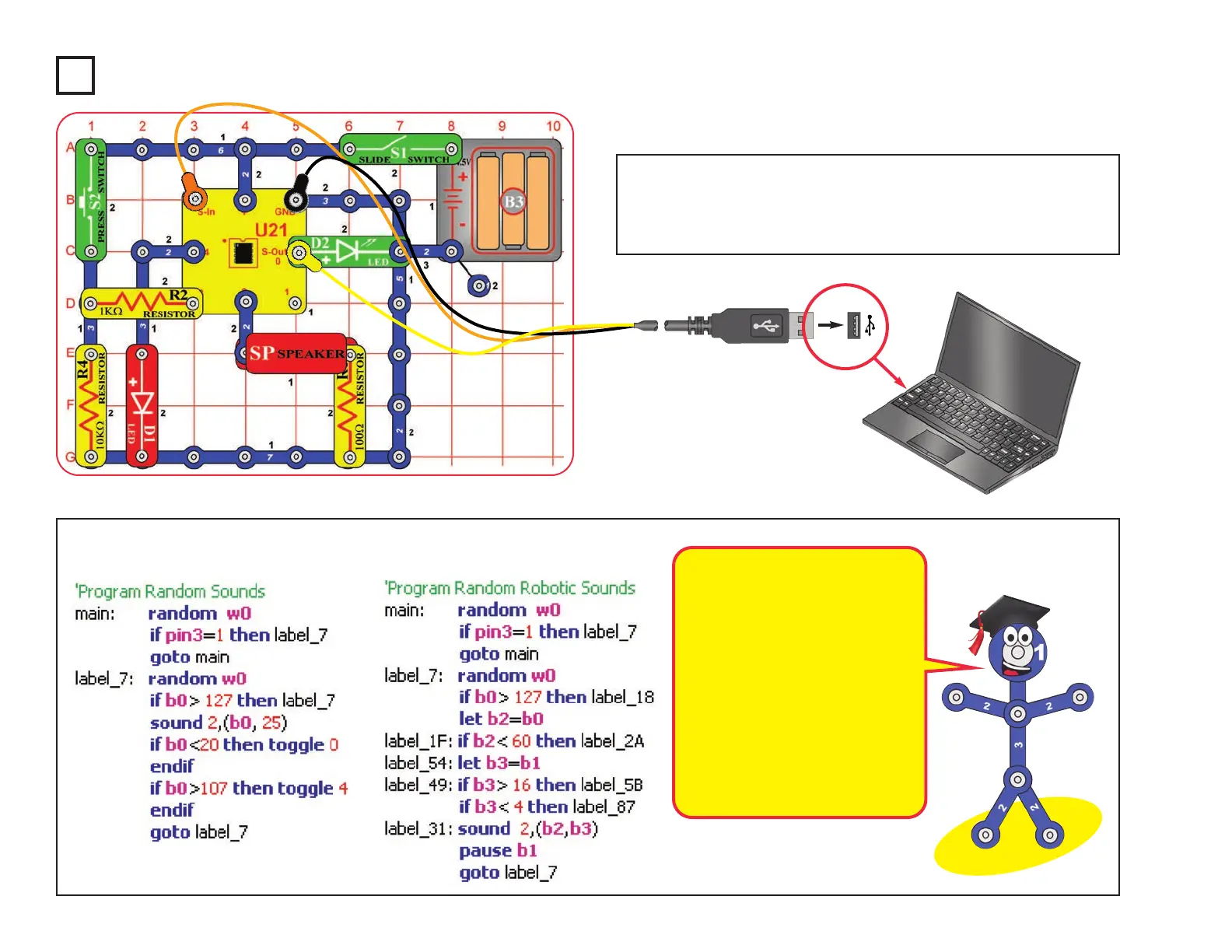
Build the circuit as shown. Turn on the slide switch (S1). Load
program Random Sounds or program Random Robotic Sounds
into the microcontroller (U21) using the programming instructions
in project B1. Push the press switch (S2) and listen to the sounds.
Optional:
These programs use the Random
command to make cute sounds.
The random command produces
a sequence of numbers that is
always the same, but we make the
result seem random by changing
the start point.
Here the random command is
called repeatedly in a loop, while
waiting for S2 to be pressed. The
number of loops between switch
pushes varies, making the result
seem random.










 To Next Page