EasyManua.ls Logo

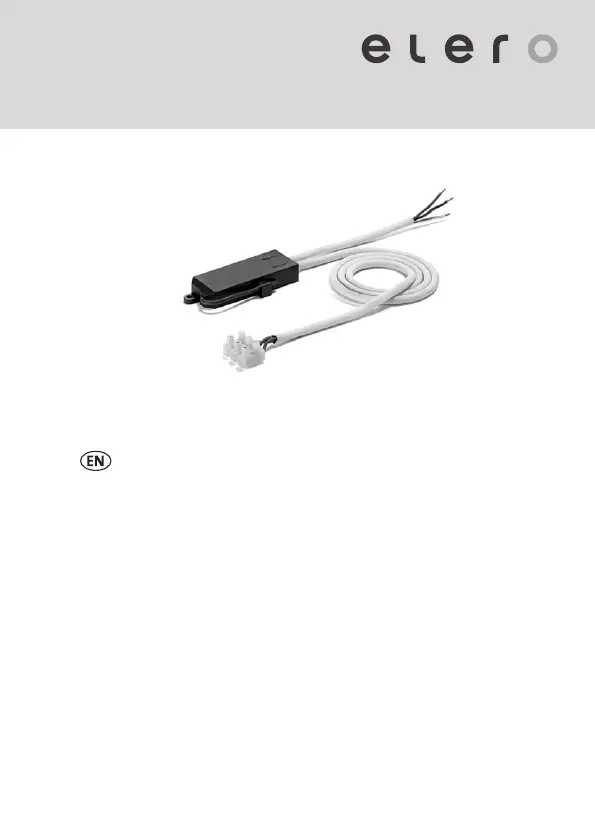
elero Combio-868 LI - User Manual

elero Combio-868 LI
24 pages
Print Icon
To Next Page IconTo Next Page
Loading...
181110703_EN_0319
Combio-868 LI
285630006
Information for use
Keep for future use.

Questions and Answers

  • J
    jamesmckinneyAug 13, 2025
    How to fix interchanged [OPEN ?] and [DOWN/ CLOSE ?] buttons programming logic on elero Combio-868 LI Receiver?
    • D
      Dr. Sarah Cooper MDAug 14, 2025
      If the [OPEN ?] and [DOWN/ CLOSE ?] buttons' programming logic is interchanged on your elero Receiver, it indicates they were incorrectly programmed. To correct this, you should delete the transmitter and then program it correctly.
  • M
    Michael NguyenAug 17, 2025
    Why elero Receiver cannot be programmed?
    • M
      Meghan CollinsAug 17, 2025
      An elero Receiver may not be programmable if the transmitter and receiver systems are configured differently (ProLine1 or ProLine 2). Adapt the system configuration.
  • V
    vrobinsonAug 21, 2025
    What to do if elero Cables and connectors receiver not responding?
    • A
      Anthony MillsAug 21, 2025
      If the elero receiver is not responding and the transmitter's status indicator is flashing orange, it typically indicates that no transmitter has been programmed. You should program the transmitter to resolve this issue.
  • D
    Douglas AndersonAug 25, 2025
    Why elero Cables and connectors receiver cannot be programmed?
    • M
      Makayla WalkerAug 26, 2025
      If the elero receiver cannot be programmed, it might be because the transmitter and receiver systems are configured differently (ProLine1 or ProLine 2). To fix this, adapt the system configuration.
  • K
    Kayla MillerAug 29, 2025
    What to do if elero Combio-868 LI is not responding and status LED of transmitter flashing red?
    • P
      Peter FranklinAug 29, 2025
      If the elero Receiver isn't responding and the transmitter's status LED flashes red, the issue could stem from several causes: a lack of power supply, being outside the radio range, or a defective radio receiver. You should: 1. Check the mains voltage. 2. Try repositioning the receiver or its aerial to improve radio reception. 3. If the above steps don't work, consider replacing the receiver.
  • J
    James MccoySep 1, 2025
    What to do if elero Combio-868 LI is not responding and status indicator of transmitter flashing orange?
    • A
      Andrew BrownSep 1, 2025
      If the elero Receiver isn't responding and the transmitter's status indicator is flashing orange, it means no transmitter is programmed. To fix this, program the transmitter.
  • D
    Danielle MichaelSep 5, 2025
    What to do if elero Combio-868 LI is not responding and status LED of transmitter not lighting up?
    • E
      Elizabeth GonzalezSep 5, 2025
      If the elero Receiver isn't responding and the status LED on the transmitter isn't lighting up, the battery in the transmitter is likely dead. Replace the batteries in the transmitter.
  • J
    Jose RiceSep 9, 2025
    Why is my elero Combio-868 LI reacting only intermittently?
    • C
      Candace AdamsSep 9, 2025
      An elero Receiver reacting only intermittently can be due to poor radio reception or interference from faulty or non-approved radio systems. To address this: 1. Try changing the transmitter's position or adjusting the receiver's aerial to improve radio reception. 2. Locate the source of the interference and fix the malfunction.

Summary

1 Introduction

1.1 Manufacturer contact details

Contact information for elero GmbH, including address, phone, email, and website.

1.2 Symbols and warnings

2 Safety instructions

2.1 Target group

Identifies the intended users of the document, such as electricians and technicians.

2.2 Intended use

Specifies product use for private applications in dry rooms for switching/dimming illuminants.

2.3 Warranty

Outlines warranty terms, exclusions for improper use, and conditions that void the warranty.

3 System description

3.1 Application area

Describes the Combio-868 LI's function in switching and dimming illuminants with elero transmitters.

3.2 Terminal connection diagram

4 Technical data

5 Preparation

5.1 Product contents

Lists the items included in the product packaging, such as the Combio-868 LI and user manual.

5.2 Packaging

Details packaging for transport protection and advises checking components after unpacking.

5.3 Settings

Explains that equipment settings are made via the elero transmitter after electrical connection.

5.4 Connection and installation

Provides instructions and safety warnings for connecting and installing the Combio-868 LI unit.

5.5 Commissioning

5.6 Diagram of programming mode

5.7 Asynchronous programming mode (standard)

5.8 Synchronous programming mode

6 General control options

6.1 Adapting an illuminant

Explains how to adapt the Combio-868 LI's lower dimming limit for specific illuminants.

6.2 Deleting the programmed handheld;wall-mounted transmitter

Explains how to delete programmed transmitters from the Combio-868 LI and the consequences.

7 Servicing

7.1 Cleaning

States that the Combio-868 LI requires no special cleaning if protected.

7.2 Maintenance

Confirms that the Combio-868 LI is maintenance-free.

7.3 General notes on troubleshooting

Provides a table listing common faults, causes, and solutions for the Combio-868 LI.

7.4 Repairs

8 Decommissioning and disposal

8.1 Disassembly

Provides safety warnings and steps for safely disconnecting and removing the Combio-868 LI unit.

8.2 Disposal

Instructs on disposing of the Combio-868 LI and its packaging according to legal regulations.

9 Certification and imprint

9.1 EU Declaration of Conformity

Declares the Combio-868 LI's compliance with EU Directive 2014/53/EU.

9.2 Legal Disclosure

Provides legal information for elero GmbH, including company details and copyright.

elero Combio-868 LI Specifications

General IconGeneral
Brandelero
ModelCombio-868 LI
CategoryReceiver
LanguageEnglish

Related product manuals