EasyManua.ls Logo

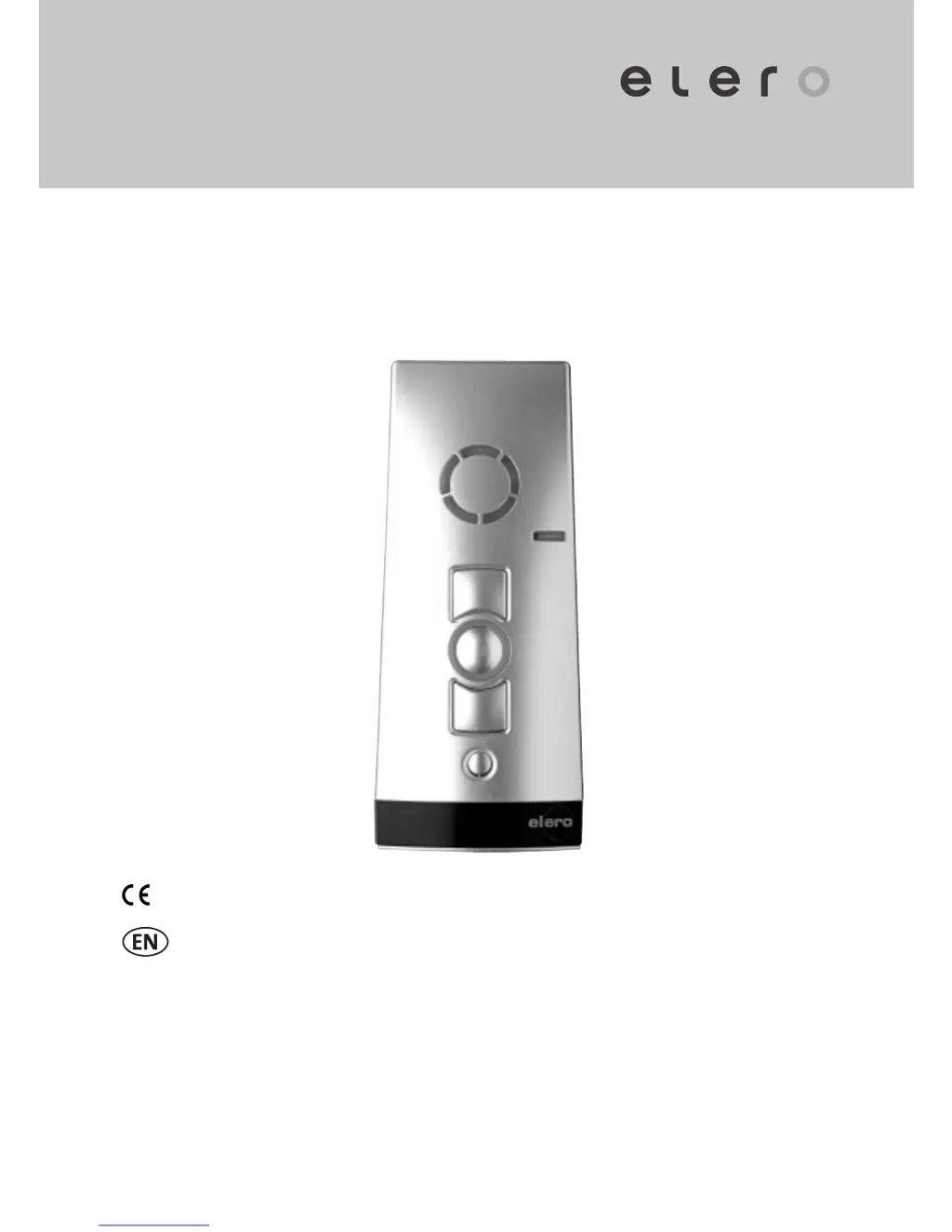
elero VarioTel 2 - User Manual

elero VarioTel 2
11 pages
Print Icon
To Next Page IconTo Next Page
Loading...
VarioTel 2 867/868/915 MHz
28245.0001, 28246.0001,
28247.0001, 28245.0901,
28246.0901, 28247.0901
0682
Operating instructions (translation)
181220201_EN_0513

Questions and Answers

  • I
    igarzaAug 3, 2025
    Why is my elero Receiver drive operating in the wrong direction?
    • J
      Joshua JohnstonAug 3, 2025
      If the elero Receiver drive operates in the wrong direction, it's likely due to incorrectly allocated directions. To resolve this, delete the transmitter and then reprogram it.
  • W
    Wesley GibsonAug 11, 2025
    How to fix an elero Receiver when the drive doesn't run and the status display doesn't light?
    • L
      lshortAug 11, 2025
      If the elero Receiver drive does not run and the status display does not light, it could be due to a couple of reasons: * The batteries are low: Insert new batteries. * The batteries are incorrectly installed: Insert the batteries correctly.
  • J
    Jeanette AdkinsAug 22, 2025
    What to do if the required drive of elero Receiver does not run?
    • S
      stephentaylorAug 22, 2025
      If the required elero Receiver drive doesn't run, the most likely cause is that the incorrect channel is selected. To fix this, select the correct channel.

Summary

Safety Instructions

Safety Instructions for Radio Operation

Guidelines for safe operation of radio systems, including interference avoidance and approved use.

Intended Use

Specifies the VarioTel 2 as a multi-channel transmitter for controlling roller shutters, awnings, and blinds.

Exclusion of Liability

Elero GmbH disclaims liability for damages arising from improper use, modifications, or failure to observe instructions.

Scope of Supply

Lists the items included in the VarioTel 2 hand-held radio transmitter package.

Technical Data

Provides specifications for the VarioTel 2, including operating voltage, battery type, IP code, and frequencies.

Mounting of Wall Bracket

Device Explanation

Explanation of Functions

Bidirectional Radio System

Describes systems where transmitters and receivers exchange feedback for command confirmation.

Unidirectional Radio System

Explains systems where transmitters send signals to receivers without feedback.

Initial Operation

Details the steps for turning on the transmitter and its automatic mode during initial use.

Group Control Unit

Selection Button

Programming the Transmitter

Programming Additional Transmitters

Synchronous Programming Mode

Stopping Programming Mode (Bidirectional)

Approaching End Positions of Roller Shutter; Awning; Venetian Blind

Intermediate Positions of the Blinds

Programming the Intermediate Position in the Receiver

Programming the Ventilation;Tilting Position in the Receiver

Operation of the Transmitter with Combio JA Pulse

Deleting Positions;Deleting Transmitters

Deleting the Intermediate Position in the Receiver

Procedure to delete a stored intermediate position for blinds in the receiver unit.

Deleting the Ventilation Position in the Receiver

Procedure to delete a stored ventilation/tilting position for blinds in the receiver unit.

Deleting the Transmitter Channel in the Receiver

Instructions to remove a programmed transmitter channel from the receiver.

Deleting All Transmitters in the Receiver

Procedure to erase all programmed transmitter channels from the receiver.

Battery Replacement

Troubleshooting

Repair

EC Declaration of Conformity

elero VarioTel 2 Specifications

General IconGeneral
Brandelero
ModelVarioTel 2
CategoryReceiver
LanguageEnglish

Related product manuals