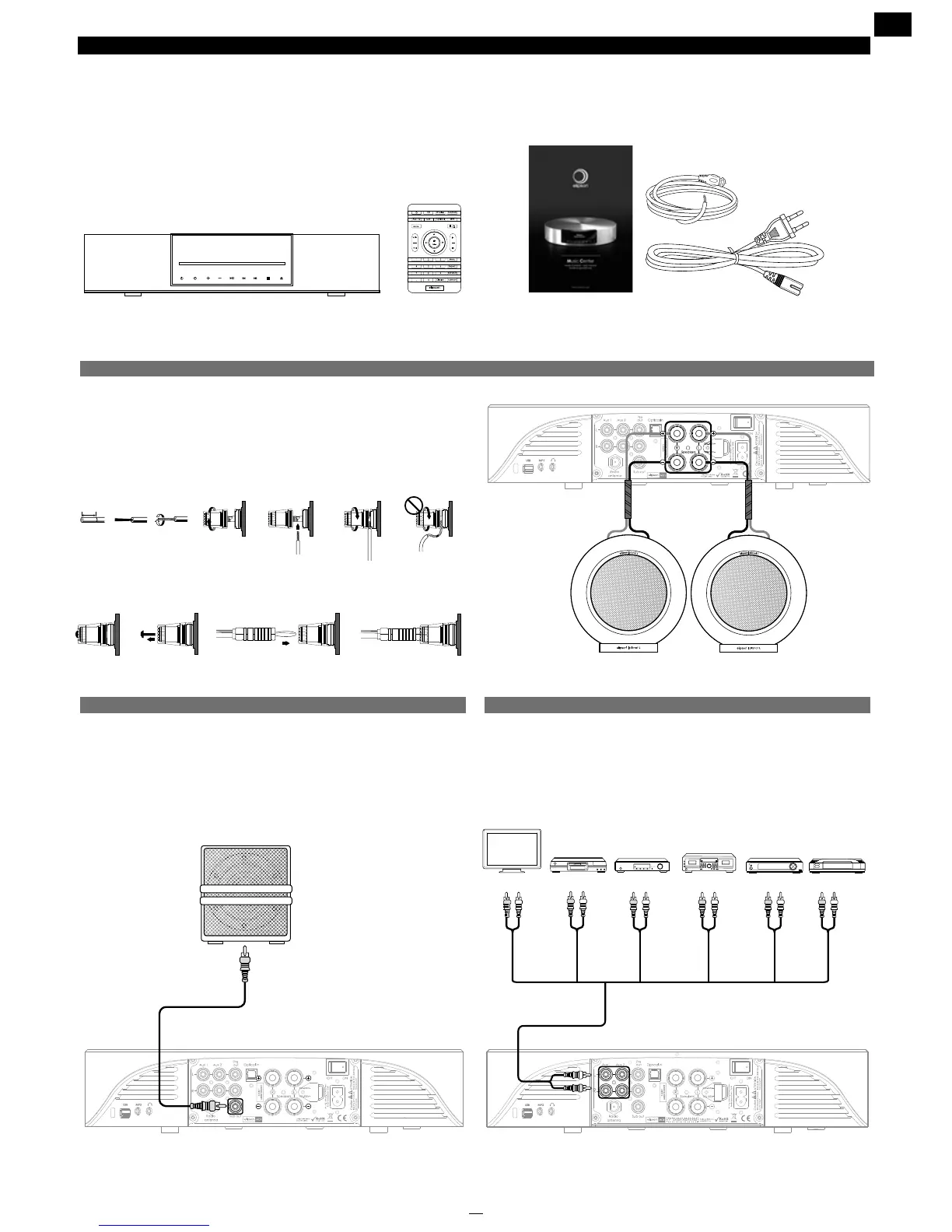
1. CONTENTS OF THE BOX
Before use, conrm that the following accessories are included:
• The Music Center
• Remote
• Instructions
• Plug
• Antenna cable
2. CONNECTIONS
2.1 Speakers
When connecting your speakers, connect the left speaker to the
L terminal block and the right speaker to the R terminal. Match up
the cable ends: the plus on the amplier to the plus on the speaker,
the minus on the amplier to the minus of the speaker.
You can connect your speakers in two different ways:
•Stripped cable: strip or twist 10 mm of cable before introducing it
into the terminal
•Cable with banana plug: remove the protector located at the
center of the terminal and insert the banana plug
2.2 Subwoofer
To connect a bass box, plug it into the « Sub out ». For adjustment
and advanced conguration of the bass box output, see page 11.
10 mm
5
4
1
7
8
10
3
9
6
2
Lecteur DVD
Graveur de CD-R, etc.
Lecteur de CD
1
Serveur Multimédia
Décodeur, TNT, Satellite
Lecteur hifi, video ( CD, DVD ... )
Vers prises de sortie ligne (LINE OUT)
Vers prises de sortie ligne (LINE OUT)
Vers prises de sortie ligne (LINE OUT)
Vers prises de sortie ligne (LINE OUT)
Vers prises de sortie ligne (LINE OUT)
Vers prises d'entrée ligne (LINE IN)
Platine MD ou cassette
Tuner
330 mm
73 mm
67 mm


 To Next Page