EasyManua.ls Logo

Elitech ECS-974neo - User Manual

Elitech ECS-974neo
3 pages
Print Icon
To Next Page IconTo Next Page
Loading...
User Manual ECS-974neo Temperature Controller
1. Product overview
Mounng size: 71 x 29 mm Product size: 78.5 x 34.5 x 74 mm
1)Temperature measuring range: -50~99(Only when sensor calibraon value is set to 0)
2)Resoluon: 0.1/1 seable
3)Accuracy: ±1(-40~50), ±2(others)
4)Temperature control range: -50~99
5)Power supply: 220 VAC±10 %, 50/60Hz; Overall power consumpon: <3W
6)Input port: Cabinet sensor, Evaporator sensor
7)Output port: Cooling/Defrost/Fan
8)Protecon grade of front panel: IP65
9)Operang ambient temperature:0~55
10)Storage temperature:-25~75
11)Storage humidity: 20%~85% (non-condensing)
5.Parameter table
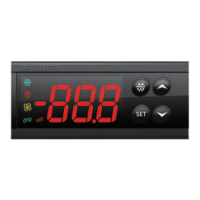
2.Display and operation panel
3. Technical parameters
4. LED
set
LED
Seng
Cooling
Defrost
Fan
Drip
Status
ON
ON
OFF
Flash
ON
OFF
ON
OFF
ON
OFF
Meaning
Set administrator menu
Cooling starts.
Cooling stops.
Cooling delays.
Defrost starts.
Defrost stops.
Fan starts.
Fan stops.
Dripping.
Drip stops.
Symbol
drip
No.
Menu
Item
Descripon Seng range Default Unit
User menu
0
SEt
Temperature set-point
LSE~HSE
4.0
Administrator menu
1
PA1
Administrator menu password
00~250
-
/
2 diF Differenal 0.1~30.0 2.0
3
HSE
Higher SEt. Max possible set-point
SEt~99.0
90.0
4 LSE Lower SEt. Min possible set-point -50.0~SEt -50.0
No.
Menu
Item
Descripon Seng range Default Unit
5
Ont: On me (compressor). Compressor acvaon me in the event of faulty probe.
OFt: OFF me (compressor). Compressor stop me in the event of a faulty probe.
If Ont=0, the compressor is o.
If Ont≠0 and OFt=0, the compressor is always on.
If Ont≠0 and OFt≠0, the compressor funcons in duty cycle mode per Ont/OFt.
0~250
0
min
6 OFt 0~250 1 min
7 dOF
Delay (aer power) OFF. Delay aer switch off; the indicated me must elapse
between switch-oof the compressor relay and the successive switch-on.
0~250 0 min
8 OdO
Delay Output (from power) On. Delay me in acvang the outputs aer switch-on
of the controller or aer a power failure.
0~250 0 min
9 dty
Defrost type:0 = electric defrost;
1 = reverse cycle defrost (hot gas);
2 = Free defrost (compressor hot).
0~2 0 /
10
dit
Defrost interval me. Interval between the start of two successive defrost
operaons.
1~250 6 hour
11 dCt
Defrost Counng type. Selecon of count mode for the defrost interval.
0 = compressor operang hours;
1= fixed me interval;
2 = compressor stop hours.
0/1/2 1 /
12
Defrost offset hour. Start-of-defrost delay me from startup of controller.
1~59
1
min
13
Defrost endurance me. Defrost me-out; dEt=0, defrost is disabled.
0~250
30
min
14
Whether to enable evaporator sensor: y=yes; n=no
n/y
y
/
15
Defrost stop temperature
-50.0~99.0
8.0
16
dPO
Defrost (at) Power On. Determines if at the start-up the controller must enter
defrosng (if the temperature measured allows this operaon).
y = yes; n = no.
n/y n /
17
Fan stop temperature
-50.0~99.0
2.0
18
Fan acvaon differenal
1.0~50.0
2.0
19
Fan delay me. Delay me in acvang fans aer a defrost operaon.
0~250
0
min
20
Drainage me. Dripping me
1~250
1
min
21
dFd
Defrost fan disable. Allows to select the evaporator probes exclusion during defrost.
y = yes; n = no.
n/y y /
22
FCO
Fan Compressor OFF. Allows selecng compressor fans lo ck OFF ( switched off). y =
fans acvated; n = fans o
n/y y /
23
High Alarm differenal
0.1~20.0
4.0
24
Low Alarm differenal
0.1~20.0
4.0
25
PAO
Power-on Alarm Override. Alarm exclusion me aer controller switch on or aer a
power failure.
0~15 0 hour
26
Defrost Alarm Override. Alarm exclusion me aer defrost.
0~250
0
min
27
Temperature Alarm Override. Temperature alarm signal delay me.
0~250
0
min
28
Keyboard locking. y = yes; n = no
n/y
n
/
29
Password 1.
0~250
5
/
30
ndt number display type. View with decimal point. y = yes; n = no n/y y /
31
CA1
Calibraon 1. Posive or negave temperature value added to the value read by
probe 1.
-12.0~12.0 0
32
CA2
Calibraon 2. Posive or negave temperature value added to the value read by
probe 2.
-12.0~12.0 0
33 ddL
Defrost display Lock. Viewing mode during defrosng.
0 = shows the temperature read by the cabinet probe;
1 = locks the reading on the temperature value read by cabinet probe when
defrosng starts, and unl the next me the Set-point value is reached;
2 = displays dEF during defrosng, and unl the next me the Set-point value is
reached.
0/1/2 1 /
ECS-974neo is a universal standard temperature controller.
Question and Answer IconNeed help?

Do you have a question about the Elitech ECS-974neo and is the answer not in the manual?

Summary

Product Overview and Technical Specifications

Product Overview

ECS-974neo is a universal standard temperature controller.

Display and Operation Panel

Details the mounting size and product dimensions of the controller.

Technical Parameters

Lists temperature range, resolution, accuracy, power supply, inputs, outputs, and environmental ratings.

LED Indicators

Describes the meaning of LED status lights for Set, Cooling, Defrost, Fan, and Drip functions.

Parameter Table

Lists user and administrator menu parameters with their descriptions, setting ranges, defaults, and units.

Key Functions and Operations

Key Functions

Details the functions of the SET key for accessing menus and operations.

User Operations

Guides on setting temperature, password, parameters, resetting, forcing defrost, and using the copy card.

Control Output and Alarm Management

Cooling Control

Explains the conditions for compressor activation and stopping based on temperature and protection times.

Defrost Operation

Details defrost start/stop conditions, types, endurance, dripping time, and display options.

Fan Control

Describes fan operation based on evaporator temperature, cooling/defrost status, and delay times.

Alarm Conditions

Outlines fault codes for sensor failures and triggers for high/low cabinet temperature alarms.

System Setup and Safety

Fault Codes

Lists display codes for sensor faults, alarms, copy card issues, and reset operations.

Wiring Diagram

Illustrates the terminal connections for sensors, power supply, and relays.

Safety Precautions

Provides warnings on proper wiring, power supply, environmental conditions, and interference.

Overview

The ECS-974neo is a universal standard temperature controller designed for precise temperature management.

Function Description

The device primarily functions as a temperature controller, offering both cooling and defrost capabilities. It allows users to set a desired temperature set-point (SEt) within a range of -50.0°C to 99.0°C. The controller activates cooling when the cabinet temperature exceeds the set-point plus a defined differential (diF), and stops cooling when the temperature falls below the set-point.

Defrosting can be configured in various modes: electric defrost, reverse cycle defrost (hot gas), or free defrost (compressor hot). Defrosting is disabled if the defrost endurance time (dEt) is set to 0. Otherwise, defrosting can be initiated by specific conditions such as the evaporator sensor temperature exceeding the defrost stop temperature (dSt), the defrost offset hour (dOH) elapsing after power-on (if dPO=y), the defrost interval time (dit) elapsing, or by manually forcing defrost for 3 seconds. Defrosting stops when the evaporator sensor temperature exceeds dSt (if H42=y) or when the defrost endurance time (dEt) elapses. After defrosting, the controller enters a drainage time (dt) to allow water to drip, during which cooling is disabled.

The fan operation is linked to the evaporator sensor temperature (if H42=y), running when the evaporator temperature is below the fan stop temperature (FSt) minus the fan activation differential (FAd), and stopping when it exceeds FSt. In cooling status, fan operation can also be controlled by the compressor (FCO=n) or run continuously (FCO=y). During defrosting, the fan can be disabled (dFd=y) or run continuously (dFd=n).

The controller also features alarm functions for high and low cabinet temperatures (AH1, AL1), triggered when the cabinet temperature deviates from the set-point by the high alarm differential (HAL) or low alarm differential (LAL), respectively, and after a temperature alarm signal delay time (tAO). It also indicates sensor faults (E1 for cabinet, E2 for evaporator) and copy card programming failures (Er, EP).

Important Technical Specifications

  • Temperature Measuring Range: -50°C to 99°C (with sensor calibration value set to 0)
  • Resolution: 0.1°C or 1°C (settable)
  • Accuracy: ±1°C (-40°C to 50°C), ±2°C (others)
  • Temperature Control Range: -50°C to 99°C
  • Power Supply: 220 VAC ±10%, 50/60Hz
  • Overall Power Consumption: <3W
  • Input Ports: Cabinet sensor, Evaporator sensor
  • Output Ports: Cooling, Defrost, Fan
  • Protection Grade (Front Panel): IP65
  • Operating Ambient Temperature: 0°C to 55°C
  • Storage Temperature: -25°C to 75°C
  • Storage Humidity: 20% to 85% (non-condensing)
  • Mounting Size: 71 x 29 mm
  • Product Size: 78.5 x 34.5 x 74 mm

Usage Features

The ECS-974neo offers a user-friendly interface with a clear LED display and intuitive buttons for operation.

Setting Parameters:

  • User Menu: Access by pressing and releasing the SET key. Allows adjustment of the temperature set-point (SEt) using the arrow keys.
  • Administrator Menu: Accessed by pressing SET for 5 seconds, requiring a password (PA1). The default universal password is 125. This menu allows configuration of advanced parameters such as differential (diF), maximum/minimum set-points (HSE, LSE), compressor on/off times (Ont, OFt), delay times (dOF, Odo), defrost type (dty), defrost interval (dit), defrost counting type (dCt), defrost offset hour (dOH), defrost endurance time (dEt), evaporator sensor enablement (H42), defrost stop temperature (dSt), defrost at power on (dPO), fan stop temperature (FSt), fan activation differential (FAd), fan delay time (Fdt), drainage time (dt), defrost fan disable (dFd), fan compressor OFF lock (FCO), alarm differentials (HAL, LAL), power-on alarm override (PAO), defrost alarm override (dAO), temperature alarm override (tAO), keyboard locking (LOC), password (PA1), number display type (ndt), and sensor calibrations (CA1, CA2).
  • Display Modes during Defrost: The defrost display lock (ddL) parameter allows choosing to show the cabinet probe temperature, lock the reading at the start of defrost, or display "dEF".

Operational Controls:

  • Force Defrost: Press the defrost button for 3 seconds to manually initiate or stop defrosting.
  • View Evaporator Temperature: Press the down arrow key to display the evaporator temperature.
  • Keyboard Locking: The keyboard can be locked (LOC=y) to prevent accidental changes.
  • Reset to Default: Press and hold the up and down arrow keys for 10 seconds to reset all parameters to their default values.

Copy Card Functionality:

  • Upload Parameters: Parameters can be uploaded from the controller to a copy card by inserting the card and pressing the up arrow key until "up" is displayed.
  • Download Parameters: Parameters can be downloaded from a copy card to the controller by inserting the card and pressing the down arrow key until "do" is displayed. Error messages ("Er" or "EP") indicate programming failures, often due to connection issues or incompatible copy card data.

Maintenance Features

  • Self-Diagnosis: The controller displays fault codes (E1, E2, AH1, AL1, Er, EP) to assist in troubleshooting.
  • Calibration: Sensor calibration parameters (CA1, CA2) allow for fine-tuning temperature readings to ensure accuracy.
  • Parameter Reset: The ability to reset parameters to default values simplifies troubleshooting and configuration.

Safety Precautions:

  • Wiring: It is crucial to distinguish and correctly connect sensor leads, power cords, and relays. Wiring should only be performed after disconnecting the power supply. Overloading relays must be avoided.
  • Environment: The controller should not be used in wet, humid, high-temperature, or corrosive environments, nor in areas with strong electromagnetic interference.
  • Power Supply: Ensure the power voltage matches the controller's specifications and remains stable.
  • Sensor Placement: Maintain a suitable distance between sensor leads and power cords to minimize interference. Sensors should be removed by gently plugging them out downwards.

Elitech ECS-974neo Specifications

General IconGeneral
BrandElitech
ModelECS-974neo
CategoryTemperature Controller
LanguageEnglish

Related product manuals