Elitech: Analyse data from PDF file
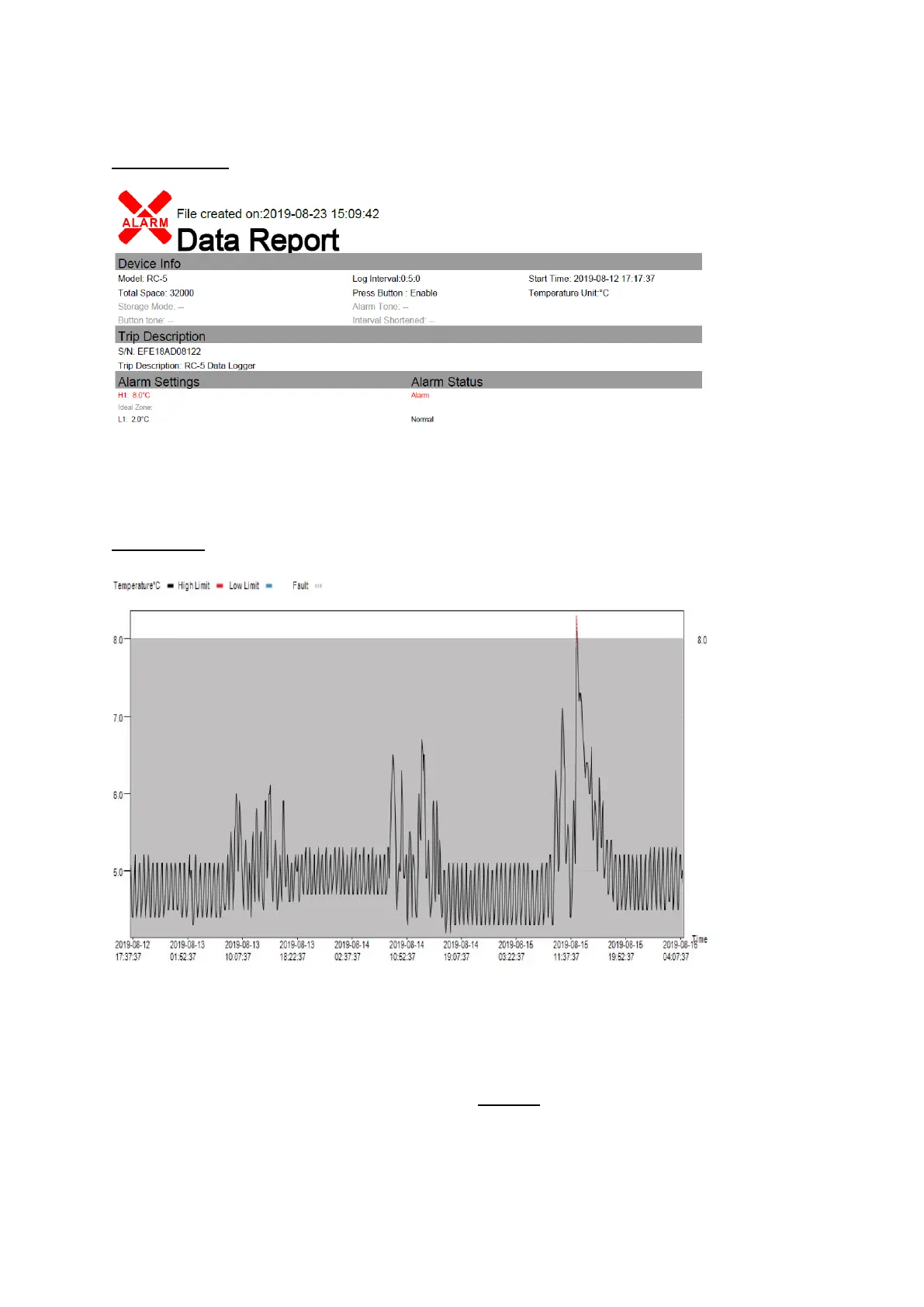
The SUMMARY:
Note the “Alarm Status”:
• “Normal” indicates that all temperatures were within 2°C – 8°C range
• “Alarm” indicates that temperatures were outside 2°C – 8°C range
The GRAPH:
The graph will be black where temperatures are within range. If temperatures go above 8°C, this will
appear red on the graph, and temperatures below 2°C will appear blue on the graph.
All temperatures above 8°C and below 2°C require investigation:
• Any temperature below 2°C is unacceptable → contact PHU to report cold chain breach
• Temperatures between 8°C – 12°C → check duration (see next section)
• Any temperature above 12°C is unacceptable → contact PHU to report cold chain breach


 To Next Page