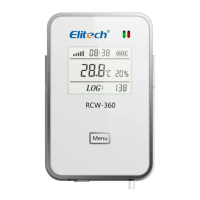
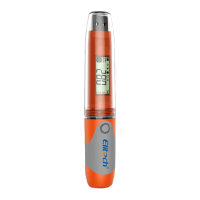
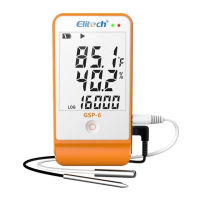
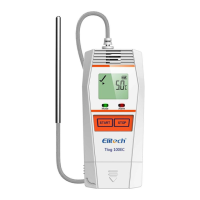
The Elitech RCW-800W is an IoT data logger designed for real-time monitoring, recording, alarming, and data uploading of ambient temperature and humidity. It communicates via a Wi-Fi network, transmitting measured values directly to the Elitech cold cloud platform. Users can view and analyze data anytime, anywhere using mobile phones or PCs with internet access. The device is capable of sending alarms via SMS, email, or voice when predefined limits are exceeded.
Function Description:
The RCW-800W series consists of a temperature/humidity sensor and a host instrument. It continuously monitors and records environmental conditions, uploading this data to the cloud for storage and analysis. Its primary function is to ensure that temperature and humidity remain within specified ranges, providing timely alerts if deviations occur. This makes it suitable for various applications such as warehouses, cold storage facilities, refrigerated trucks, cool cabinets, medicine cabinets, and freezer laboratories.
Important Technical Specifications:
Power:
- Power input: 5V/1A
- Battery life: No less than 7 days (@25°C, upload interval 5 minutes)
Display:
- Screen: Large-size TFT color screen
- Temperature display resolution: 0.1°C
- Humidity display resolution: 0.1%RH
Sensors and Measurement:
- Probe Type: External
- Aisle options: 1 temperature 1 humidity, Dual temperature
- Measuring range:
- Temperature: -40℃~80℃
- Humidity: 0%RH~100%RH
- Sensor type: Digital temperature & humidity sensor or NTC Temperature Sensor
- Measurement accuracy:
- Temperature: -20~+40℃ ±0.5°C, others ±1°C
- Humidity: ±5%RH
Data Storage and Communication:
- Offline record: 20,000 points
- Data storage method: Circulating memory
- Record, Upload interval & Alarm interval:
- Normal Recording interval: 1min~24H (settable)
- Alarm logging interval: 1min~24H (settable, must be ≤ normal recording interval)
- Normal Upload interval: 1min~24H (settable, default 5mins)
- Alarm upload interval: 1min~24H (settable, default 2mins, must be ≤ normal upload interval)
- Communication method: WIFI
Alarming:
- Alarm method: Local alarm, cloud alarm (SMS, APP, email)
- Indicator light: Alarm indicator light, charging indicator light
Physical Characteristics:
- Protection grade: IP50
- Standard sizes: 110mm78mm27mm
- Buttons: Switch machine, reset button (WIFI/Bluetooth), left key, home key, right key, Celsius/Fahrenheit conversion, monitoring start/stop, buzzer on/off.
Usage Features:
User Interface and Display:
- The device features a large-size TFT color screen that displays current temperature, humidity, date, time, device status (STAT:REC for recording, UNUPLOADED for offline data count), error codes, buzzer status, WIFI module status, battery power status, and charging status.
- The screen uses color coding for temperature and humidity readings: red for values above the upper limit and blue for values below the lower limit.
- The device includes a Power LED Light and an Alarm LED Light for quick status checks.
Navigation and Control:
- Home button: Short press to return to the home page.
- Left/Right keys: Short press to navigate forward or backward through interface pages.
- Celsius/Fahrenheit conversion key: Press and hold for 3 seconds to switch temperature units.
- Monitoring start/stop button: Long press for 3 seconds to start/stop monitoring and data recording. The lower left corner of the display will show "monitoring" or "not monitoring" synchronously.
- Buzzer on/off key: Long press for 3 seconds to turn the buzzer function on or off. A short press during an alarm state will silence the current buzzer alarm.
- Reset button: A short press enters the distribution network configuration mode, while a long press restarts the device.
Connectivity and Configuration:
- Wi-Fi Distribution Network:
- Connect your phone to the Wi-Fi network and open the Elitech iCold APP.
- Short press the reset button on the back of the device to enter Wi-Fi network configuration mode. The LCD status bar will display the Wi-Fi distribution network symbol.
- In the APP, click the "+" icon, then the "8" icon. Scan the QR code on the back of the device or manually enter the device GUID.
- Edit the device name, select the time zone, and click "Add" to successfully add the device.
- Click "Confirm" in the APP to start configuring Wi-Fi, then enter the Wi-Fi password and click "Confirm" again. A successful configuration will be indicated.
- If Wi-Fi configuration fails, repeat the steps. To reconfigure Wi-Fi, go to "Device Information" in the APP and click the Wi-Fi icon.
- Bluetooth Distribution Network:
- Connect your phone to the Wi-Fi network, open the APP, and enable Bluetooth.
- Short press the reset button on the back of the device to switch to Bluetooth network configuration mode. The LCD status bar will display the Bluetooth distribution network symbol.
- The Bluetooth network supports static IP address settings, allowing manual input of IP address, subnet mask, gateway address, and DNS server address if automatic IP acquisition (DHCP) is turned off.
APP Operation:
- Download and Install: Scan the provided QR codes for Android or iOS to download the "Elitech iCold" APP.
- Account Registration and Login: Open the APP, follow prompts to register a new account or log in with existing credentials.
- Device Management: The APP allows users to view device information, data graphs, alarm notifications, and manage subscriptions.
Maintenance Features:
Charging:
- Connect the device to a power adapter using a USB cable.
- The charging indicator light will be continuously on, and the status bar on the device display will show a charging icon.
- The built-in rechargeable lithium battery ensures real-time data upload for a long time even after power failure.
- For advanced functions and comprehensive data management, users can log in to the Elitech iCloud platform at
new.i-elitech.com.
Recharge:
- Upon initial device addition, users receive a trial period for free SMS, data, and premium services.
- After the trial expires, users need to recharge the device to continue these services. Detailed recharge instructions are available in the "Elitech Cold Cloud Value-added Service Recharge Guide" within the APP.

 Need help?
 General

 To Next Page