STEP 1-3
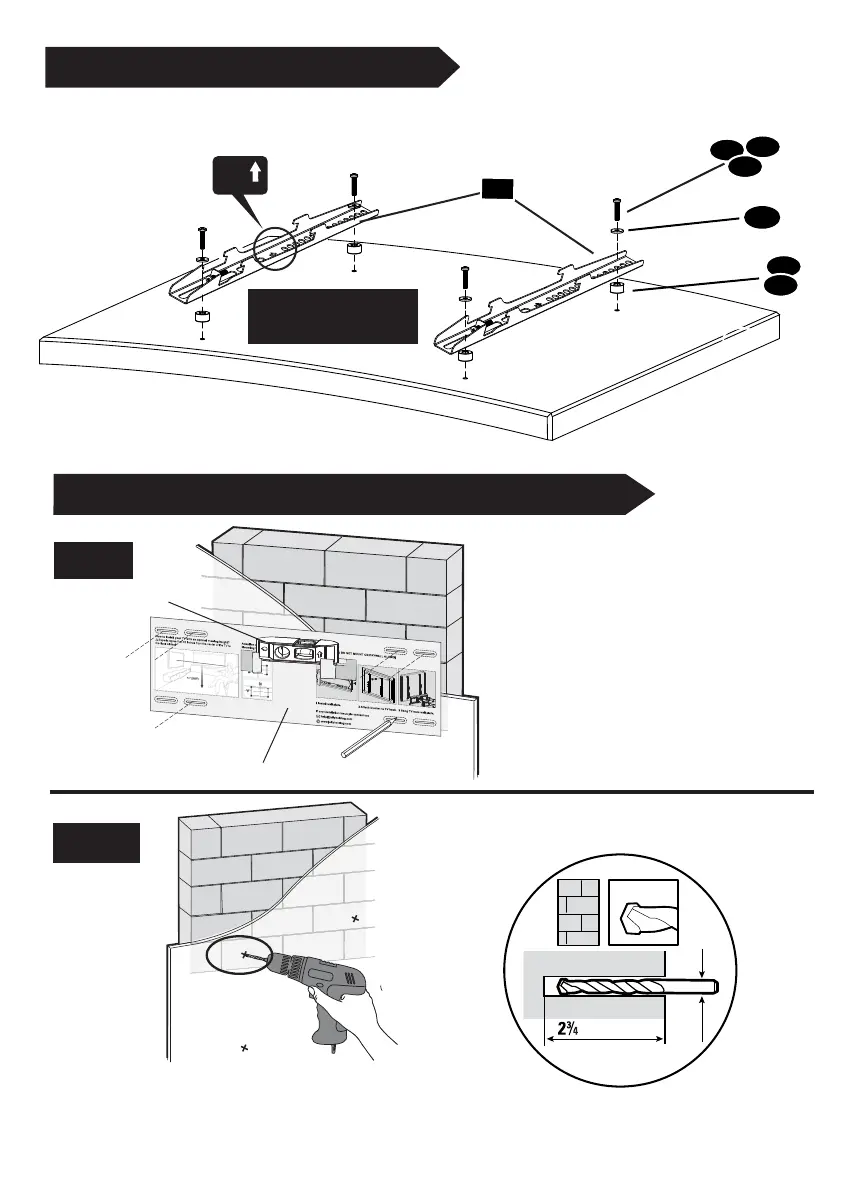
Attach the Brackets
04
(b) Round Back /
Extra Space
Top of TV
M-E
M-D
M-F
Not for M8 screws
- 5 -
STEP 2A Wall Plate Installation (Concrete or Brick)
Drill pilot holes
2A-2
M-A
Use the longer screws
M-B
M-C
2A-1
V2
Mounting template
Bubble level
UP
Position the mounting template
at your desired height , level the
mounting template and mark the
pilot hole locations (4 locations
at the up side and 2 locations at
the down side).
Ø 10 mm
in. (70 mm)
3/8 in.
Ø4 mm


 To Next Page