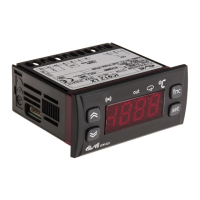
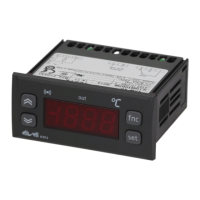
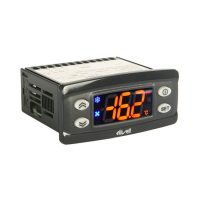
The folders are present according to
the presence and configuration of the
associated resource.
Alarm on
If an alarm condition exists when the
Machine Status menu is accessed, the “AL”
folder label appears (see “Diagnostics” sec-
tion).
*FOLDER FUNCTIONS FnC
Inside Fnc folder (last folder visible
from Programming Menu, level 1) there
are available the following functions:
(enable them with the “set” button).
When you turn Off the instrument all
labels return to default status
ADVANCED FUNCTIONS
SOFT START
Note: the SOFT START function can be
enabled by key or by function.
The Soft Start regulator permits to set the
temperature gradient to reach a defined
setpoint in a defined lapse of time.
Through this function, actually, you can
obtain a progressive increase of the
Setpoint (on which you regulate) from the
Ta value (environment TemperAture at
instruments’ start-up) to the real value set
on display; this permits to delay the
increase of the temperature reducing
“overshooting” problems.
Soft Start parameters are visible in the
“SOFT START” folder (defined by the “SFt”
label)
IC 912 LX Pt100 °R 2/8
USING COPY CARD
The Copy Card is an accessory connect-
ed to the TTL serial port used for quick
programming of the unit parameters
(upload and download parameter map
to one or more units of the same type).
Operations are described below:
Fr-Format
This command is used to format the
copy card. This is necessary if:
•it is used for the first time,
•it is used with models that are incom-
patible,
•after use with a specific model if
another model needs to be connected.
Warning: when the copy card has been
programmed using the “Fr” parameter
all the data entered is cancelled. This
operation cannot be undone.
UL-Upload
This operation uploads the programming
parameters from the instrument.
dL-Download
This operation downloads the program-
ming parameters to the instrument.
NOTE:
• UPLOAD: instrument —> Copy Card
• DOWNLOAD: Copy Card —> instru-
ment.
The operations are performed by access-
ing the folder identified by the “FPr”
label and selecting the “UL”, “dL” or “Fr”
commands. The operation is confirmed
by pressing the “set” button. If the oper-
ation is successful, a “y” is displayed
whereas if it is unsuccessful an “n” will
be displayed.
Download “from reset”
Connect the copy card with the instru
-
ment OFF. When the instrument is
switched on the programming parame-
ters will be downloaded into the copy
card; when the lamp test has been com-
pleted, the following appear on the dis-
play for about 5 seconds:
• label dLY if copy operation is success-
ful
• label DLn if operation fails
PLEASE NOTE:
• after downloading the instrument will
work with the parameter map settings
that have just been downloaded.
HOW TO LOCK THE KEYBOARD
Keyboard operating can be locked by pro-
gramming the “LOC” parameter (see folder
with “diS” table).
If the keyboard is locked you can only
access the Programming MENU (see)
Functions CANNOT be activated with but-
tons (to silence alarms, for example) .
HOW TO SET THE SET POINT
Go to the “Machine Status” menu, press the “set” button and quickly release it. The “SP1” folder label appears.
The Set point value appears on the display.
To change the Set point 1 (2) value, press the “UP” and “DOWN” buttons within 15 seconds.
If parameter LOC = y the Set points cannot be changed.
HOW TO DISPLAY THE TEMPERATURE READ BY PROBE
If you press the “set” button when the corresponding label appears, the value of the probe associated with it is displayed.
ALARM PRESENT?
If an alarm condition exists when the Machine Status menu is accessed, the “AL” folder label appears. which will include the alarm
codes. (see section on “Diagnostics”).
Function
Soft Start
Reduced set point
Controls blocked
Periodic Cycle
Aux
Stand-by
Maintenance
request
NOTE: In this case the UnP label is displayed
(flashing)
**default
Function label
INACTIVE
SoF**
SP**
boF
coF
AoF
oF
AtF**
Function label
ACTIVE
Son
OSP
bon**
con
Aon
on**
Atn


 To Next Page
 Loading...