
 Need help?
Do you have a question about the Elkay EZH20 Series and is the answer not in the manual?
Key instructions for correct installation, compliance, and important safety precautions.
Critical advice on preventing electrical feedback, electrolysis, and material selection.
Guide on using push-to-connect fittings for water supply lines.
Diagram showing overall dimensions, clearances, and connection points for rough-in installation.
Diagram showing dimensions and connection points for P model rough-in installation.
Detailed steps for installing the EWF3000 Watersentry Plus filter.
Guidance on making water supply connections and plumbing for both filtered and non-filtered units.
Visual representation of the plumbing layout for filtered and non-filtered units.
Guidance on mounting and securing the upper and lower panels.
Procedure for installing the filter cartridge in filtered units.
Steps for connecting power, checking for leaks, and testing unit functionality.
How to check the software designation (BF6, BF7, BF8) of the control board.
Steps to locate and access the programming button on the control board.
Procedure to reset the filter monitor indicator and reset the filter status.
Guide to adjust the sensitivity range of the IR sensor for bottle detection.
Instructions on how to reset the bottle counter to zero.
How to check the software designation (BF9) of the control board.
Steps to locate and access the programming button on the control board.
Procedure to reset the filter monitor indicator and reset the filter status.
Guide to adjust the sensitivity range of the IR sensor for bottle detection.
Configures unit type to adjust flow rate estimation for dispensed bottles.
Instructions on how to reset the bottle counter to zero.
How to check the software designation (BF11) of the control board.
Steps to locate and access the programming button on the control board.
Procedure to reset the filter monitor indicator and reset the filter status.
Guide to adjust the sensitivity range of the IR sensor for bottle detection.
Configures unit type to adjust flow rate estimation for dispensed bottles.
Procedure to select the filter capacity (e.g., 3000GAL or 6000GAL).
Instructions on how to reset the bottle counter to zero.
Detailed list of parts for the Watersentry Plus filter with item numbers and descriptions.
List of available replacement part kits for the unit.
Contact information for toll-free repair service and parts ordering.
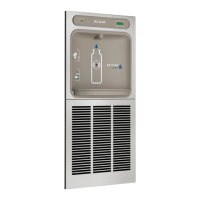
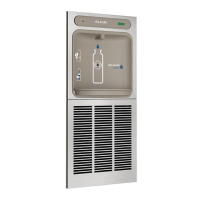
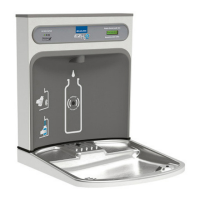
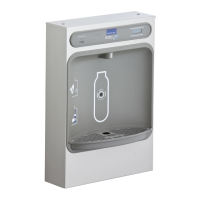
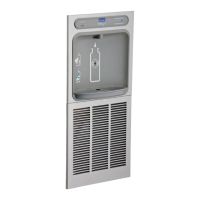
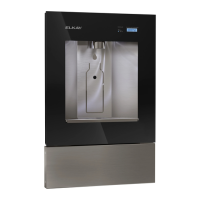
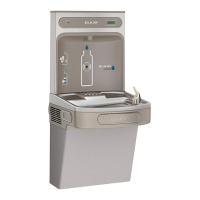
The Elkay EZH20 In-Wall Bottle Filling Station is designed to provide convenient and hygienic hydration, offering both filtered and non-filtered water options. This unit is intended for installation within a wall, providing a sleek and integrated appearance. It is available in various models, including those with and without a chiller, and with different power configurations (e.g., 220V models). The device is equipped with an infrared (IR) sensor for touchless operation, promoting cleanliness and ease of use.
The primary function of the EZH20 In-Wall Bottle Filling Station is to dispense water for refilling bottles. It features an IR sensor that detects the presence of a bottle or hand, initiating water flow automatically. This touchless operation is a key feature, enhancing hygiene, especially in public or high-traffic environments.
For models equipped with a filter, the unit incorporates an EWF3000 WaterSentry Plus filter system. This filter is designed to improve water quality by reducing contaminants, providing cleaner and better-tasting water. The filter status is monitored by the device, and a green LED light illuminates to indicate good filter status. A bottle counter is also integrated into the unit, displaying the number of bottles refilled, which can be useful for tracking usage and environmental impact.
The device can be configured for either refrigerated (REFRIG) or non-refrigerated (NON-RFRG) water dispensing, depending on the model and user settings. Refrigerated models include a chiller to provide cold water, while non-refrigerated models dispense water at ambient temperature. The flow rate is estimated differently for these two settings: approximately 1.0 gallon per minute for refrigerated units and 1.5 gallons per minute for non-refrigerated units, with both simulating a 20 oz bottle fill.
The installation process involves mounting the unit's frame within a wall, connecting it to the building's cold water supply, and establishing electrical connections. Proper grounding is emphasized to prevent electrolysis, which can affect water taste and quality. The use of plastic drain fittings is recommended to electrically isolate the fountain from the building plumbing system. For added safety, it is suggested that the bottle filler be protected by a Ground Fault Circuit Interrupter (GFCI).
The EZH20 Bottle Filling Station is designed for user-friendly operation. The touchless IR sensor allows for quick and hygienic bottle refills. Users simply place their bottle or hand in front of the sensor area, and water dispenses automatically. The sensor has a 30-second maximum ON time, ensuring that water flow stops if the object is removed or after a set period.
For filtered units, the LCD Bottle Counter and a green LED provide immediate feedback on the filter status and the number of bottles saved from waste. This information can encourage users to choose reusable bottles and contribute to sustainability efforts.
The device's control board allows for various settings adjustments, including resetting the filter monitor, setting the IR sensor range, and configuring the unit type (refrigerated or non-refrigerated). These settings are accessed via a programming button located behind the lower panel of the unit.
Resetting the Filter Monitor: For filtered units, the filter monitor can be reset through a sequence of button presses. This process involves navigating through display messages like "RST FLTR" and confirming the reset, which then illuminates the green LED to indicate a good filter status.
Setting the IR Sensor Range: The sensitivity of the IR sensor can be adjusted to optimize detection. This involves accessing the "RNG SET" option through the programming button and selecting a desired range value from 1 to 10. This feature helps prevent accidental dispensing or ensures reliable detection based on the installation environment.
Setting the Unit Type: The unit can be configured as "REFRIG" (refrigerated) or "NON-RFRG" (non-refrigerated) via the control board settings. This setting impacts the estimated flow rate and is crucial for accurate bottle counting and performance.
Resetting the Bottle Count: The bottle counter can be reset to zero, allowing for new tracking periods. This is done by accessing the "RST BCNT" option through the programming button and confirming the reset.
The initial dispensing may involve some air in the line, causing a sputter. This is normal and will be eliminated once all air is purged, resulting in a steady stream of water.
Maintenance of the EZH20 Bottle Filling Station primarily involves filter replacement (for filtered units) and general cleaning. All service, including filter replacement and any adjustments to the control board, should be performed by an authorized service person.
Filter Installation and Replacement: For filtered units, the EWF3000 WaterSentry Plus filter cartridge needs to be installed and periodically replaced. The filter head assembly is mounted to the side of the remote chiller. When installing a new filter, the protective cap is removed, and the filter is firmly inserted into the head and rotated clockwise. The filter monitor system tracks filter life, and the green LED indicates good status. When the filter needs replacement, the monitor will signal this, prompting an authorized service person to perform the replacement and reset the filter monitor.
Plumbing and Electrical Connections: The manual provides detailed instructions for connecting the unit to the building's cold water supply and drain system. It emphasizes the importance of using plastic drain fittings to electrically isolate the fountain. Regular inspection for leaks after installation and during maintenance is crucial. The unit's electrical connections should also be checked, and the circuit breaker or fuse should be in the "ON" position for operation.
Accessing the Control Board: The programming button for accessing control board settings is located behind the lower panel of the unit. For BF11 program models, the top cover of the bottle filler must be removed to access the programming button. This access allows for adjustments to filter settings, IR sensor range, unit type, and bottle count.
Troubleshooting: The manual advises checking for leaks after turning on the water supply and before plugging in the unit. If the unit does not dispense water, verifying power supply and sensor operation is recommended. The control board software can be verified by restarting the unit and observing the software designation on the bottle count display.
The design of the unit, with its in-wall installation, aims to minimize external components, making cleaning and general upkeep of the visible surfaces straightforward. However, internal maintenance, especially for the chiller and filter systems, requires professional attention.
 General
| Installation Type | Wall Mounted |
|---|---|
| Filtered | Yes |
| Refrigerant Type | R-134a |
| ADA Compliant | Yes |
| Material | Stainless Steel |
| Product Type | Bottle Filling Station |
| Filter Included | Yes |
| Warranty | 5 Years |
| Cooling Capacity | 8.0 GPH |
| Power | 115V |
| Activation Method | Sensor |
| Water Flow Rate | 1.1 GPM |
| Spout Height | Varies by model |



 To Next Page