7
Auto
0 6 12 18 24
Prog
Man
31 2 4 5 6 7
E
N
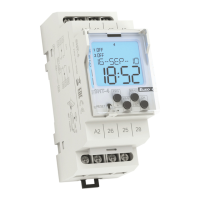
Indicates the day in the week
Indication (1st channel)
Bargraf
Indication (2nd channel)
Indicates 12 / 24 mode
Indicates summer / winter mode
Operating modes indication
Indication of time/date/setting menu
Control button PRG / +
Control button MAN1 / -
Control button OK
Control button MAN2 / ESC
Reset
CONTROL OF A DISPLAY WITH BACKLIGHT
Display is illuminated with a back-light for 10 s from last button press.
Permanent on / o is activated by synchronic press of buttons MAN, ESC, OK.
After permanent on/o activation, display will ash shortly.



 To Next Page