EasyManua.ls Logo

elmeasure SL VDC - User Manual

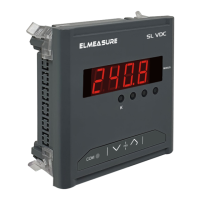
elmeasure SL VDC
2 pages
Print Icon
To Next Page IconTo Next Page
Loading...
Universal Auxiliary supply (24-300V AC/DC).
Parameters VDC & ADC.
1 row 4 digit display.
User configurable (Editable) password.
Auto-scaling of kilo decimal point.
PG/SLDC/V1/0820
support@elmeasure.com
Toll Free: 1800 120 5048
SL VDC | SL ADC | µA VDC | µA ADC
www.elmeasure.com
User Manual
Head office & Manufacturing Unit 1
Plot N0.: 47-P, KIADB Hardware Park,
Huvinayakanahalli, Bengaluru - 562 149,
Karnataka INDIA.
Manufacturing Unit 2
Goutham Garden, No.4, Veerapandi,
Coimbatore - 641019 Tamil Nadu, INDIA
T: 0422 2697200. TF: 0422 2695200
E: contactcbe@elmeasure.com
Elmeasure India Private Limited
www.elmeasure.com
3. PROGRAMMING MODE
2. KEY & DISPLAY INDICATION
Value Indication
Kilo
To view the parameters Downwards.
To view the parameters Upwards.
PRG
COM
Communication
MINUS
To view the parameters Upwards.
To view the parameters Downwards.
Kilo
Minus
To view the
parameters Upwards.
To view the parameters
Downwards.
Kilo
Minus
3.1 Programming Keys
Press Up + Down to enter setup mode .
Enter Password (default 1000) blinking of digit indicates Edit is possible.
Press Down to decrement value from 9 to 1.
Press Up to move to the next digit till 4th digit .
If Password is correct, editing is possible.
Press Down to view and press Up key to edit.
Press Down to decrement values or to select from available options.
Press Up to save the value / parameter.
Press Down to edit next parameter till end of last parameter &
display screen will prompt display reads (YES).
Press Down to change to (NO) .
Press Up to save.
To decrement
value
To select / Edit &
save Value
3.2 Setup Procedure
MINUS
SL VDC | SL ADC
µA ADC
µA VDC
Baud rate (bA)
Parity (Pr)
Device Id (dU.)
4.800K/9.600K/19.20K/
38.40K
Odd/ no(none)/EVEn
1.000 to 247.0
Password (PW)
1000 to 9999
1. FEATURES
PT Primary(P.P)*
CT Primary(C.P)**
Programming
Parameter
3.3 Display
Default
0.100 to 999.9kV
0.1 to 999.9kA
Option/Range
CT Shunt(C.S)**
50 to 100
Offset
0.t.F.S to 4.t.F.S
Save
Yes or No
Note: *For VDC
**For ADC
4. WIRING DIAGRAM
SL ADC
SL ADC
RS 485
DC
Source
Input
AUX
0-20mA DC
80-300
VAC/DC
L
N
RS 485
AUX
80-300
VAC/DC
L
N
DC
Source
LOAD
SHUNT
0-75mV DC
Input
Question and Answer IconNeed help?

Do you have a question about the elmeasure SL VDC and is the answer not in the manual?

Summary

Programming Mode

Programming Keys

Describes the function of programming keys for selecting, editing, and saving values.

Setup Procedure

Details the step-by-step process for entering setup mode and configuring parameters using keys.

Display Parameters

Lists display parameters, default values, and available options/ranges for configuration.

Wiring Diagrams

Mechanical Specifications

Troubleshooting Guide

Safety Information

Overview

This document describes the Elmeasure SL VDC | SL ADC | μA VDC | μA ADC series of meters, designed for measuring and displaying various electrical parameters.

Function Description

The Elmeasure SL VDC | SL ADC | μA VDC | μA ADC meters are versatile instruments used for monitoring direct current (DC) voltage and current, as well as micro-ampere (μA) voltage and current. These meters are designed to provide accurate readings for critical electrical parameters in various applications. They feature a 1-row, 4-digit display for clear indication of measured values. The meters support universal auxiliary supply, making them adaptable to a wide range of power environments. A key feature is the auto-scaling of the kilo decimal point, which simplifies reading and interpretation of large values. The devices also include a user-configurable (editable) password for security and to prevent unauthorized changes to settings.

Important Technical Specifications

Display:

  • 1-row, 4-digit display.
  • Auto-scaling of kilo decimal point.

Auxiliary Supply:

  • Universal Auxiliary supply: 24-300V AC/DC.

Measurement Parameters:

  • VDC (Volts DC)
  • ADC (Amperes DC)
  • μA VDC (Micro-Amperes Volts DC)
  • μA ADC (Micro-Amperes Amperes DC)

Programming Parameters and Ranges:

  • PT Primary (P.P) (for VDC):* Default 48.00, Range 0.100 to 999.9kV.
  • CT Primary (C.P) (for ADC):** Default 20.00, Range 0.1 to 999.9kA.
  • CT Shunt (C.S) (for ADC):** Default 75.00, Range 50 to 100.
  • Offset: Default Q.E.F5, Range O.t.F.S to 4.t.F.S.
  • Baud Rate (bA): Default 9.600, Range 4.800K/9.600K/19.20K/38.40K.
  • Parity (Pr): Default EUEn.Pr, Options Odd/no(none)/EVEn.
  • Device Id (dU.): Default 1.00080, Range 1.000 to 247.0.
  • Password (PW): Default P 1000, Range 1000 to 9999.
  • Save: Default 5809, Options Yes or No.

Wiring Diagrams:

  • SL ADC: Input 0-20mA DC, RS 485, AUX 80-300 VAC/DC. DC Source connection.
  • SL VDC: Input 0-48V DC, RS 485, AUX 80-300 VAC/DC. DC Source connection.
  • μA ADC: Input 0-20mA DC, AUX. DC Source connection.
  • μA ADC (with Shunt): Input 0-75mV DC (via shunt), AUX. DC Source connection.
  • μA VDC: Input 0-48V DC, AUX. DC Source connection.

Mechanical Specifications:

  • Sleek Model: Dimensions 96x96x41 mm (front face 96x96 mm, depth 41 mm).
  • Micro Alpha Model: Dimensions 96x48x56 mm (front face 96x48 mm, depth 56 mm).

Usage Features

Display and Key Indication:

  • The display shows the measured value, with "MINUS" indicating negative values and "Kilo" indicating auto-scaled kilo decimal points.
  • Navigation keys allow users to view parameters upwards or downwards and to access communication settings.

Programming Mode:

  • Entering Setup Mode: Press Up + Down keys simultaneously.
  • Password Entry: Enter the password (default 1000). A blinking digit indicates that editing is possible.
  • Editing Values:
    • Press Down to decrement a value (from 9 to 1).
    • Press Up to move to the next digit (up to the 4th digit).
  • Viewing and Editing Parameters:
    • Press Down to view parameters.
    • Press Up to edit a selected parameter.
    • Press Down to decrement values or select from available options.
    • Press Up to save the value/parameter.
  • Saving Changes: After editing all parameters, the screen will prompt "S8UE" (Save). The display will show "Y" (YES). Press Down to change to "n" (NO) if you don't want to save. Press Up to save the changes.

Safety Precautions (Caution):

  • Hazardous voltages are present at the rear terminals during normal operation.
  • Installation, disconnection, or removal must be performed by qualified, trained personnel after de-energizing the connected circuit.
  • The warranty will be void if the seal is broken, or due to improper installation or grounding.

Maintenance Features

Troubleshooting Guide:

  • Meter display does not turn ON:
    • Check if power supply is applied to AUX terminals.
    • Verify fuse connection (use specified ratings).
  • Data displayed / reading incorrect:
    • Confirm that CT/PT ratios are set correctly.
    • Check if the proper configuration mode (Star/Delta/1Phase) is correctly set.
  • RS485 communication does not work:
    • Ensure baud rate and parity settings match between the meter and connected computers.
    • Verify memory mapping in the software.
    • Check if the device ID of the meter is unique and properly maintained.
    • Confirm that the converter is working correctly.

General Information:

  • The manufacturer is not responsible for hazards or damage caused by incorrect use or non-application of instructions.
  • The manufacturer is not liable for consequential or resulting injury, loss, damage, or expense from the use of this product.
  • Users are advised to follow operating instructions, professional practices, wiring rules, codes, and safety regulations applicable to the installation.

elmeasure SL VDC Specifications

General IconGeneral
Brandelmeasure
ModelSL VDC
CategoryMeasuring Instruments
LanguageEnglish

Related product manuals