15
■Login to the Administrator account
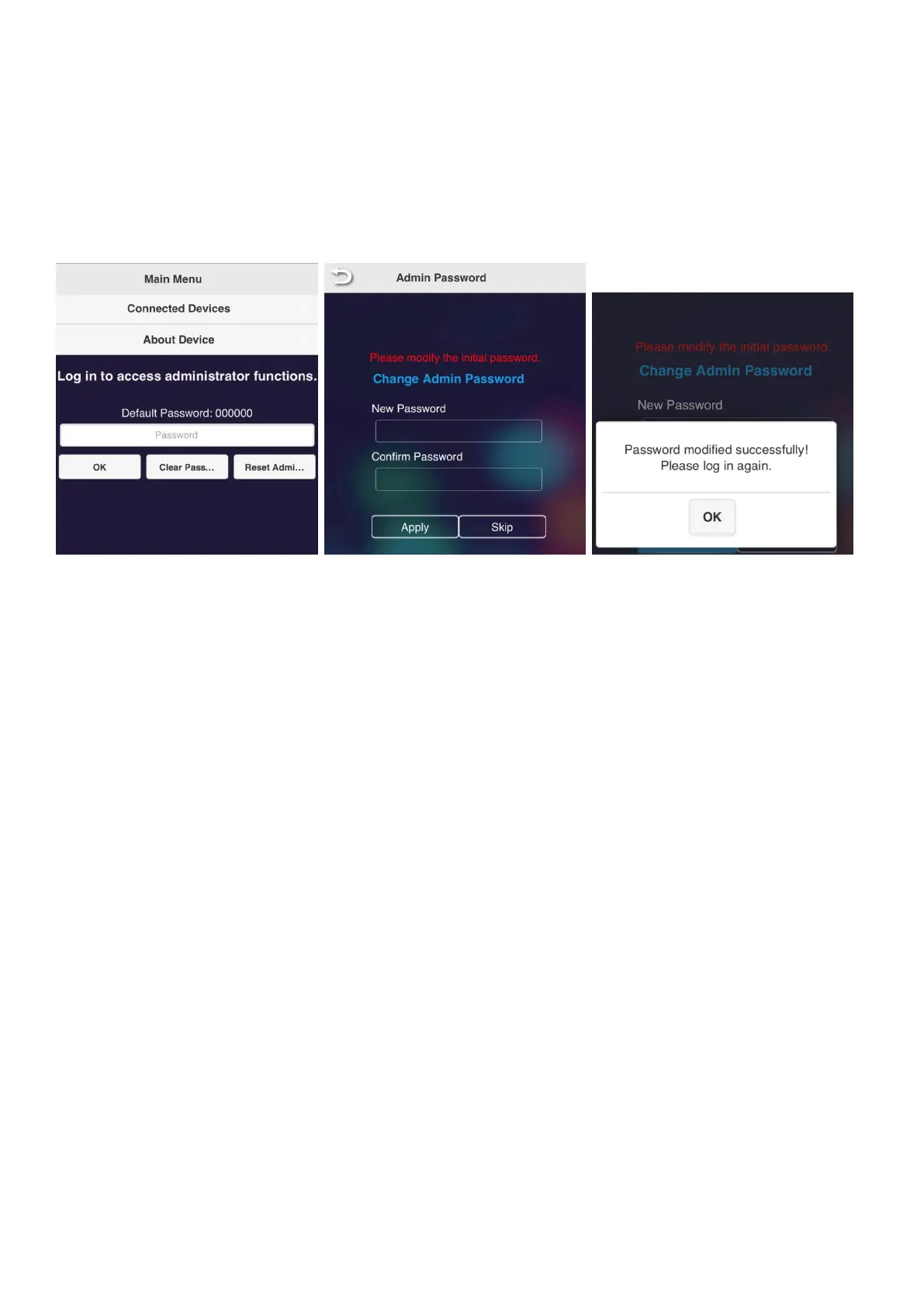
You can change detailed settings by logging in to the Administrator account. When you log in for the first time, you will
be asked to change your password. Follow the steps below to change your password.
You can skip changing your password, but unless you change your password, you will be prompted to change your
password every time you log in.
●Logging in to the Administrator account (changing the adminn password)
1. Log in with the default password "000000".
2. The password change screen will be displayed. Set a new password.
※The password needs to be:
- 6 characters or more
- 64 characters or less
- Only alphanumeric characters
- Other than "000000"
3. When the password change is completed, the message "Password modified successfully! Please log in again." will
be displayed. Click "OK".
4. You will need to log in again after changing the password.
When the login screen is displayed, log in with the new password.



 To Next Page