16
■ Home menu
To display the device name and IP address of the connected device.
To manage casting of each device.
To set the display language and resolution.
To configure the network settings.
To configure the advanced settings.
To display basic information such as the SSID of the dongle.
■Menu descriptions
●Conference control
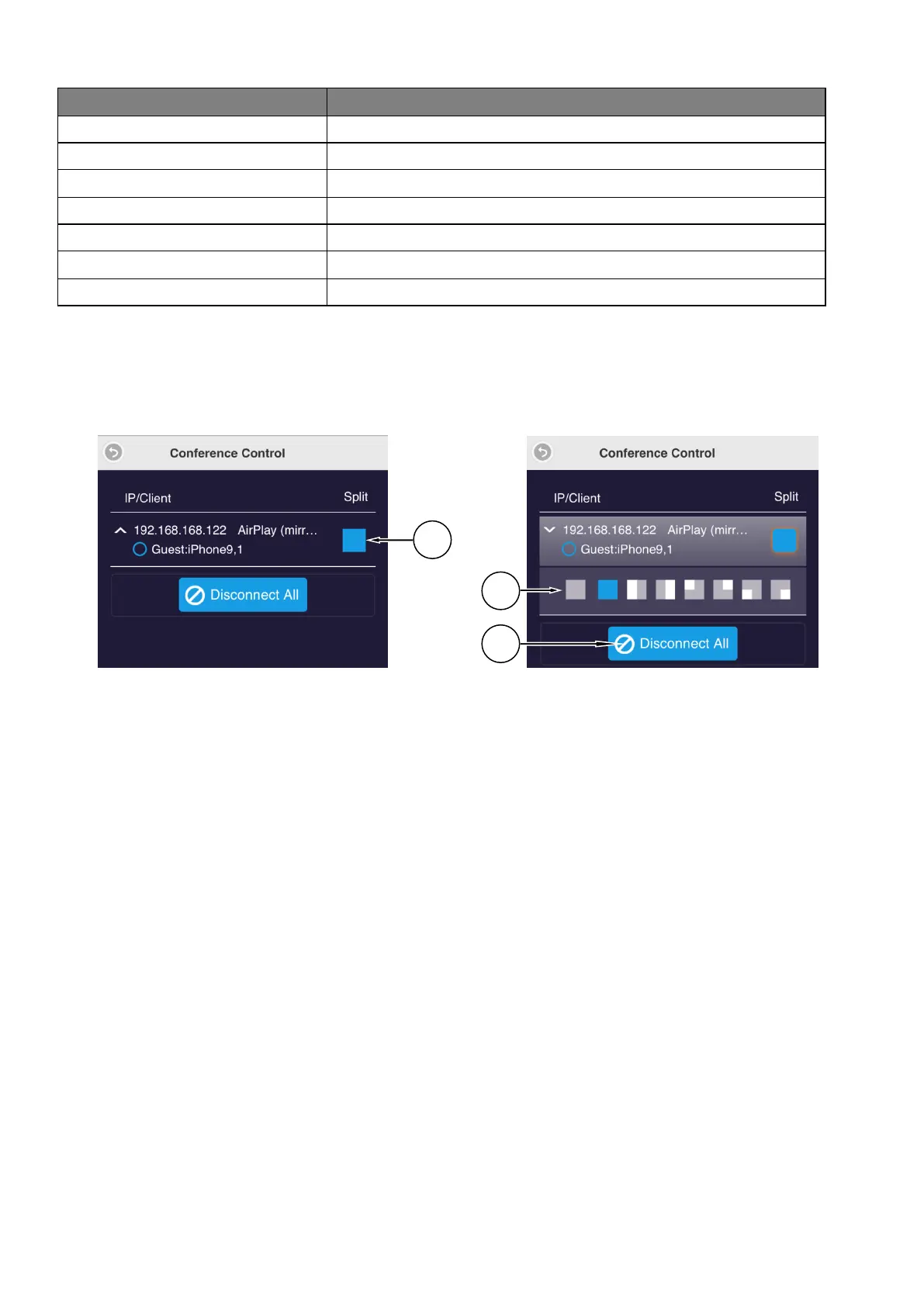
1. Click “Split”.(①)The menu to select a position to display the screen(②)will appear.
2. Select a position to display the screen.
3. Click “Disconnect all” to disconnect all the connected devices.


 To Next Page