87
Attaching the Embroidery Foot
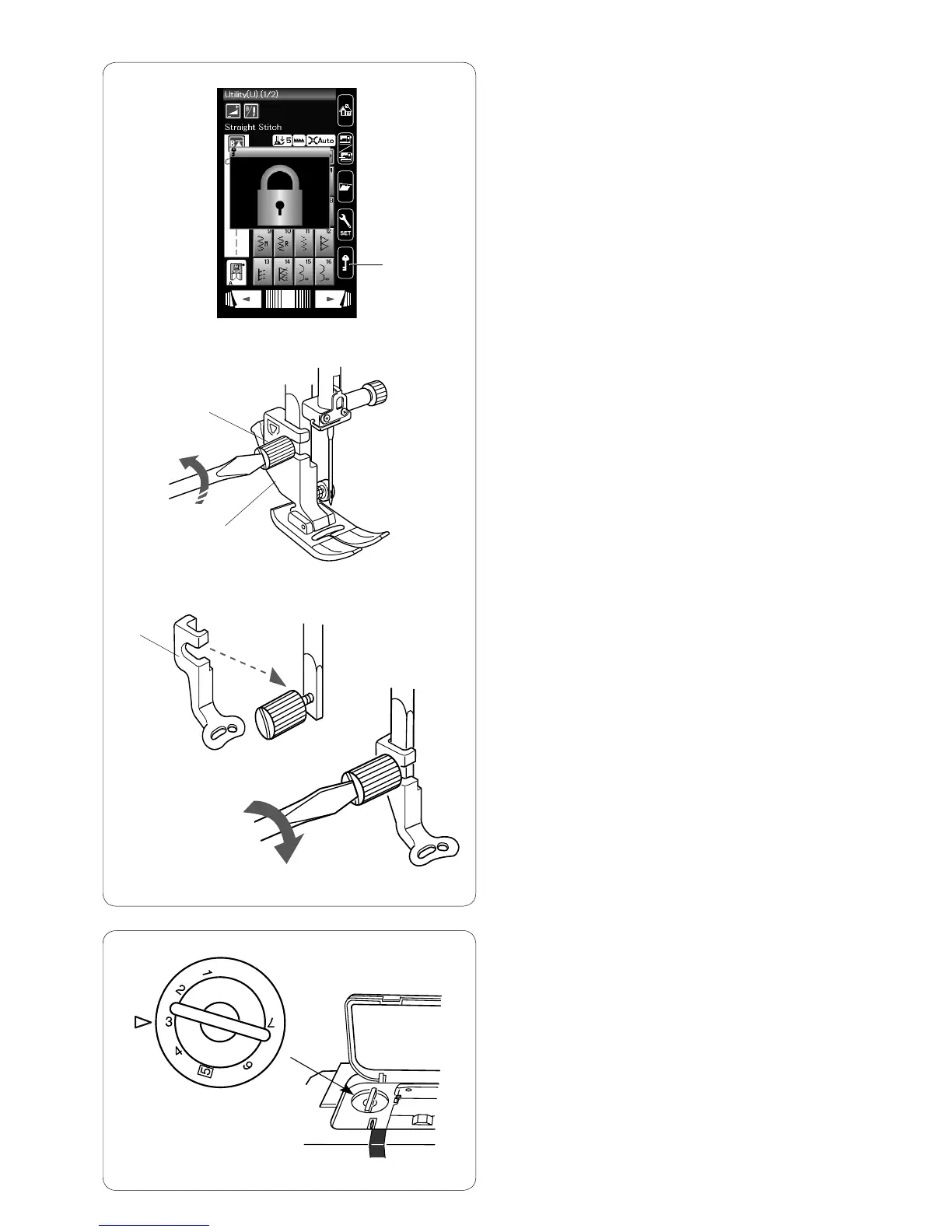
Use the embroidery foot P for embroidery.
Raise the needle and presser foot.
Turn the power switch off or press the lockout key.
q
Lockout key
Loosen the setscrew with the screwdriver and remove the
foot holder.
w
Setscrew
e
Foot holder
Attach the embroidery foot P to the presser bar from
behind. Tighten the setscrew securely.
r
Embroidery foot P
e
w
r
Foot pressure
Set the foot pressure dial at “3” for embroidery.
q



 To Next Page