QuickMode
261
7. Return to the previous or start screen by touching ( ) or ( ).
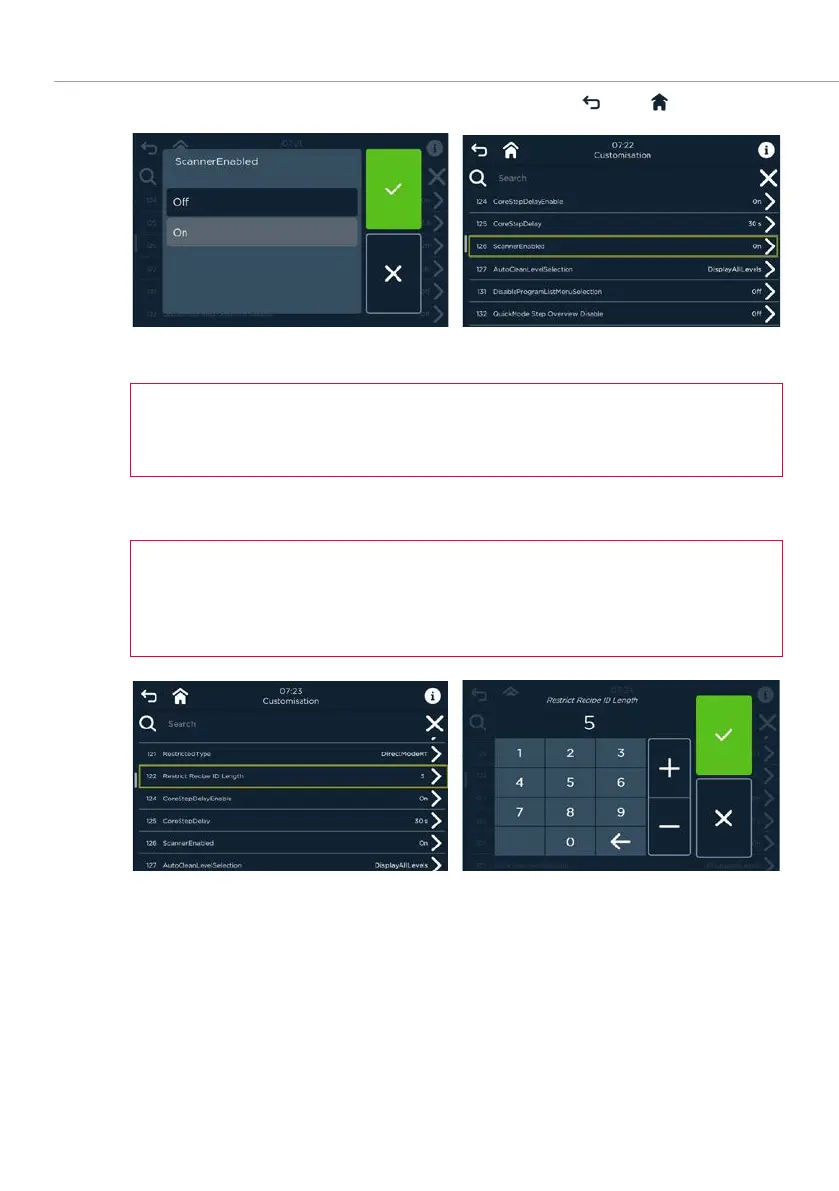
Fig. 272: Screens
Activate scanner (Customization
or
Parameters
)
For DirectMode, the parameter 126 Scanner activated must be set to ON in
Settings and Service.
Set/change ID character length
The DirectMode character length for numeric keypad entries is set to 5 by
default, but can be changed to 4 to 8 characters in Settings and Service under
Customisation, or under Parameters, parameter 122 DirectMode ID length.
Fig. 273: Change
ID character length screens



 To Next Page