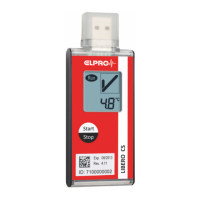
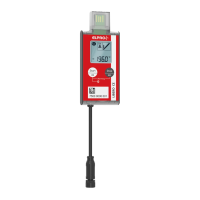
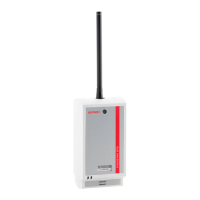
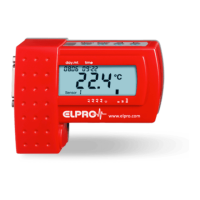
The ELPRO LIBERO Gx is a family of wireless real-time data loggers designed for temperature and humidity monitoring across the entire supply chain. These devices transmit measured values via a cellular network (LTE-M / NB-IoT) to the ELPRO Cloud, a monitoring software that stores and analyzes data, provides alerts for alarm limit violations, and generates reports. The system aims to offer superior visibility and transparency, meeting GxP requirements. The sensor-based monitoring software is accessible via a web browser and is also used for device configuration.
Function Description:
The core function of the LIBERO Gx data loggers is to continuously monitor temperature and, for the LIBERO GH model, relative humidity. Once configured, the device records and stores these measured values, evaluating them against predefined alarm criteria. The current operational mode is always displayed on the device. Data is transmitted to the ELPRO Cloud, where it is stored, analyzed, and used to generate reports. The system is designed to provide alerts if any alarm limits are violated, ensuring prompt action can be taken.
The LIBERO Gx devices operate through various states:
- SHELFLIFE: This is the initial state upon delivery. In this mode, the device does not transmit data, and the display is switched off to conserve battery. A short press of the Info button reveals the battery level and the "Start before Date / Expiry Date." To activate communication, the Start/Stop button must be pressed for 3 seconds.
- CONFIG: After activating communication from SHELFLIFE, the device enters CONFIG mode, immediately connecting to the cloud to retrieve its configuration. During the first 30 minutes in this state, the device communicates at a higher frequency. Once configured, it transitions to START mode. The Info button can be used to view the "Start before Date / Expiry Date."
- START: In this mode, the device is properly configured and ready to begin logging based on the chosen start option. The Info button displays profile information, configured info fields, and the "Start before Date / Expiry Date." Pressing the Start/Stop button initiates logging (either TRANSIT or DELAY), indicated by the RUN icon. The Start/Stop button is inactive for 2 minutes after starting to prevent accidental presses.
- DELAY: Depending on the activation mode, the device may enter DELAY or TRANSIT. In DELAY mode, the display shows "DELAY." If configured for "press button to activate alarm limits," it shows "DELAY." If configured for "time delay," it shows the remaining time. The Info button displays the current measurement value or configured info field.
- TRANSIT: Alarm limits are activated (if configured) in TRANSIT mode, and the "Alarm on/off" icon appears as "Alarm on." Pressing the Start/Stop button transitions the device to ARRIVED mode, and the RUN icon disappears. It's crucial to ensure the Start/Stop button is not accidentally pressed during transit. The Info button shows the second measurement value (for LIBERO GH/GE) or configured info field.
- PAUSE: If alarm limits are deactivated, the device enters PAUSE mode. The "Alarm on/off" icon changes to "Alarm off." The device continues logging and transmitting. The Info button displays the second measurement value (for LIBERO GH/GE) or configured info field.
- ARRIVED: After TRANSIT, the device enters ARRIVED mode. The RUN icon disappears, but the device continues to log and communicate (at a 2-hour interval) for 72 hours or until stopped. Pressing the Start/Stop button moves it to STOP mode. The Info button shows measurement values, configured info fields, and the "Expiry Date."
- STOP: In STOP mode, the device ceases logging measurement data. It communicates at a reduced interval (12 hours) for 24 hours. The Info button displays the configured info field and "Expiry Date." The Menu button provides access to various menu options.
- SLEEP: After STOP mode, the device enters SLEEP mode. It does not transmit, and the display is off. A short press of the Info button shows the battery level and "Expiry Date." Pressing the Start/Stop button for 3 seconds reactivates communication and returns the device to STOP mode.
Usage Features:
The LIBERO Gx devices are designed for ease of use with a clear display and intuitive button controls:
- Display: The device features a display that shows current readings, operational status, and various icons indicating connectivity, run status, communication strength, flight mode, warnings, alarm status, battery level, and important dates like "Start before end of" or "Expires end of."
- Start/Stop Button: This button is used to initiate or terminate logging. A long press (> 3 seconds) starts or stops the device.
- Info / Menu Button: A short press (< 1 second) toggles between display information (Info). A long press (> 3 seconds) opens the menu or selects a menu entry.
- Light Sensor: (Not configurable in version 1) If configured, it's important to ensure the light sensor is not dirty or covered for accurate readings.
- QR-Code: Each device has a QR code that contains the Device ID and a weblink to the cloud, facilitating easy access to data.
- Menu Navigation: The device menu allows users to perform various actions:
- GET.CONFI: Triggers communication to pull a new configuration from the cloud.
- PUSH.DATA: Triggers data transmission.
- RADIO.ON/RADIO.OFF: Manually terminates or turns off flight mode and communication.
- LAST COM: Shows the last communication time.
- ALARM.ON/ALARM.OFF: Activates or deactivates configured alarm limits, changing the device state between PAUSE and TRANSIT.
- MARK: Sets a marker (not logged in the cloud in version 1).
- EXP DATE: Displays the device's expiry date.
- FCT.RESET: Resets the device, requiring re-pairing in the cloud.
- Pairing Procedure: The quick start guide outlines a simple pairing process, either for new devices or devices already in use, involving logging into the ELPRO Cloud, adding the sensor, and following on-screen instructions.
- Start before Date / Expiry Date: The "Start before Date" indicates the latest possible date to start the device, visible on the label or display. For multi-use devices, this applies only to the initial start. The "Expiry Date" marks the end of the device's runtime, after which it automatically stops logging and communicating. This date is calculated from the initial start date and is visible via the display menu or in the cloud.
Maintenance Features:
While the LIBERO Gx devices are largely self-contained, some aspects relate to their longevity and proper functioning:
- Battery: The battery is not user-removable or exchangeable. Users are advised against mechanical stress or dismantling the batteries due to corrosive fluid and fire risks.
- Environmental Conditions: Users are instructed to avoid temperatures outside the specified operation range, overpressure or vacuum, violent knocks, IR radiation (heat), microwave radiation (risk of explosion), and long-term X-ray exposure to prevent damage.
- External Probes (for LIBERO GE): For specific applications (cryogenic, dry ice, freezer/fridge/ambient), external Pt100 probes are available. It is crucial to use only ELPRO-provided external sensor elements to ensure correct measurement values.
- Sensor Cable Extension: An optional extension cable with M8 connectors is available for extending sensor cables. However, a critical maintenance note is that the total cable length (including sensor and cable tail on the data logger) must not exceed 3 meters.
- M8 Connector Mounting Service: ELPRO offers a service to add an M8 connector to any 4-wire Pt100 temperature sensor, enabling its use with LIBERO GE.
- Disposal: The device is recyclable and should be disposed of according to applicable laws at the end of its service life. Batteries must be disposed of separately at collection points, as they contain hazardous materials (cadmium, mercury, lead) and are prohibited from household waste.

 Need help?
 General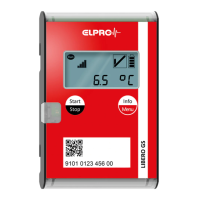

 To Next Page