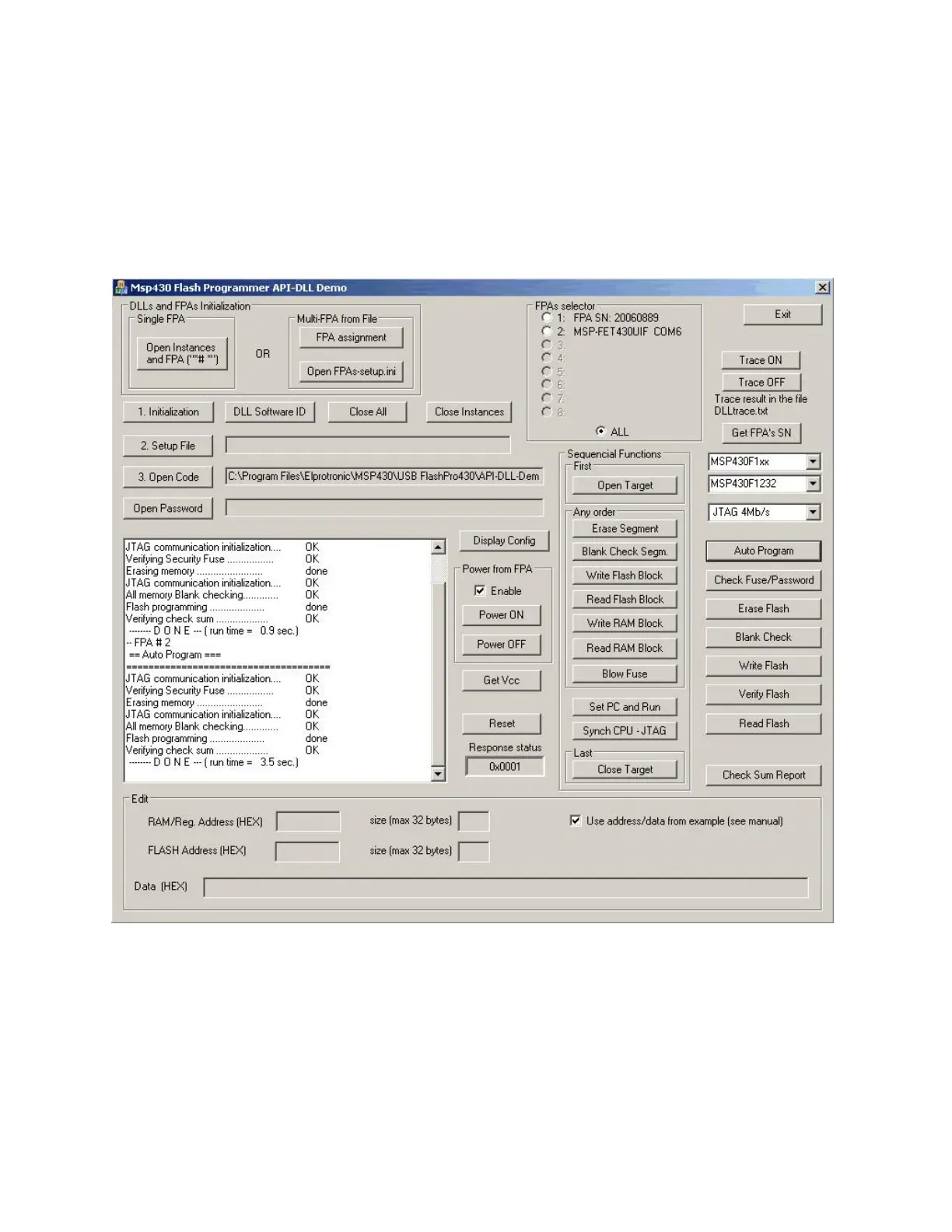
adapter connected to USB port(s) will be activated. If the USB-MSP430-FPA adapter is not present,
then software is searching for the MSP-FET430UIF adapter. If more then one adapter are connected,
then only fisrt will be used, all others adapters will be ignored. When the adapter is accepted by
software, then the 1. Initialization button must be pressed. When the 1. Initialization button is
pressed then communication with the programming adapter is initialized. Now the desired
configuration setup should be downloaded to DLLs and programming adapters (using button ‘2.
Setup File’ ), code file with data to be downloaded to target devices (using button ‘3. Open Code’)
and password file, if required (using button ‘Open Password’ ). Setup file can be created using
standard FlashPro430 programming software. Setup file used in the FlashPro430 has the same
format as the configuration file used in the application DLL.
Figure 2.4 Demo program dialogue screen using DLLs.
25



 To Next Page