Useful stuff and more
|
|
ELSA GLADIAC
|
20
EN
The use of the Multimedia Player is intuitive, and it includes a comprehensive
help function to clarify questions or solve problems while working with the
program.
ELSA WINman Suite
Installing the ELSA drivers also places the WINman Suite in
the Windows taskbar. WINman Suite provides you with
quick access to all ELSA tools, letting you bypass the
indirect route to the tools through the Control Panel.
This program is loaded automatically at system startup. If you do not want
the WINman Suite to load at startup, you can disable this option in the
WINman Suite menu.
If you want to load the program later, you can call it up by selecting
Start 왘 Programs 왘 ELSAware 왘 WINman Suite.
Fine-tuning for performance freaks
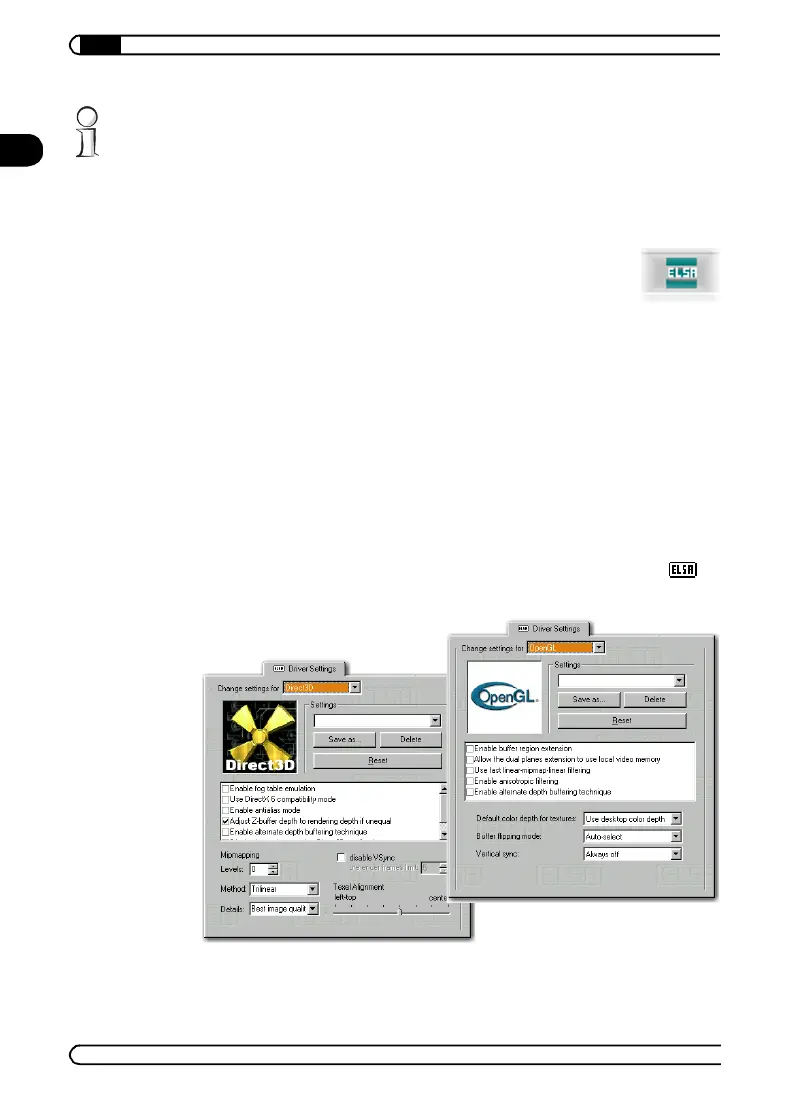
After installing the ELSA graphics drivers under Windows 95 and
Windows 98 you will find a new tab in the 'Display Properties': The ' 3D
Settings'
21663_DE_0300.book Seite 20 Montag, 10. April 2000 12:22 12



 To Next Page