|
Useful stuff and more
21
|
ELSA GLADIAC
|
EN
Because Windows 98 allows the operation of multiple graphics boards, the
3D settings for the ELSA GLADIAC are to be found in another location. Under
'Display Properties' select in turn: 'Settings' 왘 Advanced... 왘 '3D
Settings'.
These settings let you set up the optimal games performance on your system.
In most cases you don’t need to adjust anything. In some cases, for example
if you see display errors on screen or if there are problems with the speed,
you can adjust the driver settings. The settings which are optimal for any
game can saved under an identifiable name and quickly recalled without
having to restart your system.
Experimentation pays! Give your combatant a little extra “zip” and optimize
his chances against the competition. If the descriptions here are too cryptic,
just take a look at the glossary in this manual or use the comprehensive help
system. Simply click on the question mark at the top right-hand corner of the
dialog window, and then click on the item in question. If you accidentally
dump your system into the crawler-lane, just click on the emergency button
Restore Defaults. The standard settings will be called into action.
The question mark provides the answers! If
you want more information about any
setting, just click on this symbol and then
select the area in the dialog about which you
want to know more.
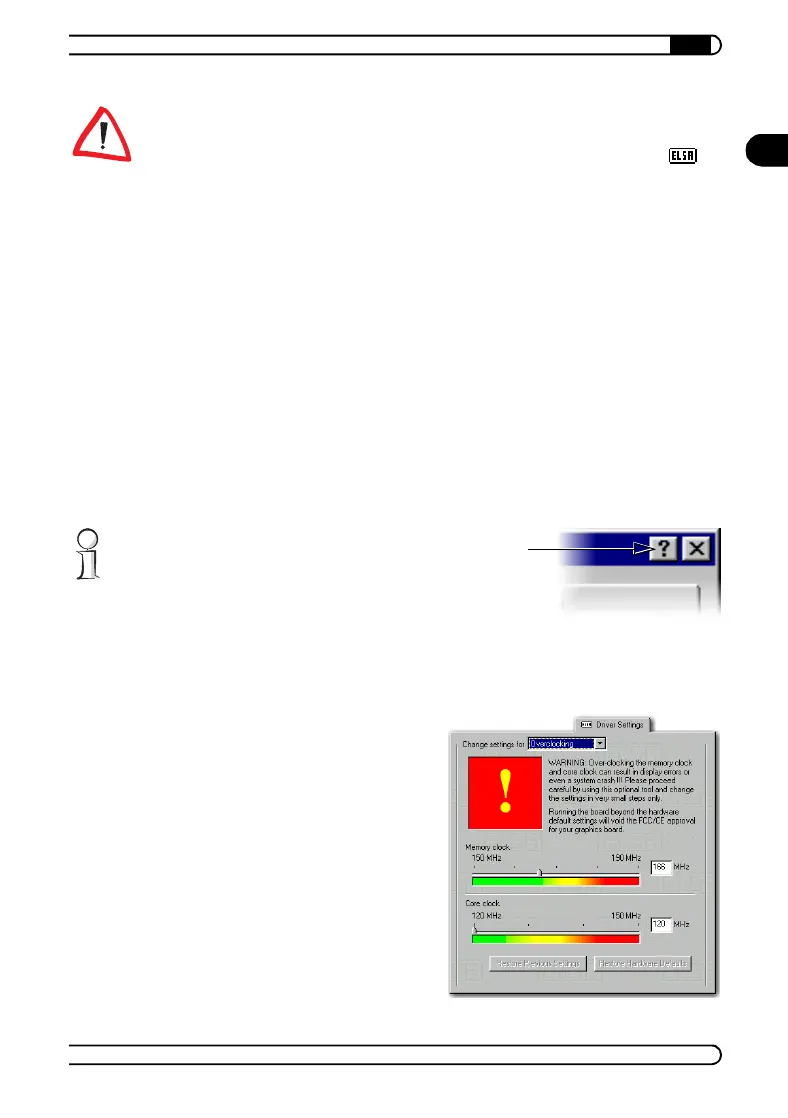
Overclocking
The overclocking tool enables
you to increase the values for
memory clock and core clock in
order to push the performance
of the graphics board
If you like to increase these
values please be careful! In
any case you should do it in
little steps (1 MHz). Changing
the settings becomes active
when you click the button
Accept.
21663_DE_0300.book Seite 21 Montag, 10. April 2000 12:22 12



 To Next Page