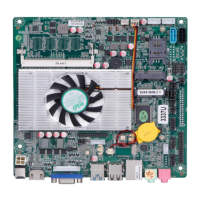
2.3.1 EDP2/LVDS backlight power supply definition:
Position symbol: INVERT (1*6Pin,2.0mm)
pin position symbol drawing
ADJ(Backlight brightness adjustment)
2.3.2 EDP2/LVDS screen operating voltage:
Position symbol: LVDS_PWR2 (2*3Pin,2.0mm)
pin position symbol drawing
Notice:Screens of different sizes require different operating voltages. The motherboard provides three screen
operating voltages of 3.3V, 5V and 12V. Please set the corresponding value of "LVDS_PWR2"according to the working
voltage required by the screen, otherwise there will be danger of burning the screen and burning the motherboard!
2.4 EDP1 pin definition:
Position symbol: EDP1 (2*15Pin,2.0mm)
pin position symbol drawing
Notice:
EDP1 backlight cable and screen cable are two in one.
When inserting the EDP cable, the first pin of the EDP cable must correspond to the first pin of the EDP1 pin on
motherboard. If the port is reversed or inserted incorrectly, there is a danger of burning the screen and burning the
motherboard!


 To Next Page