4.CONNECTIONS
• Turn off the power before connection.
• Turn on the power after finishing connection.
Wires must be firmly connected; especially the plug shall be fully inserted.
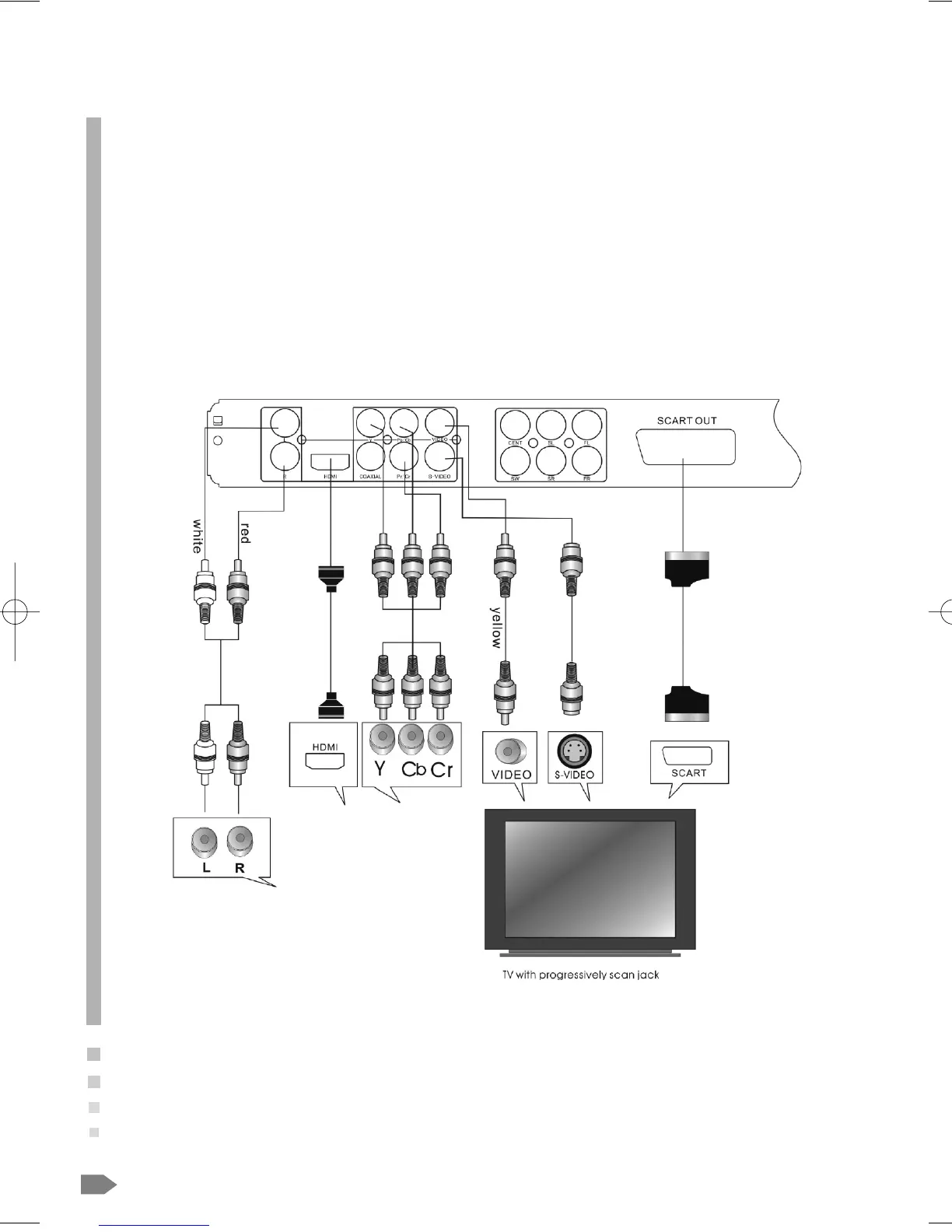
DVD+TV
Notes:
There are the following ways of connecting the player AV output to the TV set:
• S-video cable and left/right audio cable (set the video type to component)
• Composite video cable and left/right audio cable
• Component video cable and left/right audio cable (set the video type to component, if you connecting a progressive scan
TV set, please set the video type to P-Scan)
• Scart cable (press V-MODE button to switch the video mode to and set the video type to RGB)
• HDMI cable(press V-MODE button to switch the video mode and set the video type to HD)
26
02-8847MP4N-GB 4/26/06 2:50 PM Page 26



 To Next Page