Step ➋
Insert Memory
Cartridge
(LP+ Only)
The memory /real-time clock cartridge pro-
vides permanent storage for downloaded
forms and time/date information. Cartridges
are available in four upgradable memory con-
figurations: 128KB, 256KB, 384KB & 512KB.
The memory cartridge can be damaged if
plugged in or unplugged while the printer
power is ON(1).
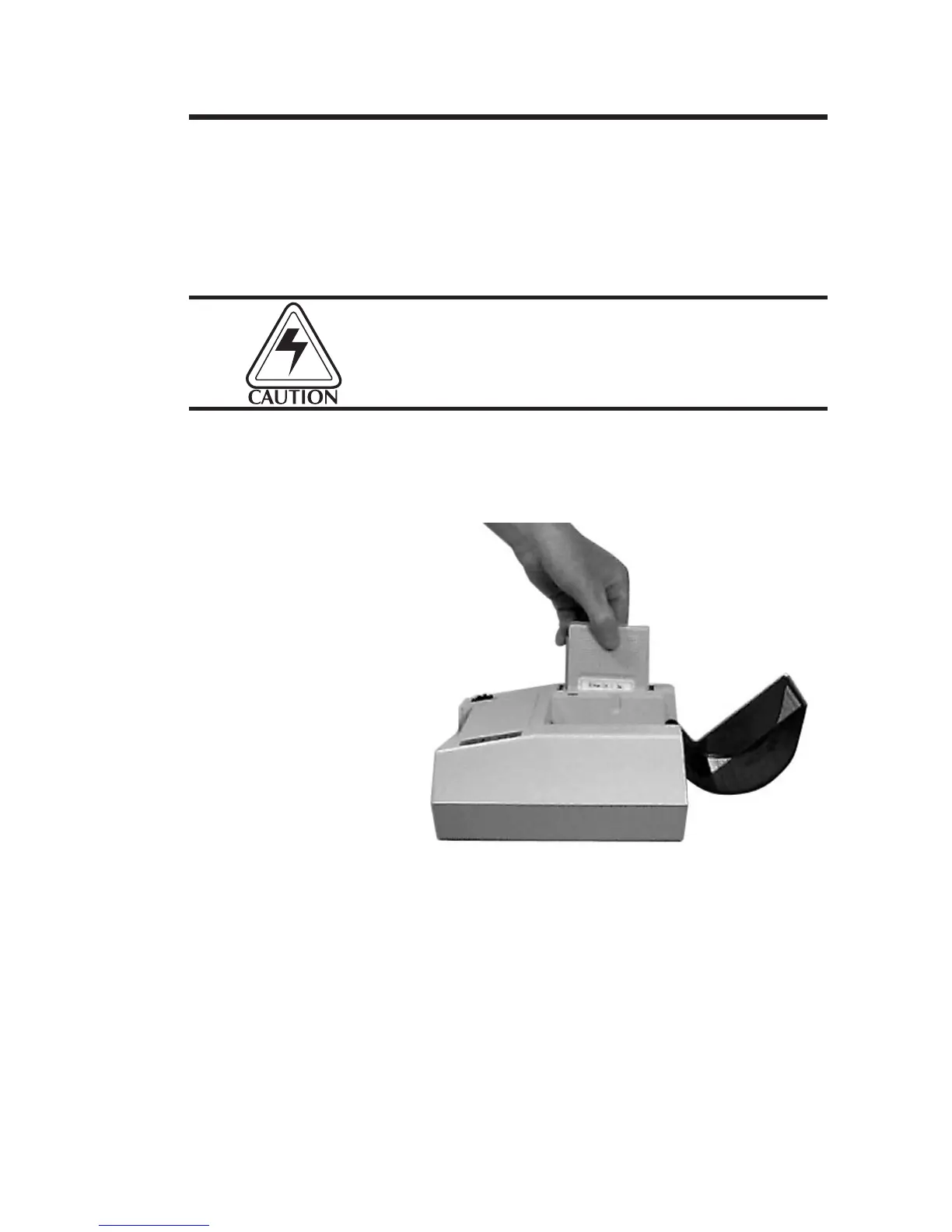
Insert the memory cartridge with the label side
facing the label roll holder. Push firmly to en-
gage the cartridge.
Before the additional memory can be ac-
cessed, the printer memory must be reparti-
tioned. Refer to the EPL2 Programming
manual for more information on the M com-
mand.
Getting Started
980008-001 Rev. B
5



 To Next Page