Appendix C
Windows Printer
Driver
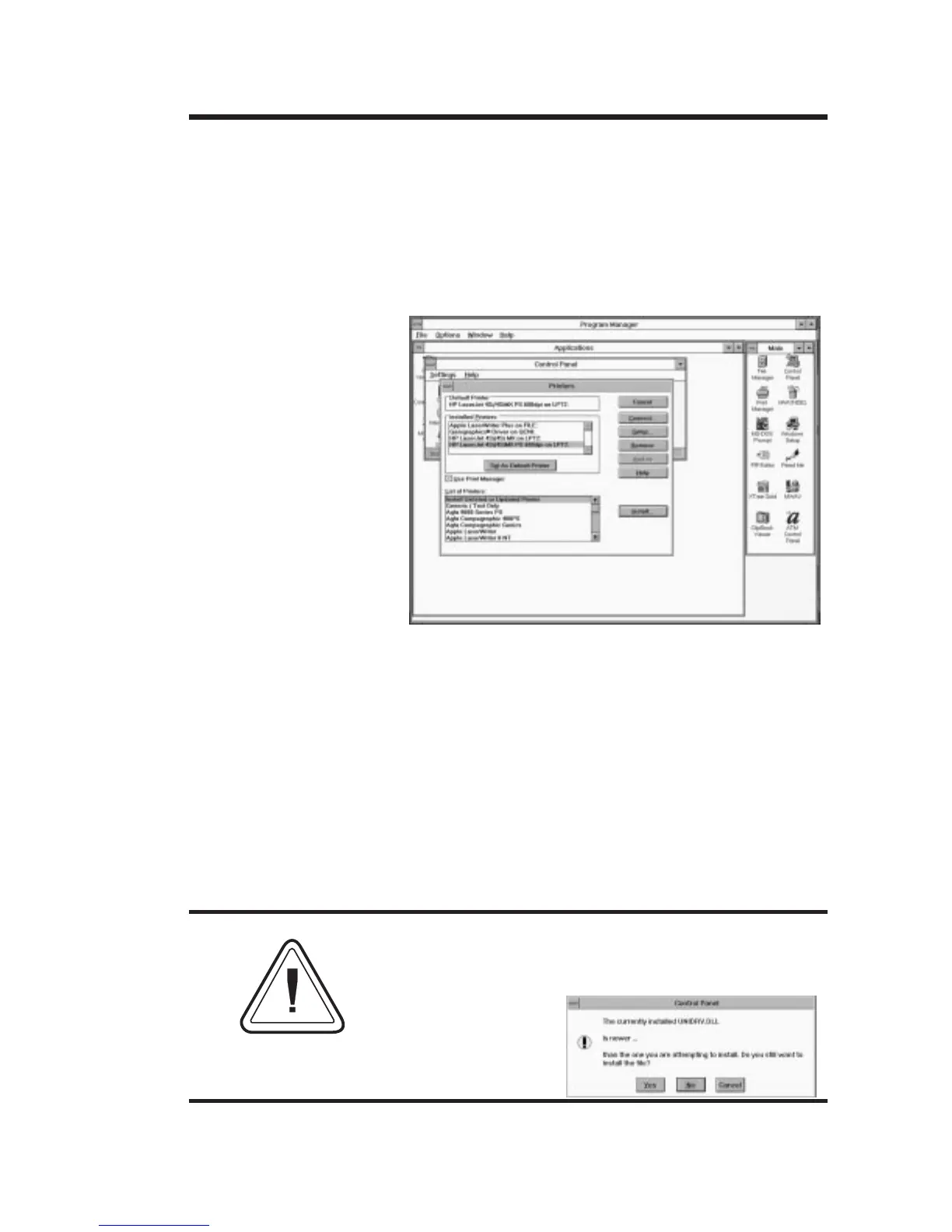
To install the Windows printer driver, use the
following steps. Start your computer and then
start Windows. Insert the Windows Driver disk-
ette into your floppy disk drive. Double-click
the Control Panel icon in the Main program
group. Select the Printers icon, the Printers
dialog box is displayed.
Select the Add button, the printer list is dis-
played. Under the List of Printers, select “Install
Unlisted or Updated Printer”. When prompted
for the location of the driver, enter the drive
where the diskette is (i.e. A: or B:). Click OK.
Select the LP+ driver that represents your
printer. The printer driver is installed and ap-
pears in the Installed Printers list in the Printers
dialog box.
Windows For Workgroup Users! If you receive
a warning stating: “The currently installed
UNIDRV.DLL is newer...”, select the default
“NO” button.
NOTE
Windows Printer Driver
980008-001 Rev. B
39



 To Next Page