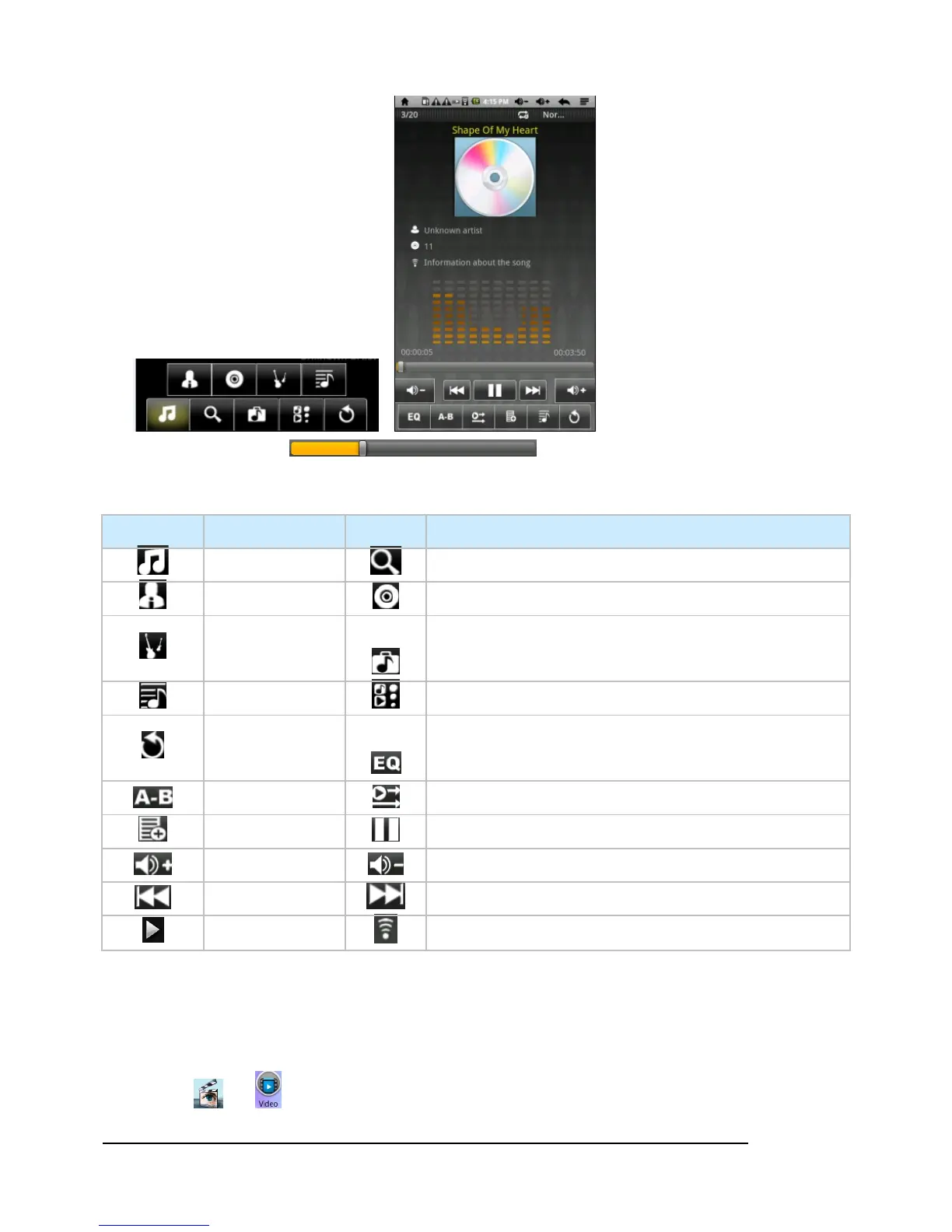
! Drag process bar
to scroll the music process.
! Music Icons Instruction
Icon Instruction Icon Instruction
All music Internet Search
Artist Album
Genre
memory and memory card
Playlist Go to now playing screen
Exit the music
player
EQ setting (Normal/Rock/Pop/Classic/Bass/Jazz/User EQ
A-B repeat In order of storage
Add to the play list Pause music
Increase Volume Decrease Volume
Play last music Play next music
Play music
Search Information about the song from the internet
Video play
Select or to enter video interface shown as follow:



 To Next Page