Home Screen
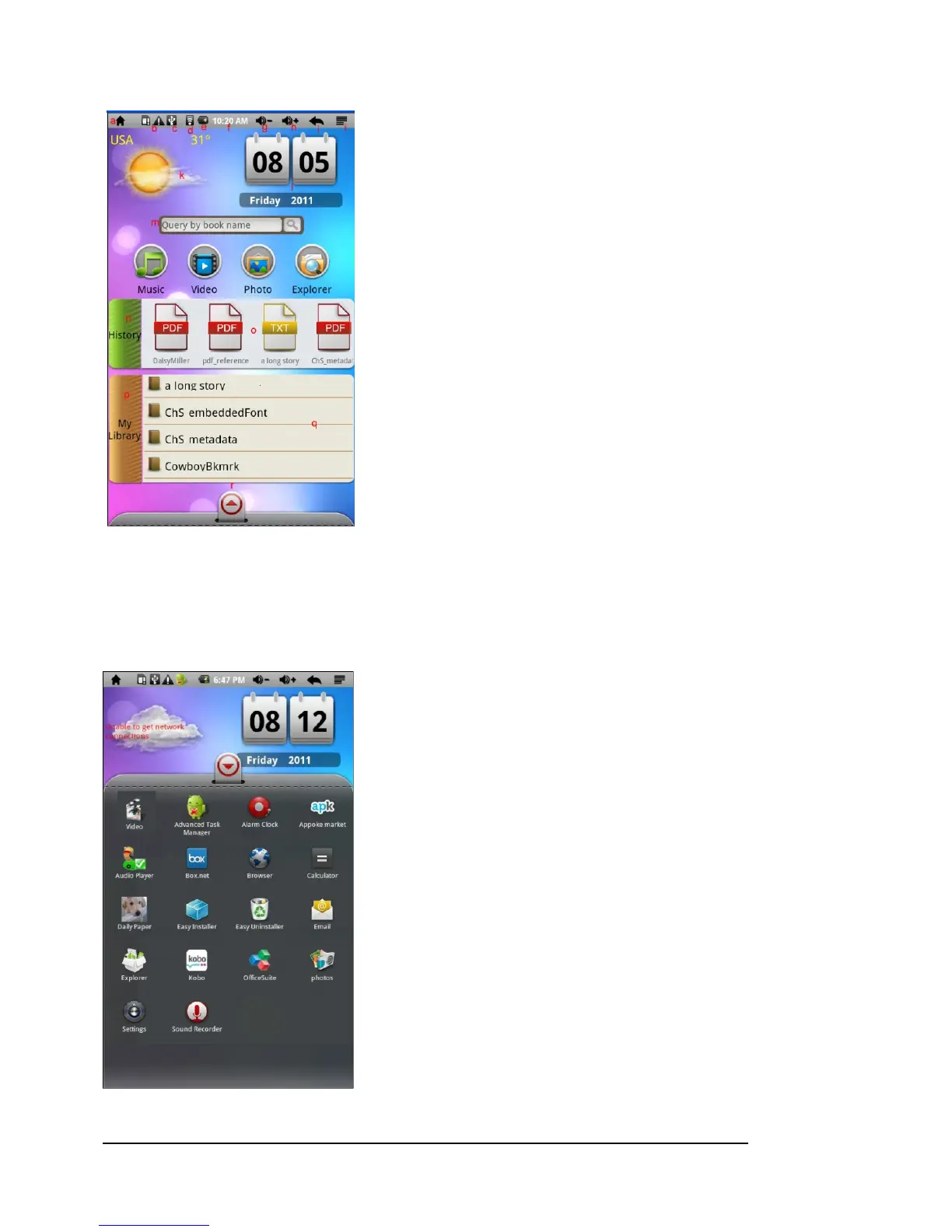
a. Go to home page
b. Detect new device
c. USB connection
d. Wireless Internet available
e. Battery indicator
f. Time
g. Increase volume
h. Decrease volume
i. Return: Go back to the previous screen or directory
j. Menu: display overlay menu
k. Weather forecast for worldwide cities (need available
Wireless Internet network)
l. Date
m. Searching
n. Enter eBooks read history
o. Scroll left and right to view Recently read eBooks
p. Enter eBooks library
q. Scroll left to right to view all eBooks
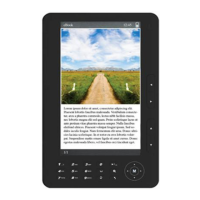
r. Display all application
Display All Applications



 To Next Page