Wireless Internet and Connection Tap
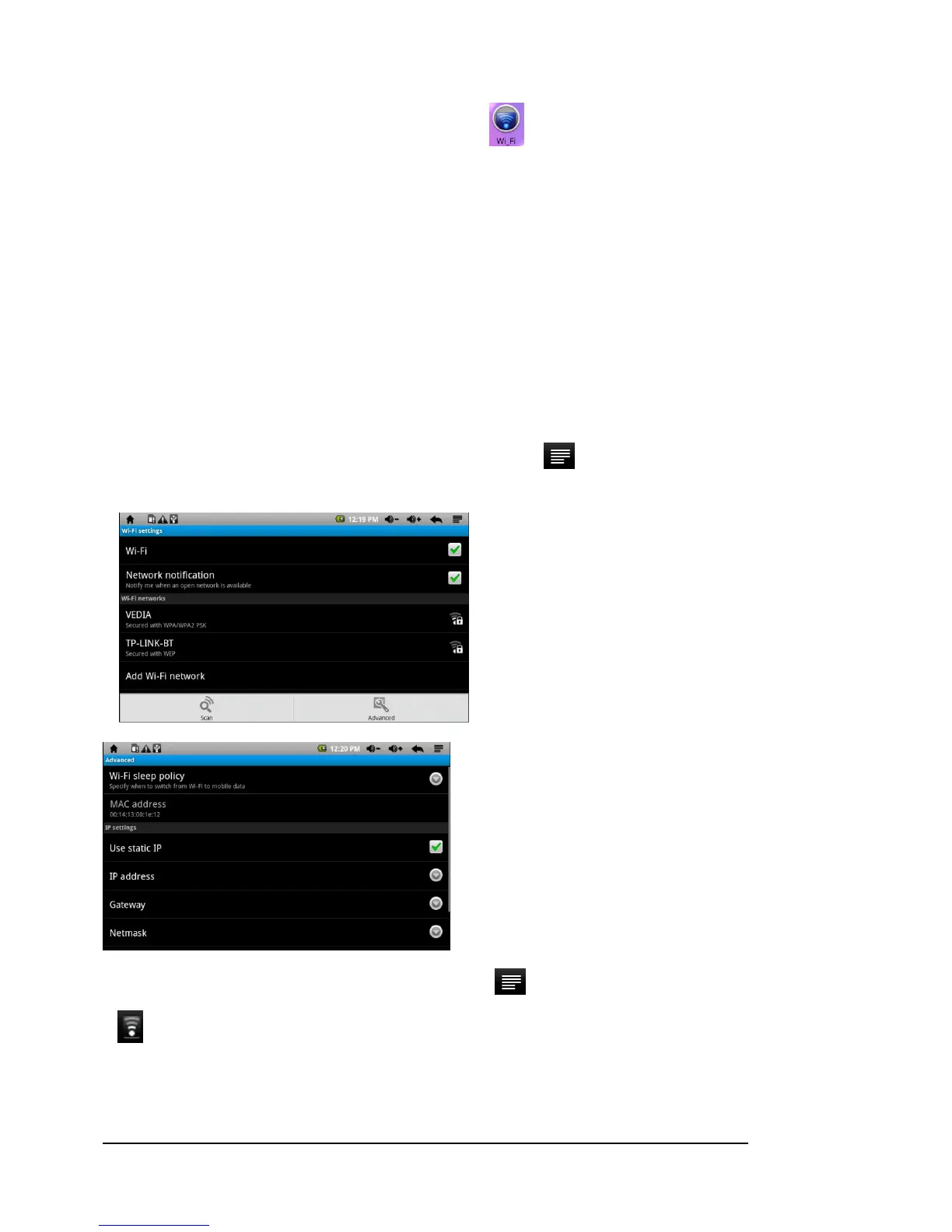
a. Tap the “Wi-Fi “setting to turn the Wireless Internet on, if it is off.
b. Select “Wi-Fi Settings” and this device will automatically scan for available Wireless Internet networks
and display them. This list of available networks shows all the wireless networks in range of your device.
c. Tap the network you want to connect to, enter the network information (password) if required, and then
tap “Connect.” The device will now attempt to establish a connection to that Wireless Internet port.
If the connection is successful, the message “Connected to (your network name)” will appear under the Wi-Fi
setting.
Advanced Connection
To manually scan for available Wireless Internet networks, tap to enter advance setting. Select “Use
static IP.”
After you are finished with the setting please press the
to save or cancel the settings.
means Wi-Fi is on.



 To Next Page