11
You can add additional users to your tablet. By
doing so, each user can customize their Home
Screen, sccounts, apps, and more.
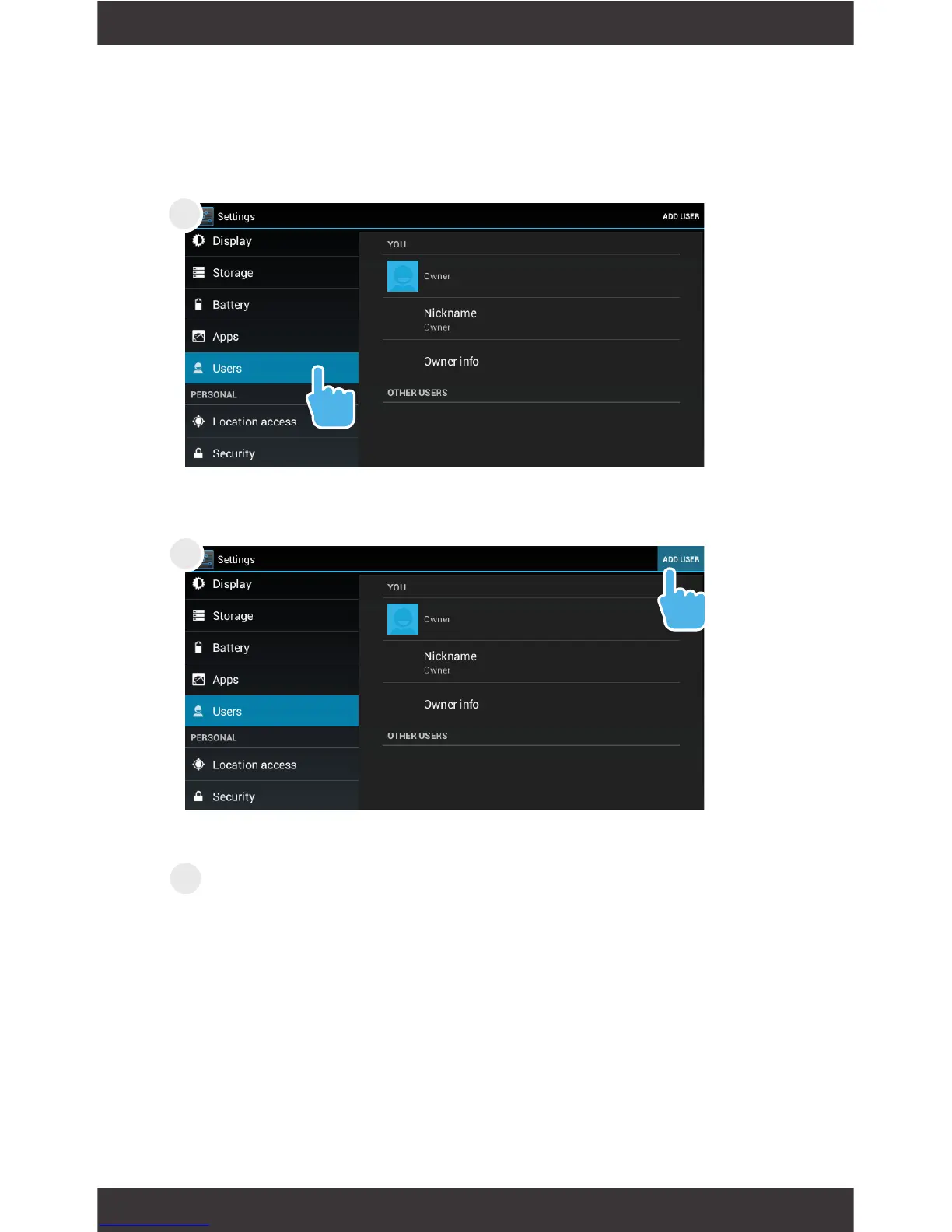
In Settings, tap Users.
Tap Add User
The Ematic logo will indicate that the new User
Account is being loaded. Once it is done loading,
the new user can begin customizing the tablet
to their preferences.
Adding Additional Users
1
2
3



 To Next Page